Yishi 3D Industrial Camera
| Parameter | Type | Description | Dependency |
|---|---|---|---|
| Address | IP | Specify the IP address of the camera | |
| Model | Enumeration | Specify the camera model: LVM-2000, LVM-2300, LVM-2500, LVM-2700, LVM-3700 | |
| Software Trigger | Boolean (Switch) | Set whether software trigger is required for image capture | |
| Number of Rows | Integer | Set the number of rows for point cloud generation | |
| Uniform Spacing | Boolean (Switch) | Set whether to capture images in a uniform spacing manner | |
| Remove Invalid Points | Boolean (Switch) | Set whether to enable the function of removing invalid points; an unordered point cloud will be output after removing invalid points |
Camera Usage
Camera Preparation
- Ensure the IP address of the camera controller and the network card IP address are in the same subnet.
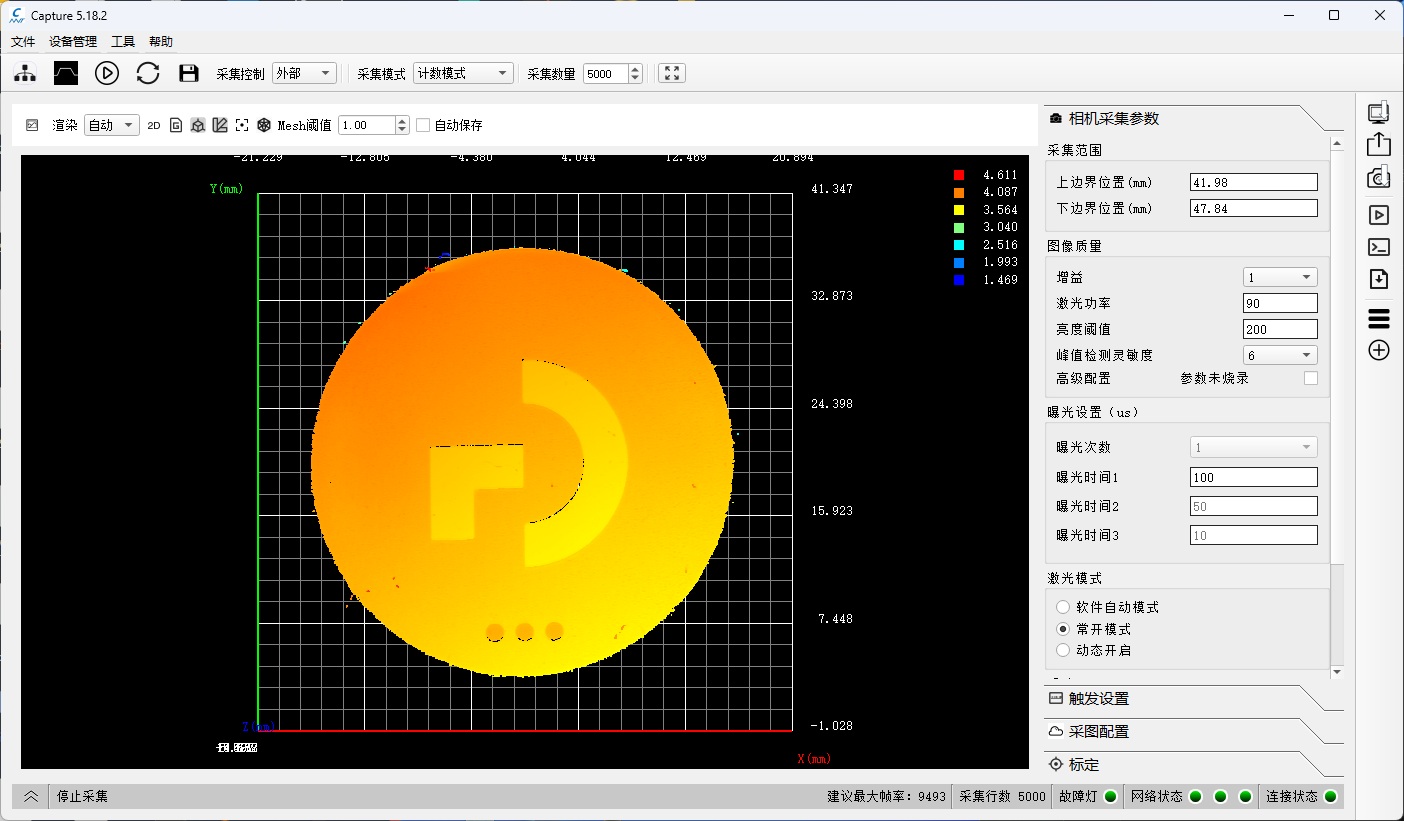
- Verify that images can be captured using the official camera software and meet the desired results.
- Save the camera parameters.
Add and Connect Device
Tip
Please close the official image capture software before connection to avoid mutual interference.
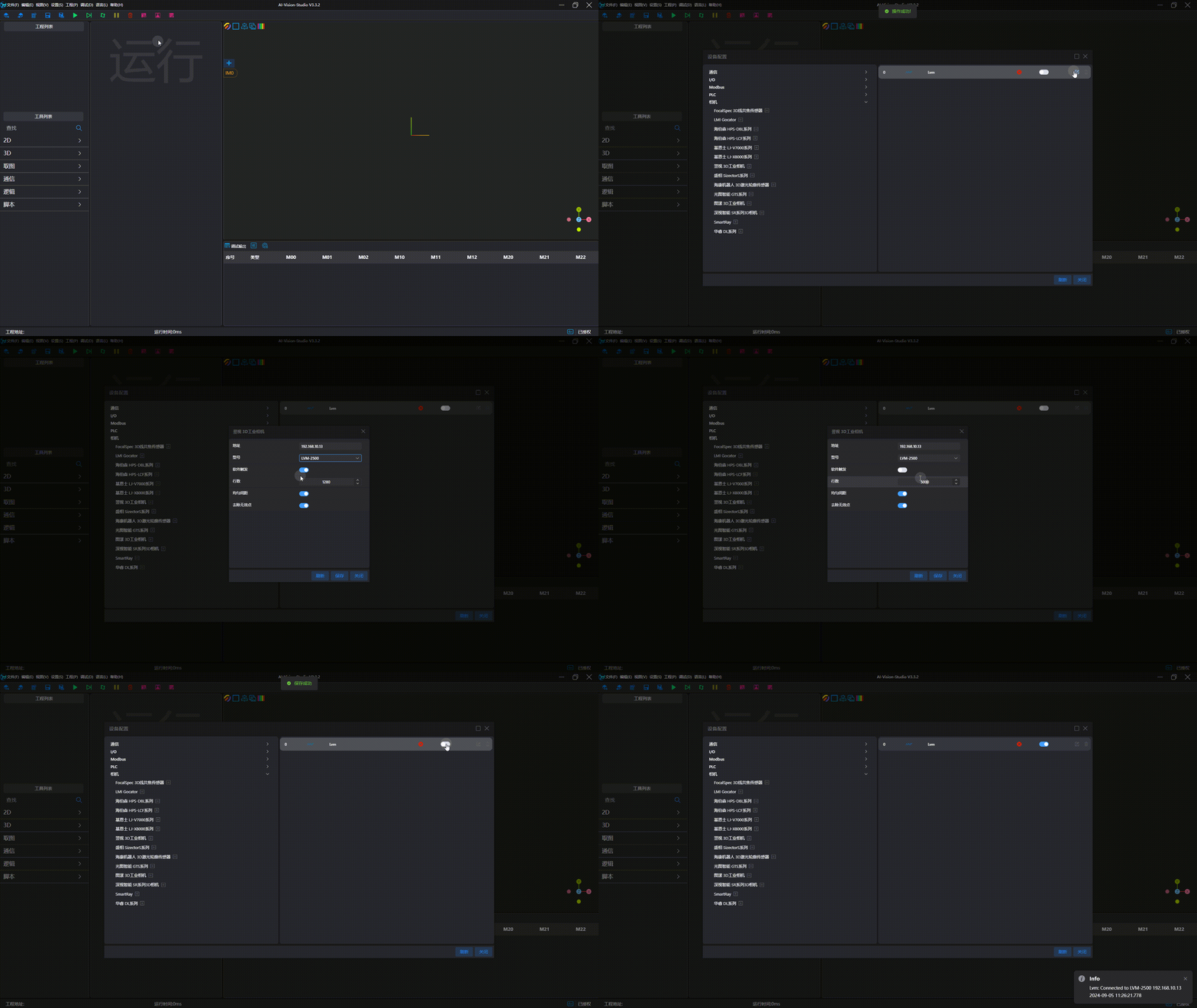
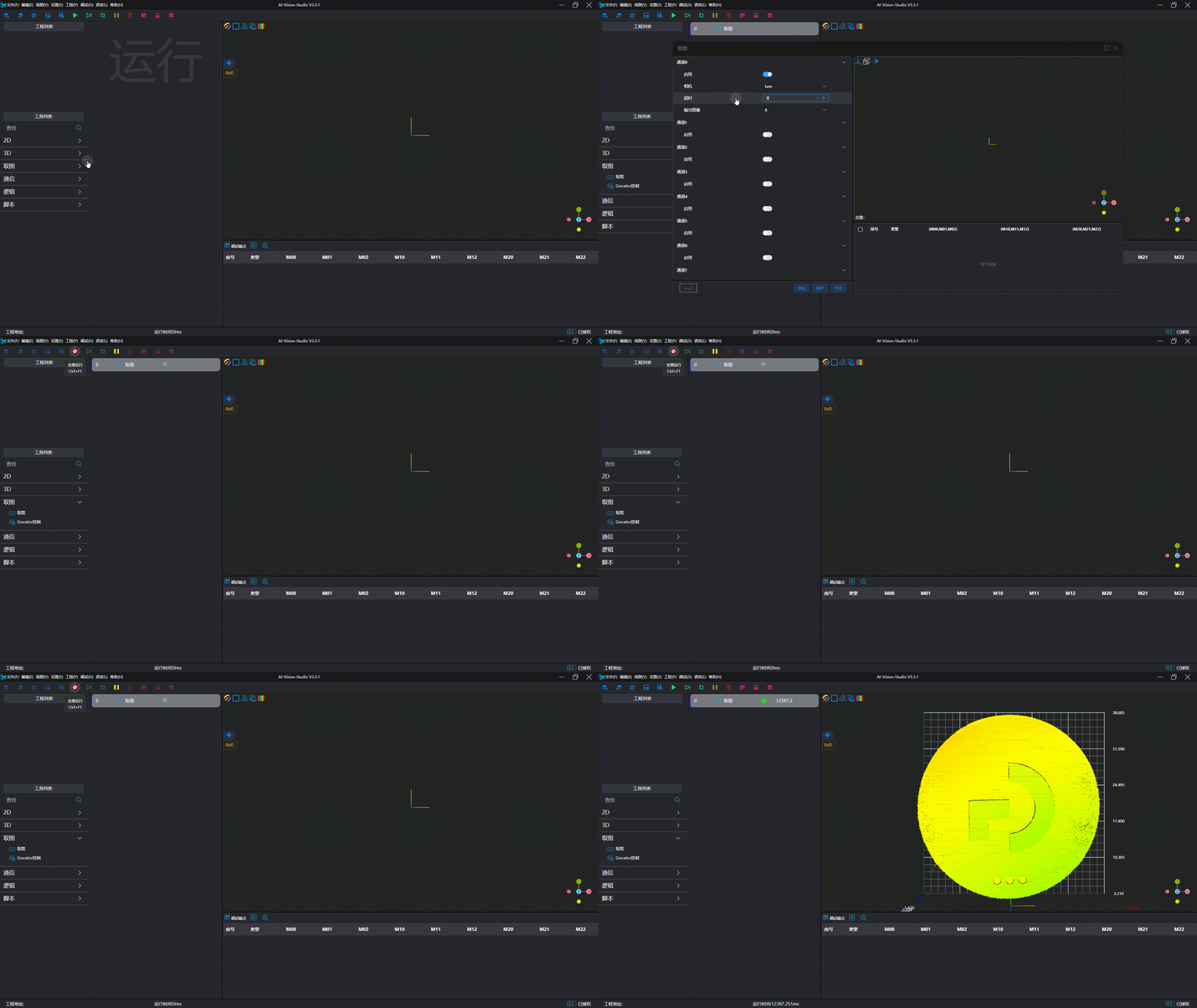
Image Capture Test