
Keyence LJ-V7000 Series
Note
Only high-speed mode image capture is supported
| Parameter | Type | Description | Dependency |
|---|---|---|---|
| Controller Connection Method | Enumeration | Specify the connection method for the LJ-V7000 controller: Ethernet, USB | |
| Controller Address | IP | Specify the IP address of the LJ-V7000 controller | Controller Connection Method = Ethernet |
| Command Port | Integer | Specify the Command port of the LJ-V7000 controller, default: 24691 | Controller Connection Method = Ethernet |
| Hi-speed Port | Integer | Specify the Hi-speed port of the LJ-V7000 controller, default: 24692 | Controller Connection Method = Ethernet |
| Software Trigger | Boolean (Switch) | Set whether software trigger is required for image capture | |
| Y-axis Point Spacing | Float | Specify the Y-axis point spacing | |
| Remove Invalid Points | Boolean (Switch) | Set whether to enable the function of removing invalid points; an unordered point cloud will be output after removing invalid points |
Camera Usage
Camera Preparation
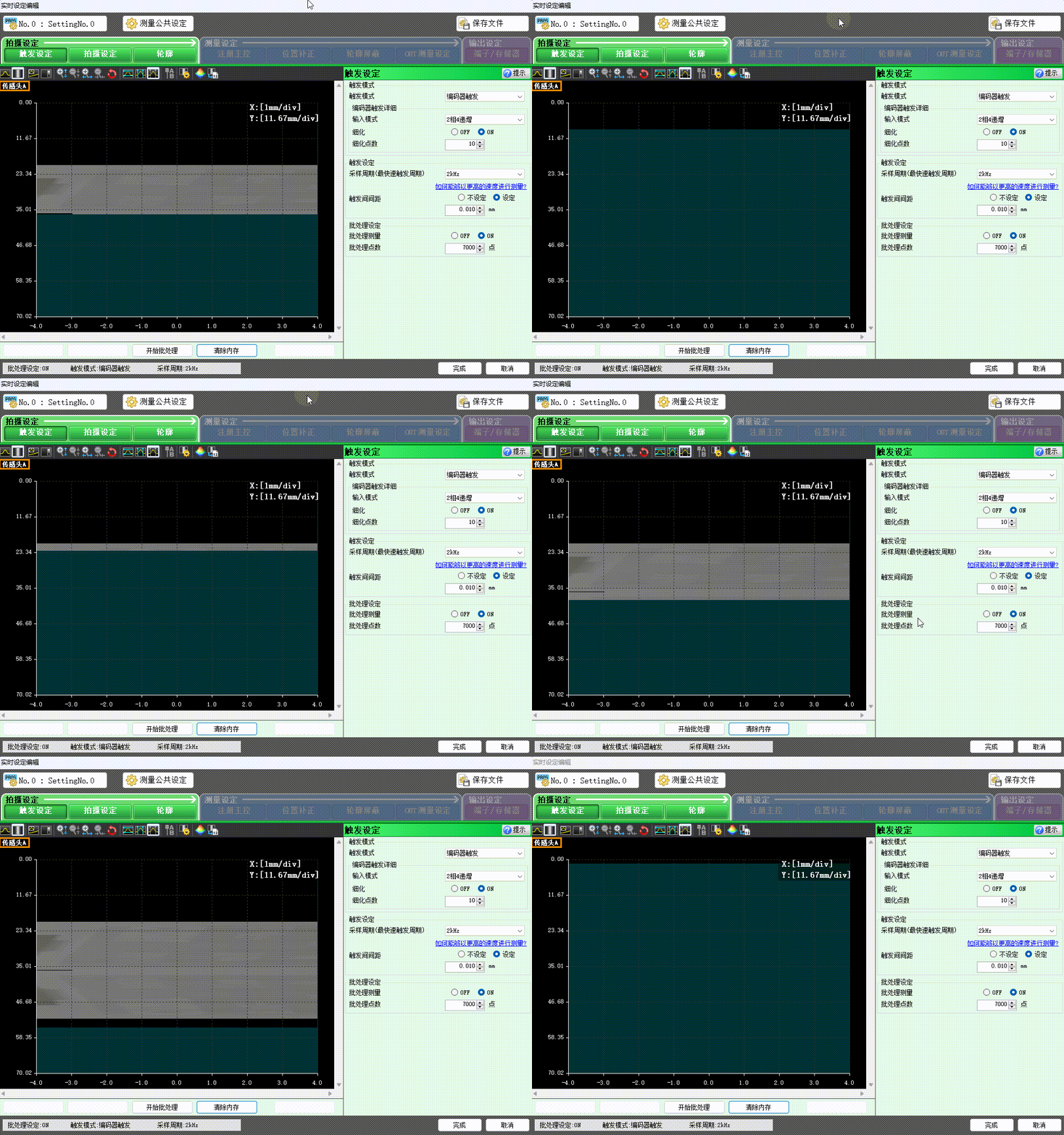
- Ensure the IP address of the camera controller and the network card IP address are in the same subnet.
- Verify that images can be captured using the official camera software and meet the desired results.
Add and Connect Device
Tip
Please close the official image capture software before connection to avoid mutual interference.
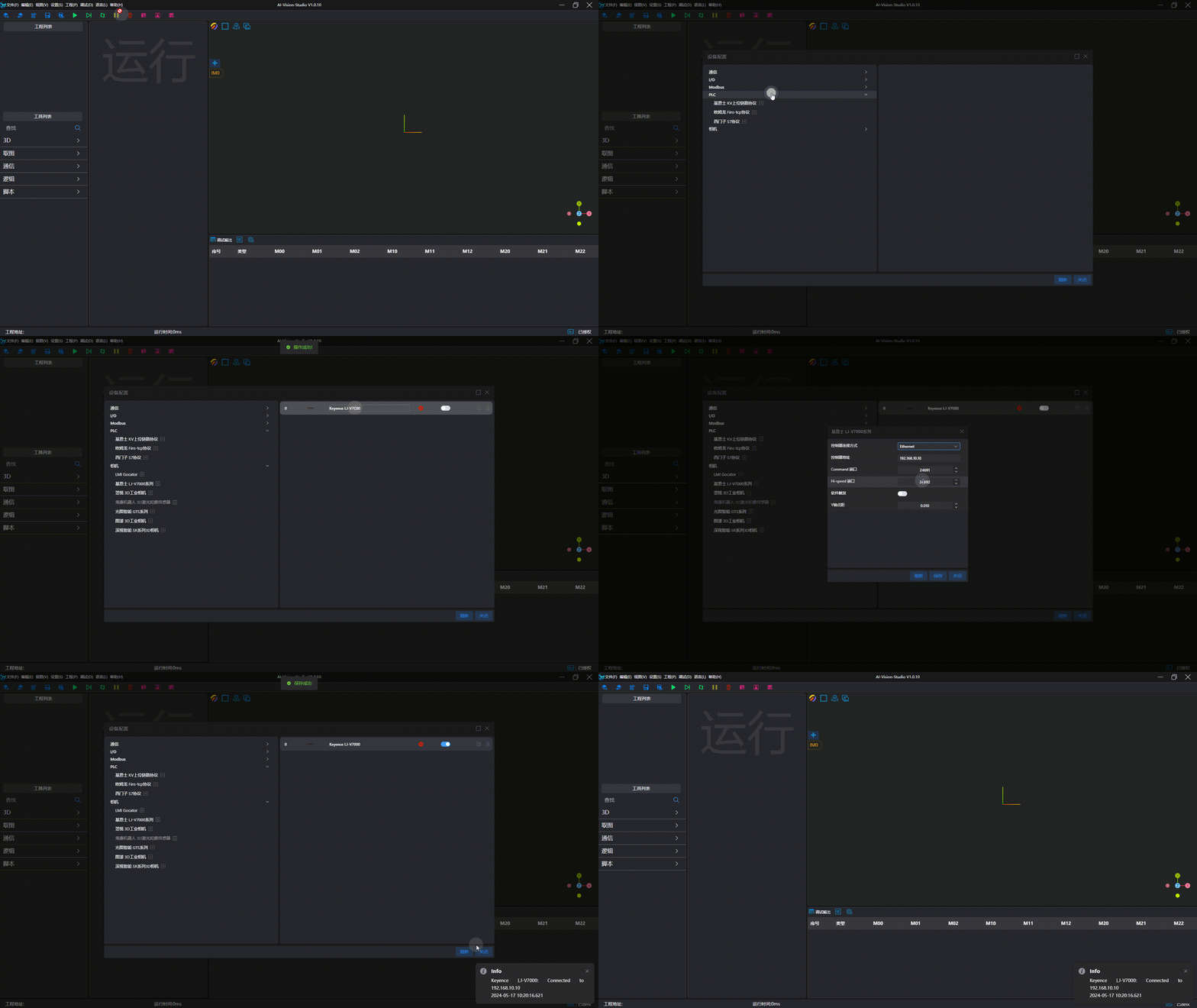
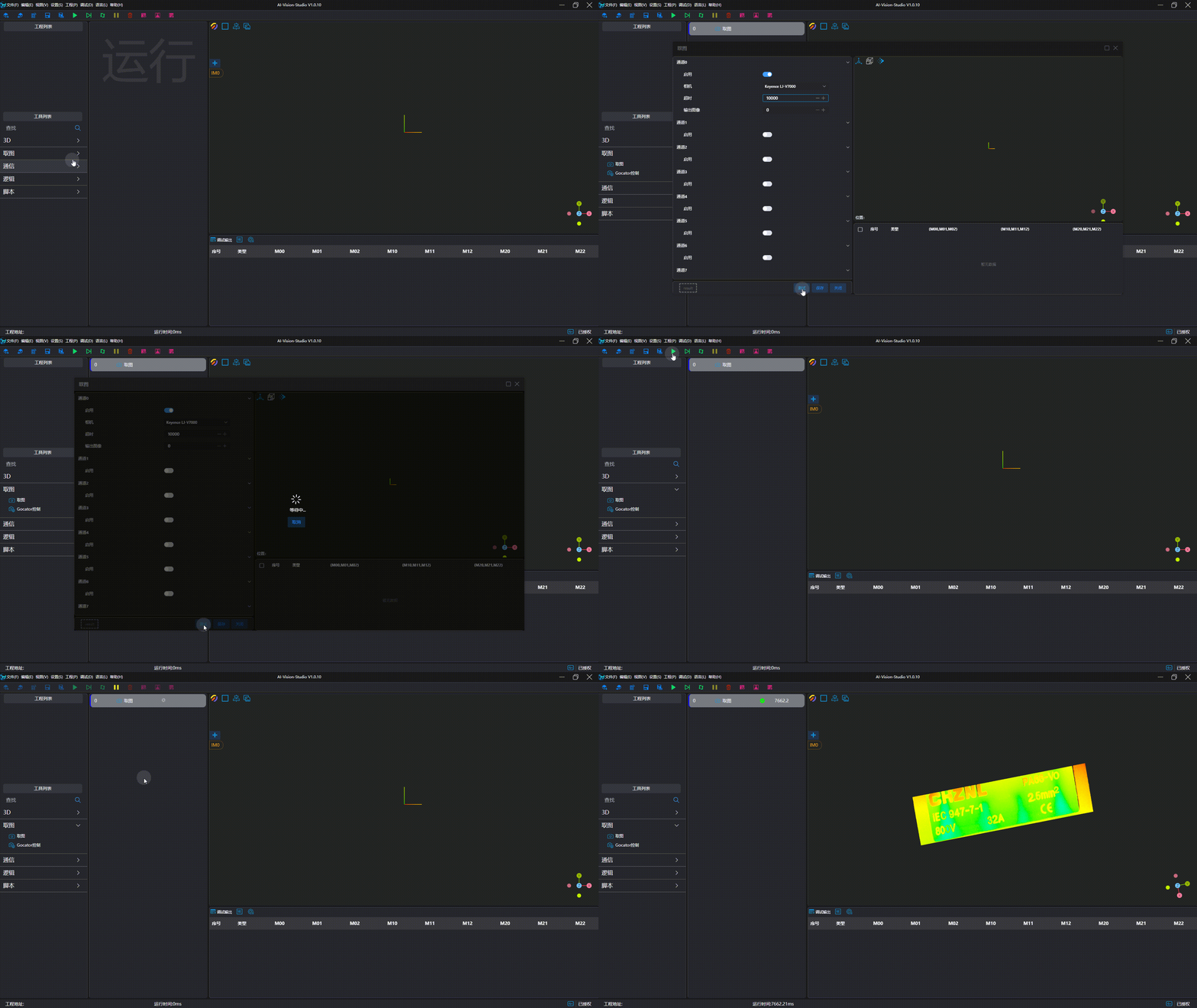
Image Capture Test
Precautions
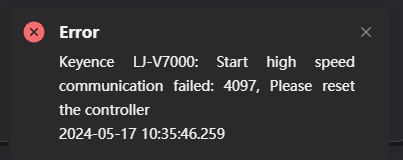 If the controller disconnects or the network cable is reconnected during image capture, the prompt shown in the figure above will pop up when reconnecting. The controller must be restarted to connect normally.