
Read PLC
Parameter Introduction
Calculation Parameters
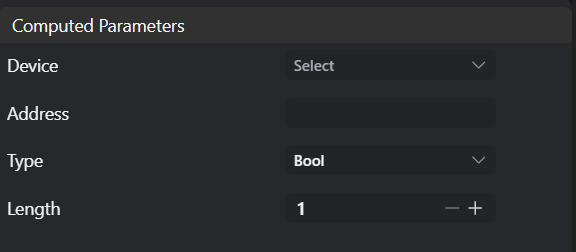
| Parameter | Range | Default Value | Description | Illustration |
|---|---|---|---|---|
| Device | Select device from the device listNote: Available devices must meet 2 conditions: 1. Device belongs to PLC group; 2. Device is enabled | |||
| Address | Register address | |||
| Type | Bool Byte Uint16 Int16 Uint32 Int32 Single Double String | Bool | ||
| Length | 1 | Total length of content to read |
Exception Troubleshooting
| No. | Exception Information | Corresponding Parameter | Solution |
|---|---|---|---|
| 1 | Parameter "xxx" cannot be empty | Parameter name | Input the xxx parameter. |
| 2 | Device "xxx" does not exist | Device name | Modify device parameters or add corresponding device. |
| 3 | Failed to read xxx "xxx" type data from address "xxx" | Address,Count,Type | Ensure PLC supports specified data type, and specified address is correct and accessible. |