Solder Joint Defect Detection
Project Background
Measurement Background
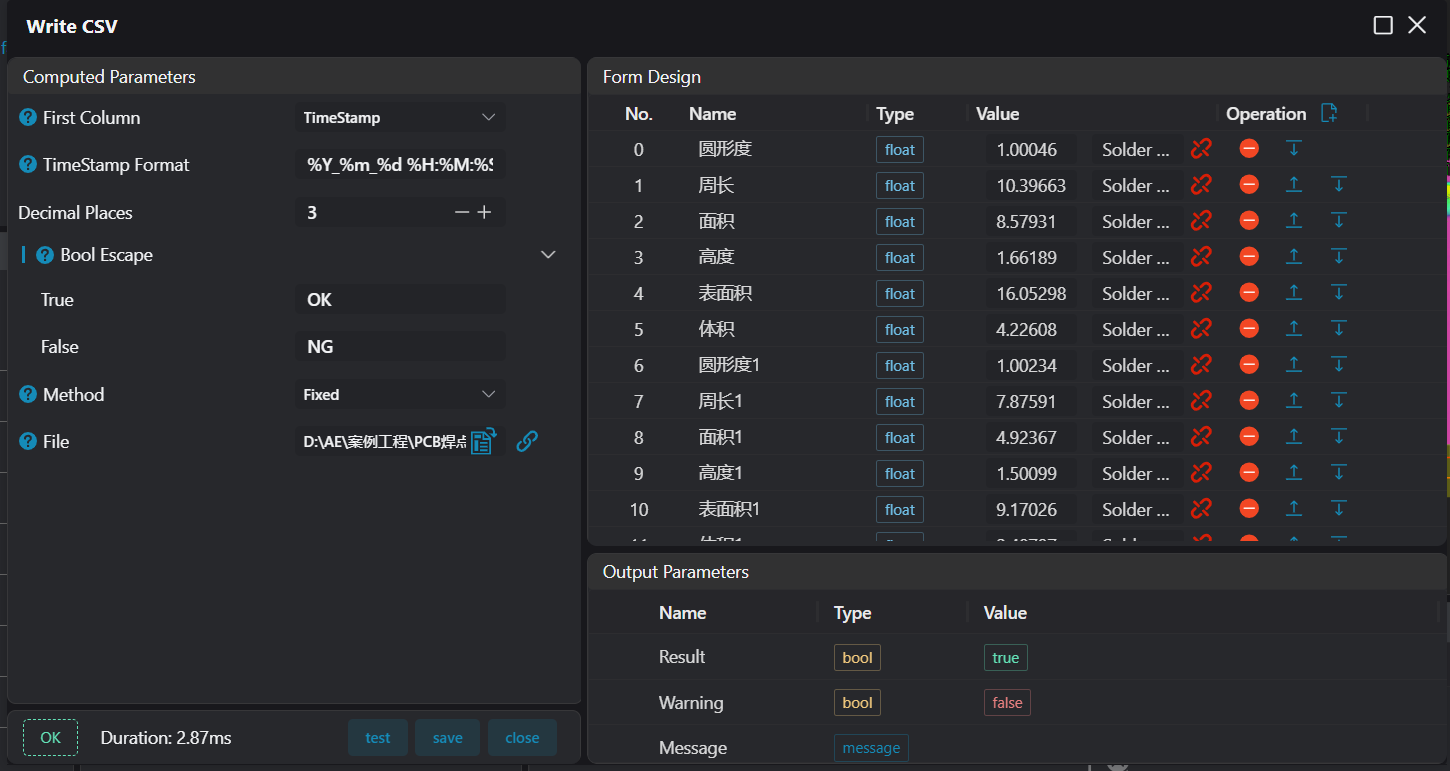
With the increasing integration of electronic products, solder joint quality directly affects product performance and reliability. To ensure product quality, it is necessary to accurately measure the size, shape and electrical properties of solder joints, detect defects in a timely manner, optimize production processes, and enhance product competitiveness.
Camera Selection
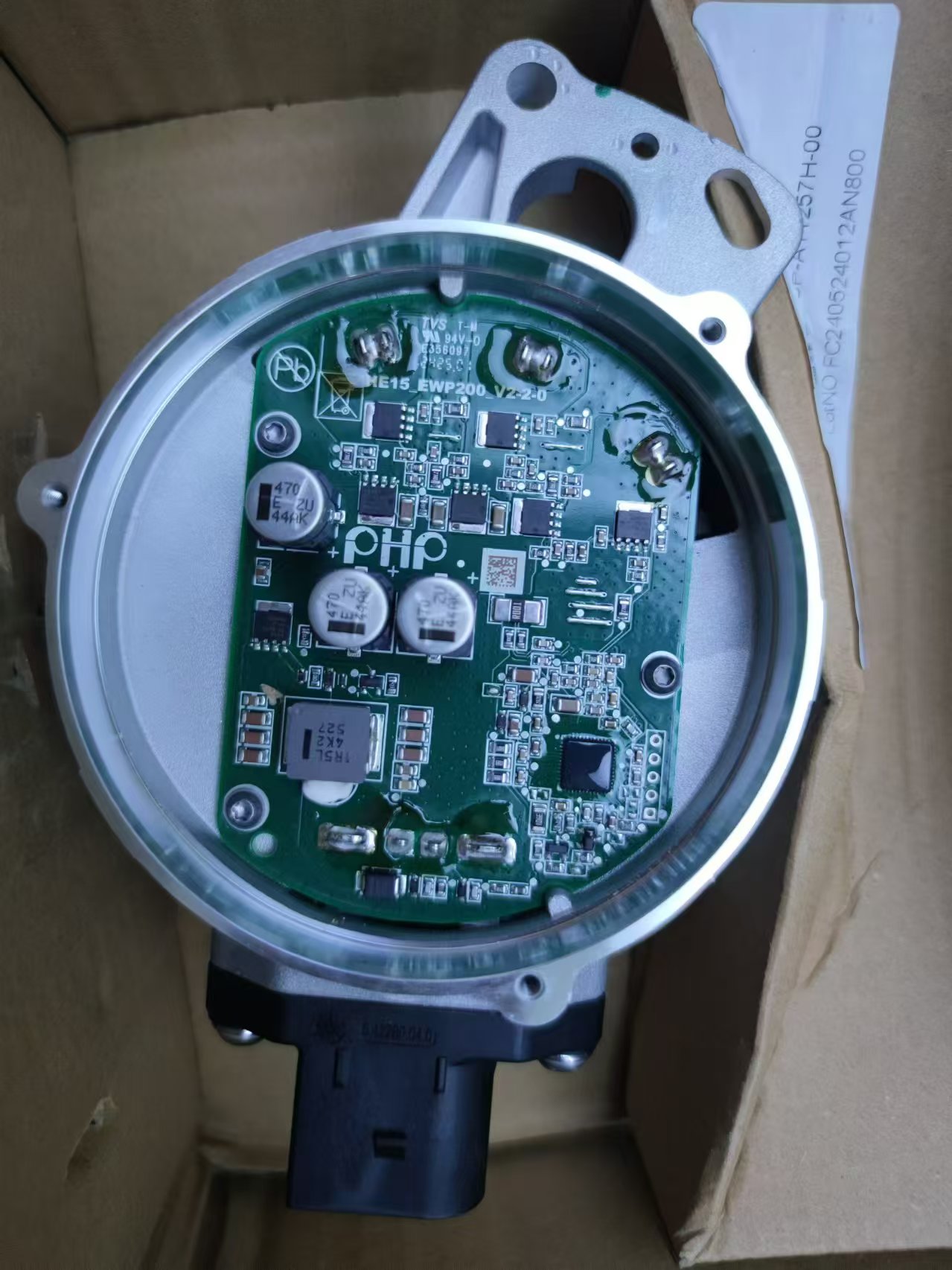
Shengxiang ST081043
Measurement Items
Volume, height and cross-sectional area of solder joints
Detection Requirements
- Measurement accuracy ≤ 0.05mm
- Measurement repeatability ≤ 0.05mm
- Measurement cycle ≤ 3s
Solution
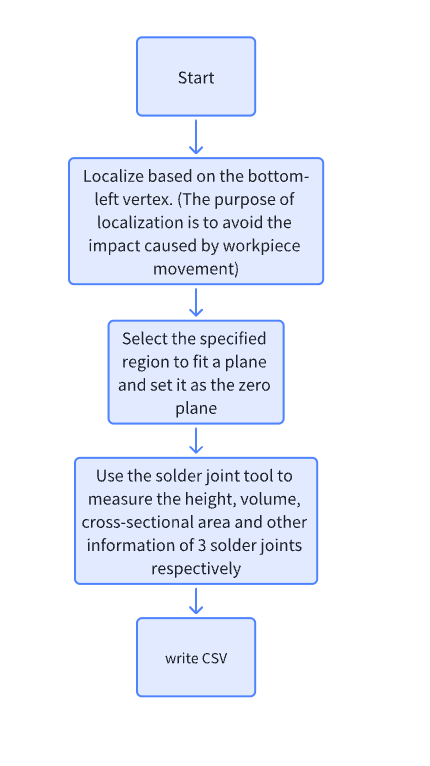
Adopt AI-Vision software and use the integrated solder joint detection tool to measure solder joint information with one click. It features fast operation speed, high precision, simple process and modular design for easy setup.
Design Concept
Implementation Effect Display
Project Result Display
Project Process
1. Initialization
- Use the
Load Point Cloudtool to load point cloud data.
2. Preprocessing
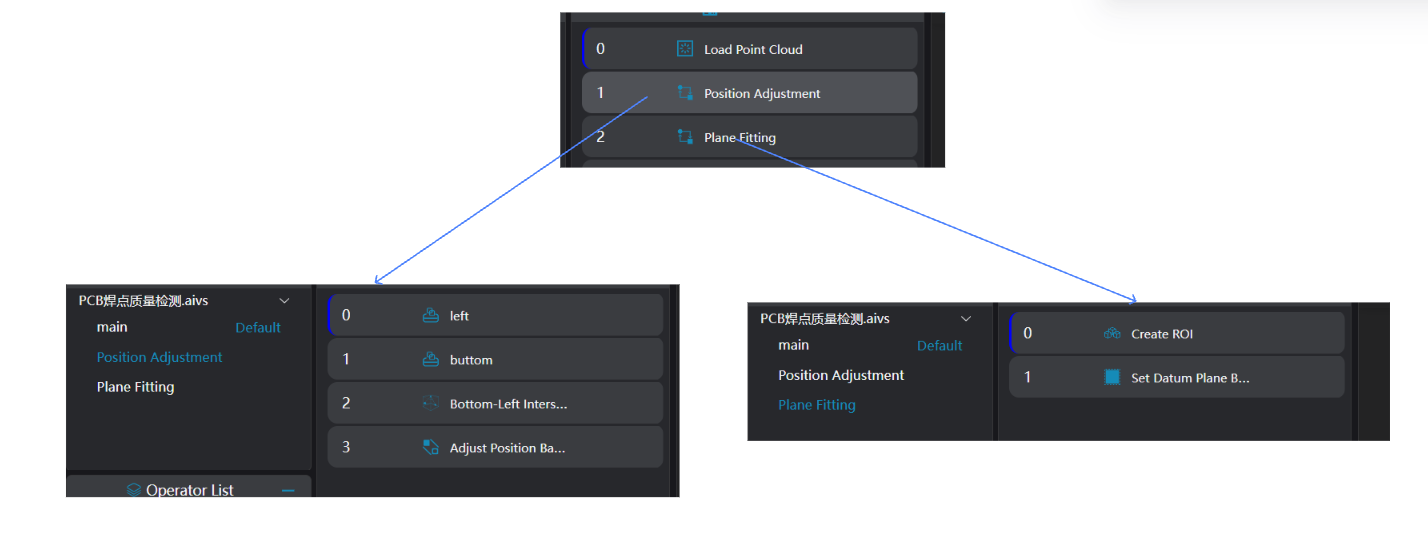
Position Adjustment
- Use the
3D Square Probetool to obtain the left and bottom edges of the workpiece.
Use the
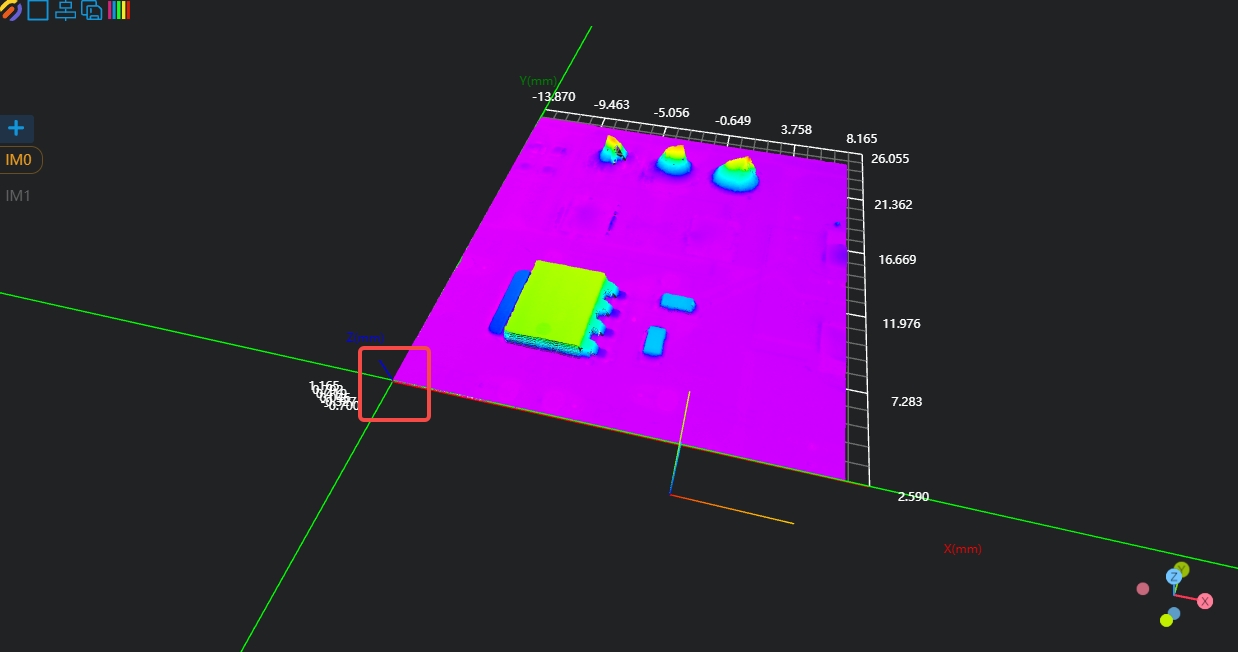
3D Geometric Intersectiontool, bind the two edges output by the operator variables in the previous step as input geometries, and output the intersection point of the two lines.Use the
3D Position Adjustmenttool, bind the line intersection point output by the operator in the previous step as the new origin, and adjust the XY position of the point cloud.
Plane Fitting
Use the
3D Regiontool to select the area for plane fitting.Use the
3D Planetool, bind the variable region output by the operator in the previous step as the input region, fit the plane and set it as the zero plane.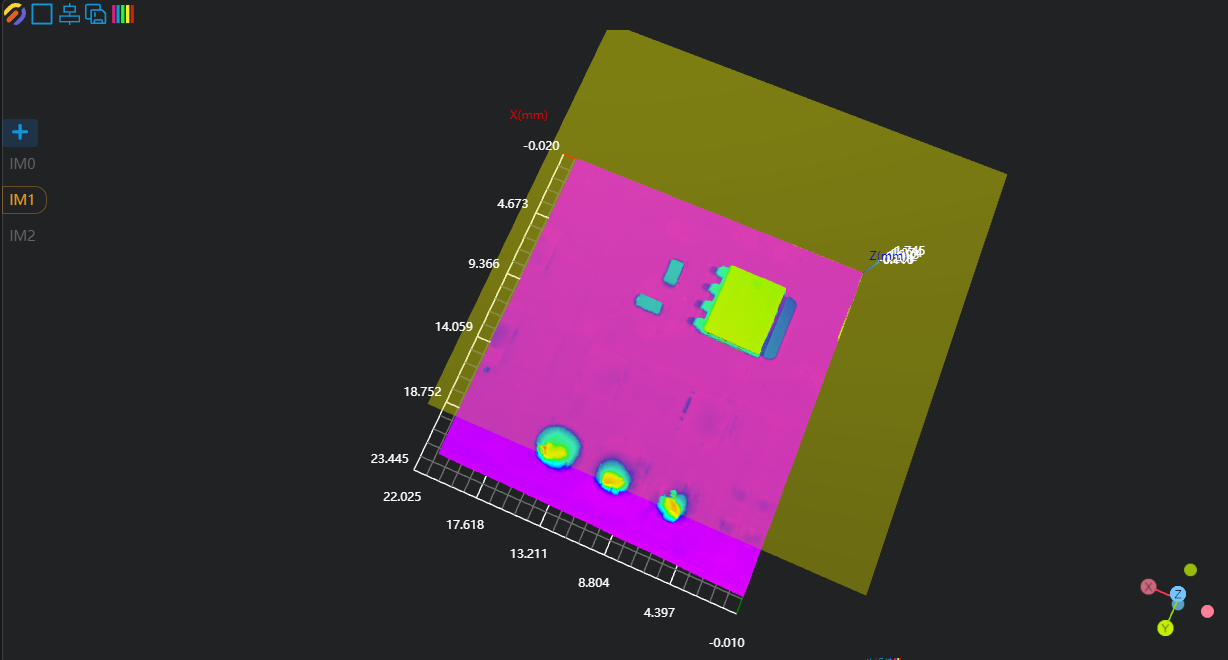
3. Solder Joint Measurement
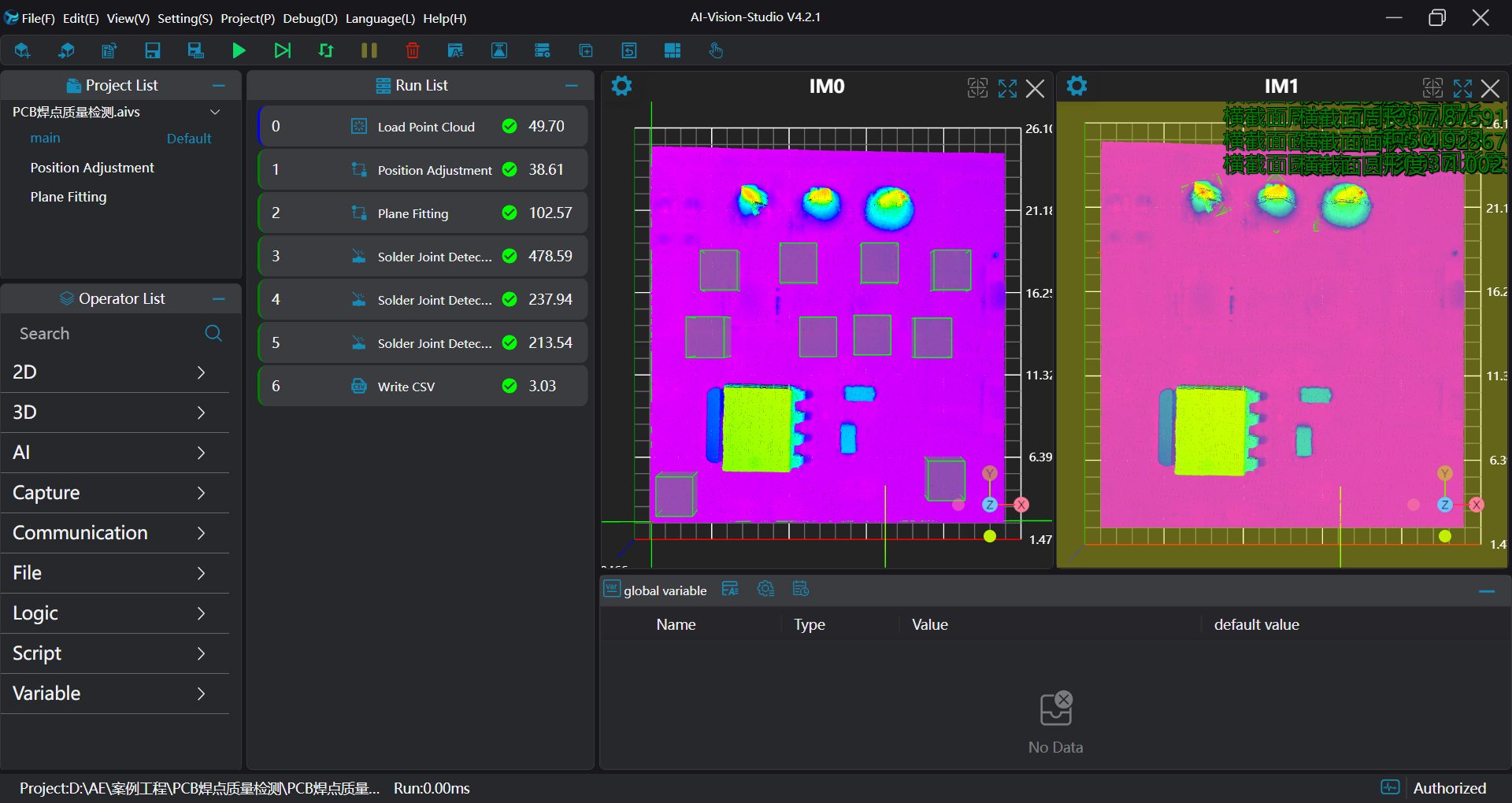
Use three Solder Joint Detection tools to measure the volume, height, cross-sectional area and other information of three solder joints respectively.

4. Data Saving
Use the Write to CSV tool to save data, and bind the data in the Solder Joint Detection operator to the Write to CSV tool.