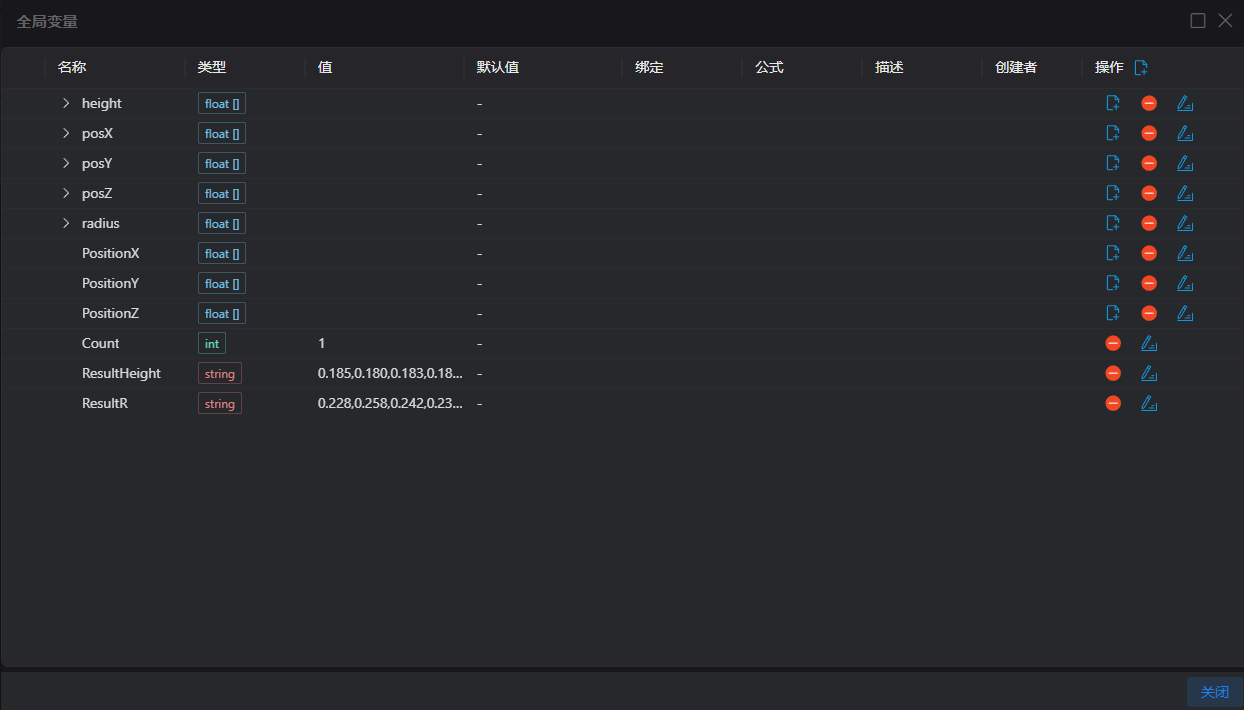
Global Variables Page
Overview
- Global variables are used to store a
name-valuemapping table (map) of variables accessible globally. - Variables stored in global variables can be indexed by their variable names.
- Global variables can be automatically generated by scripts and operator tools, or custom-defined by users.
- Global variables can be bound to the parameters of operator tools, and the current values of global variables will be automatically read each time the operator tool is executed.
Variable Properties
Name | Description |
|---|---|
| Name | The name of the variable, defined by the user when manually creating it or in the script; after array expansion, this column shows the array order (starting from 0) |
| Type | The type of the variable, including int/string/float/bool/Array (int[]/float[]/string[]/bool[]) |
| Value | The current value of the variable |
| Default Value | The preset value of the variable when reset |
| Binding | --- |
| Formula | --- |
| Description | --- |
| Creator | Custom: Created by the user in the Global Variables interface Lua: Created by Lua script |
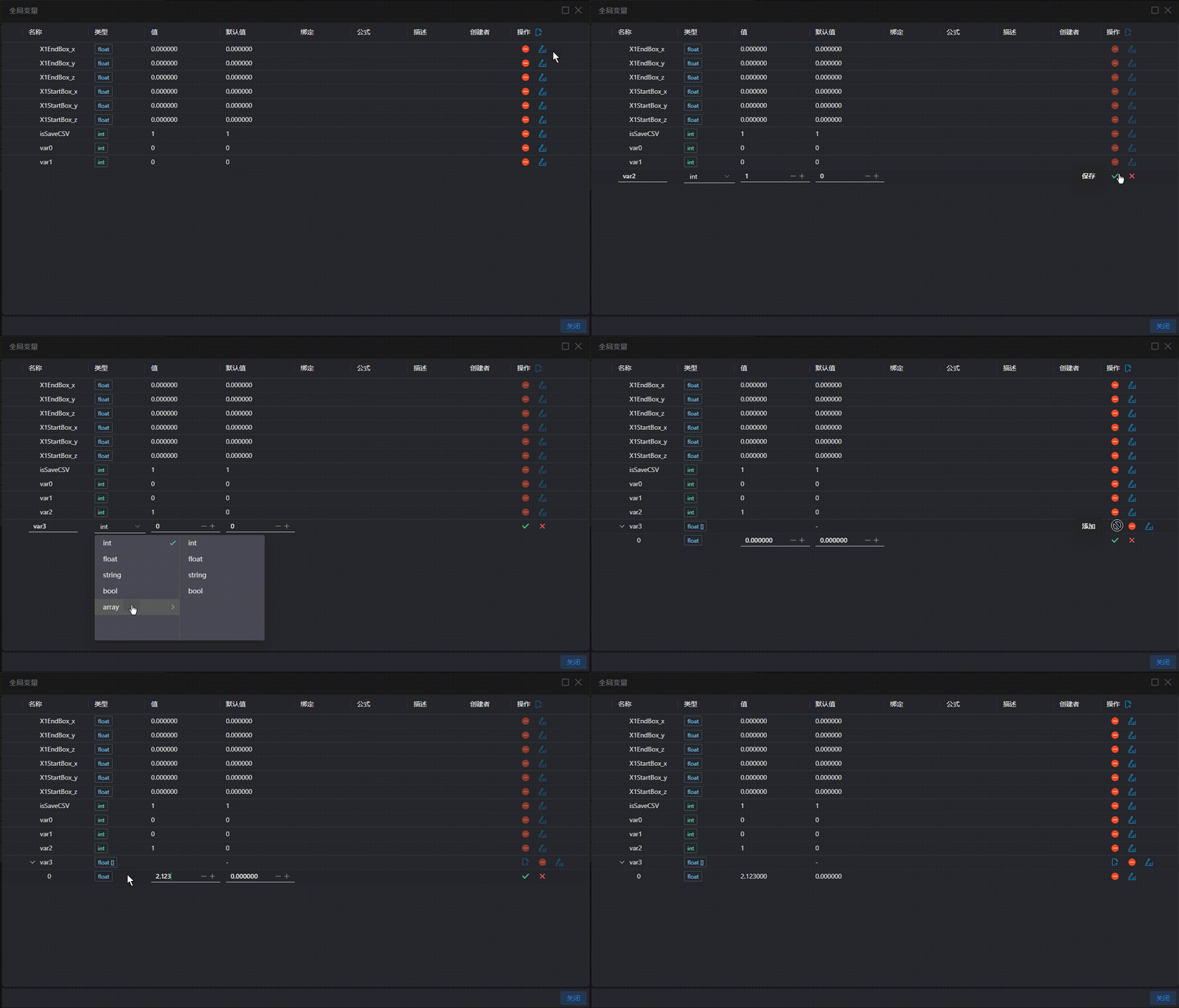
| Operation | A button is added next to the operation for adding global variables |
Variable Operations
| Icon | Name | Description |
|---|---|---|
 | Add | For variables in array format, users can enter the variable editing interface to add array elements |
 | Save | Save the modified value |
 | Cancel | Exit editing without saving the edited content |
 | Edit | Enter the variable editing interface to modify the variable valueNote: The variable name and type cannot be modified. If the variable is no longer in use, delete it first and then recreate it |
 | Delete | Delete the variableNote: This is an irreversible operation, and the variable cannot be recovered after deletion |
 | Move Up by One | Move the variable up one position in the array orderNote: Only array members support this operation |
 | Move Down by One | Move the variable down one position in the array orderNote: Only array members support this operation |
Add Variable Operation