
Tool Editing Page
Taking the 3D Square Probe operator as an example: 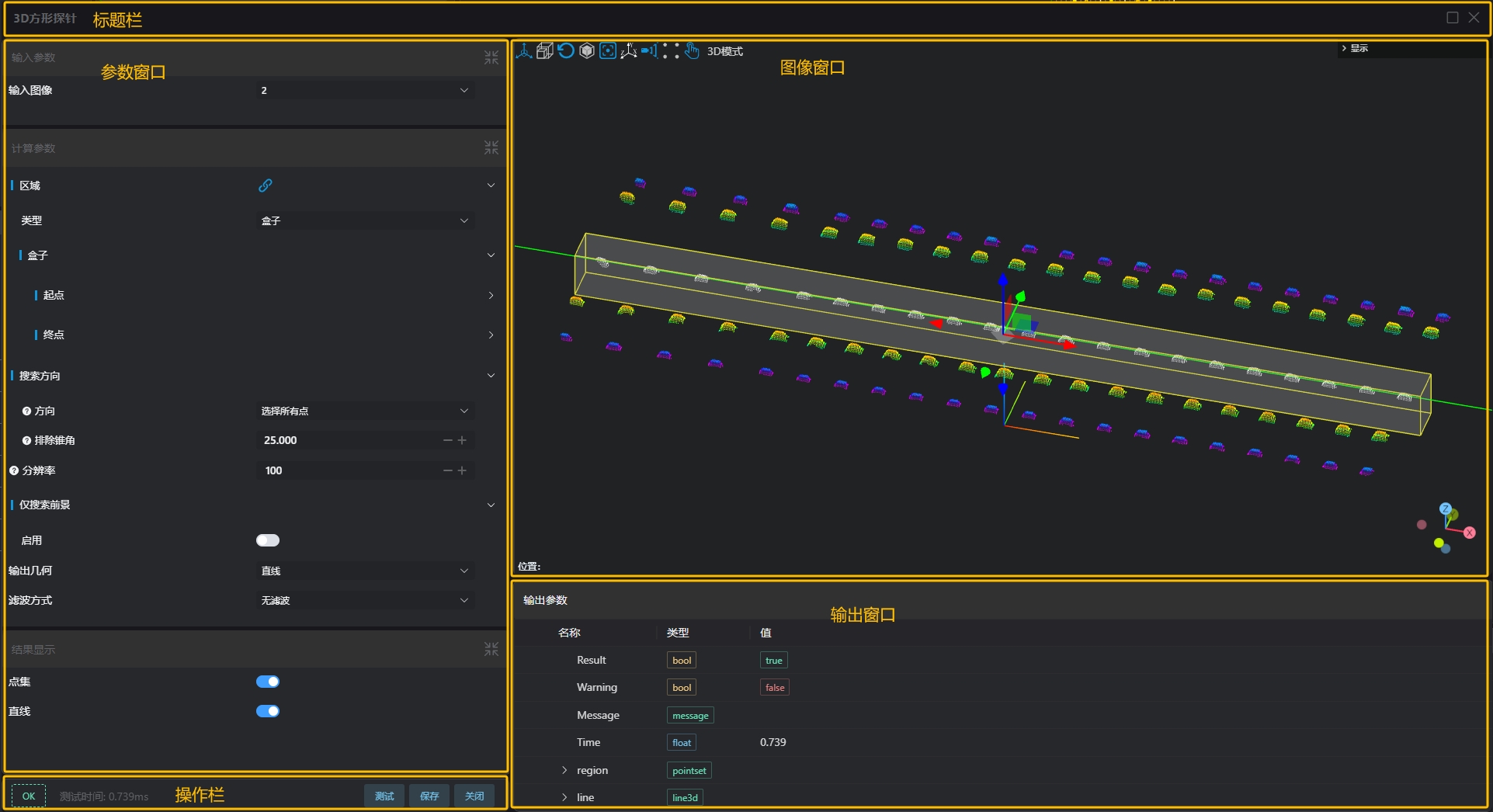
Debugging of tool parameters and preview of results.
Title Bar
| Name | Description |
|---|---|
| System Parameters | Displays the current page name and the maximize/close buttons |
Parameter Window
| Icon | Name | Description |
|---|---|---|
 | Parameter Help | Click to view detailed introduction of the parameter |
 | Bind | Click to open the parameter binding window. For details, please refer to Parameter Binding Page |
 | Unbind | Click to remove binding |
Reminder
For more parameter introductions of tools, please refer to Tool Introduction
Image Window
| Icon | Name | Description |
|---|---|---|
 | ROI Move | Drag the direction arrows on the ROI to move its position. Shortcut key (W) |
 | ROI Scale | Drag the scaling arrows on the ROI to change its size. Shortcut key (E) |
 | ROI Rotate | Drag the rotation axis on the ROI to change its orientation. Shortcut key (R) |
 | Reset ROI | Automatically calculates ROI position and size based on current field of view |
 | Bounding Box (On/Off) | Controls the display or cancellation of point cloud bounding box |
 | Center | Displays the entire point cloud at the center of the image window |
 | Coordinate Axis (On/Off) | Controls the display or cancellation of coordinate axes in the image window |
 —— —— | Perspective Camera —— Orthographic Camera | Perspective Camera: Field of view is conical, showing perspective effect with near objects larger and far objects smaller —— Orthographic Camera: Field of view is cuboid, with same size for near and far objects |
 —— —— | Sampling Rendering —— Fine Rendering | Sampling Rendering: Point cloud downsampling, maximum display of 1M points —— Fine Rendering: Point cloud displays all points |
 | Image Operation Instructions | Operation instructions for the current interface image window |
| 3D Mode / Plane Mode | 3D Mode: Image window can be controlled with 3D rotation —— Plane Mode: Image window can only be operated in XY directions, Z direction is restricted When switching the input region type of the tool, this mode will automatically switch. Manual switching is not supported. 2D type ROI defaults to plane mode, 3D type ROI defaults to 3D mode |
Image Operation Instructions 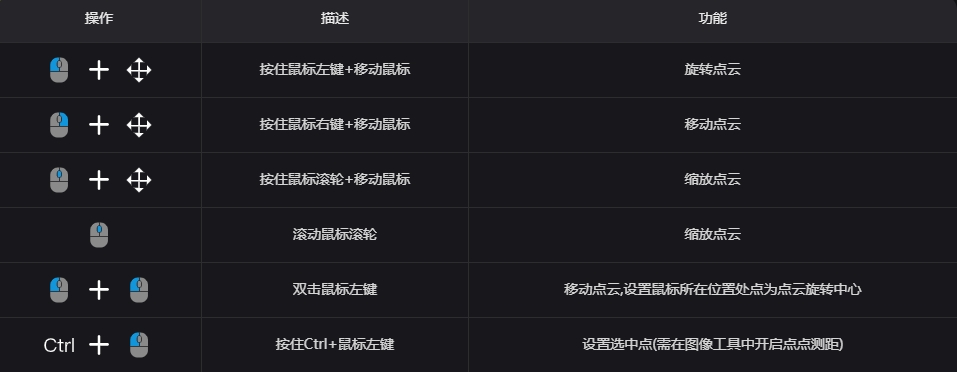
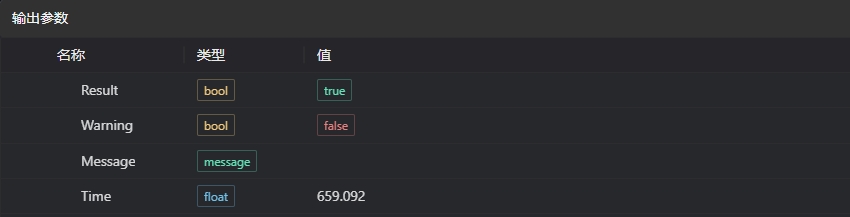
Output Parameters
| Name | Type | Range | Description |
|---|---|---|---|
| Result | bool | true/false | Tool execution result, true for OK, false for NG |
| Warning | bool | true/false | Indicates whether there are WARNs during tool execution, true if present, false if not |
| Message | message | Prompt information returned by the tool when Result is not OKIf multiple messages exist, they are returned as an array | |
| Time | float | Time consumed for one tool execution, unit: ms | |
| Others | Non-fixed return content, please refer to the tool's return description, Tool Introduction |