
Cylindrical Surface Defect Inspection
Project Background
Inspection Background
For cylindrical objects such as batteries, bearings, pipes, etc., surface quality directly affects their performance and lifespan. To ensure the high quality of these products, strict quality control of the cylindrical surface is essential, particularly for inspecting surface defects (like scratches, dents, cracks, bubbles, etc.). This project aims to develop a non-contact cylindrical surface defect inspection system. It uses rotational scanning technology to unwrap the entire cylindrical surface into a flat image, which is then divided into eight regions (slices) for detailed inspection.
Camera Selection
Shenshi SR700
Inspection Items
Cylindrical surface defects
Solution
AI-Vision first preprocesses the point cloud image, then crops out the eight slices requiring inspection for surface defect detection.
Design Approach
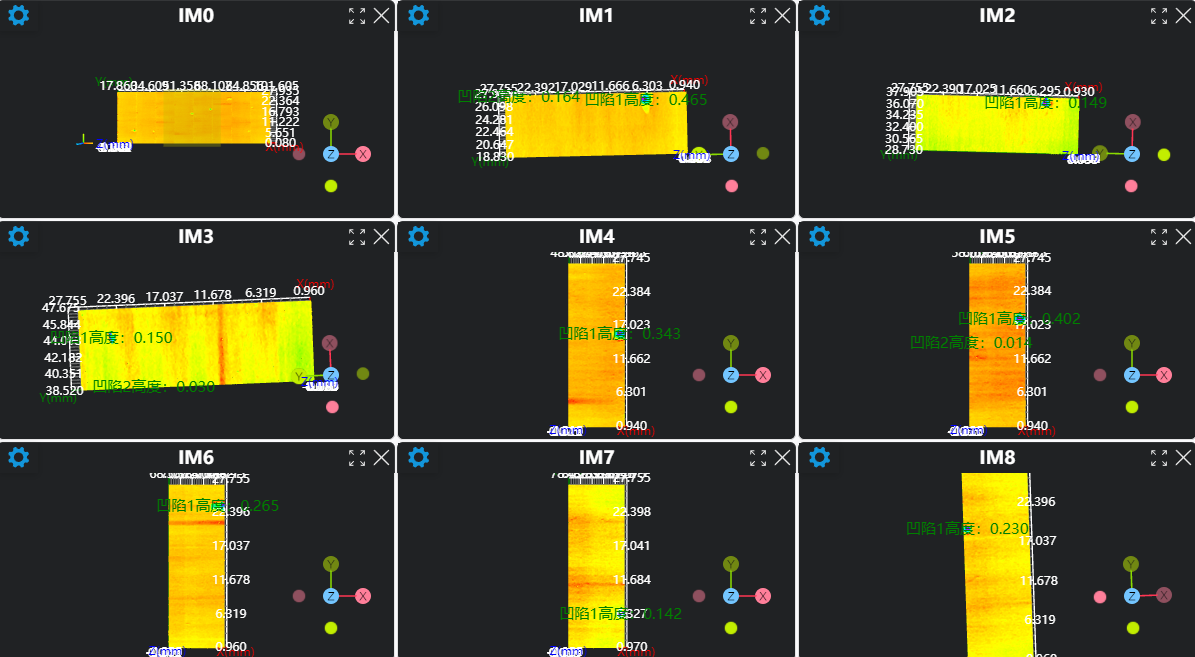
Execution Results Showcase
Project Results Display
- Surface Defect Inspection Results
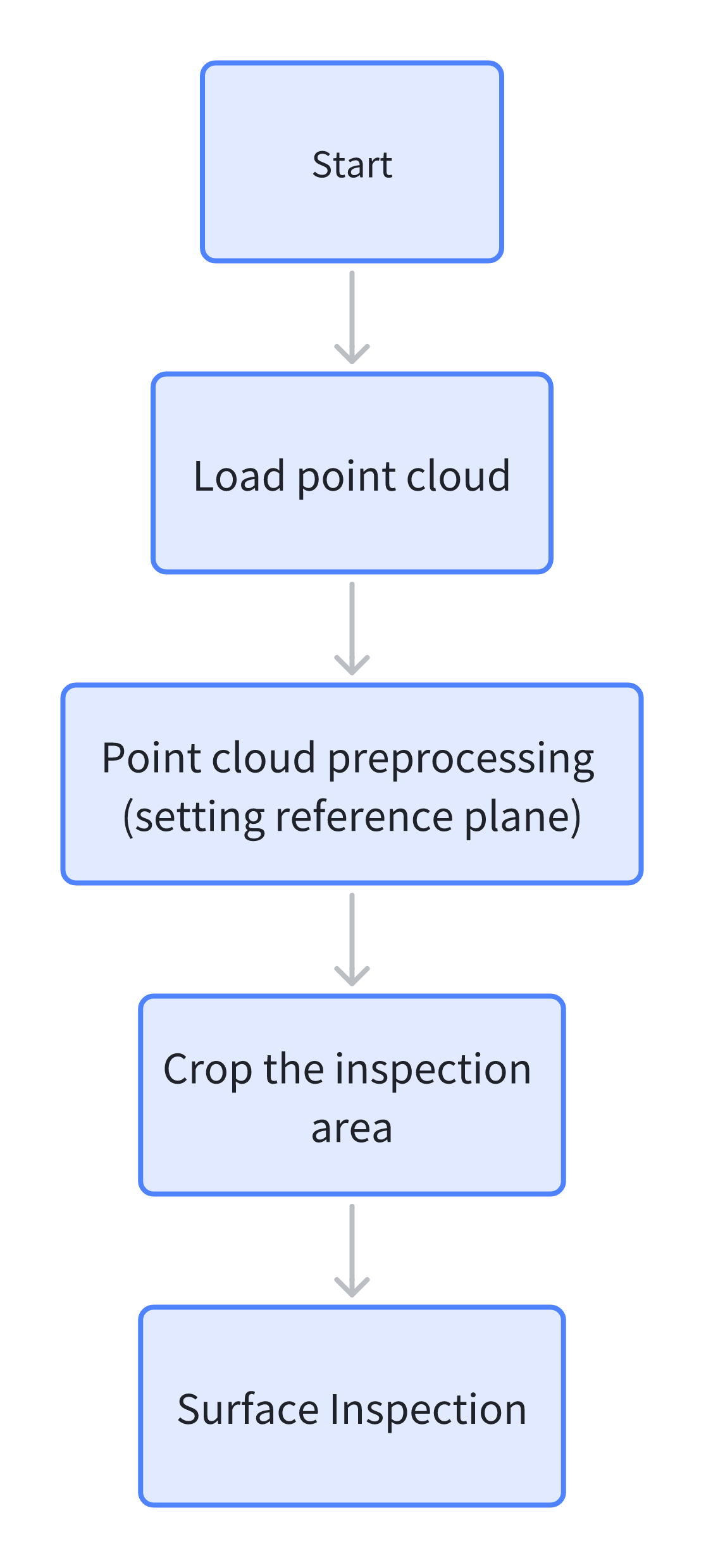
Project Process
1. Initialization
- Use
Lua Scriptto set a global variable for loop counting.
SetIntVariable("Count", 0)- Use the
Load Point Cloudtool to load the point cloud image that needs processing.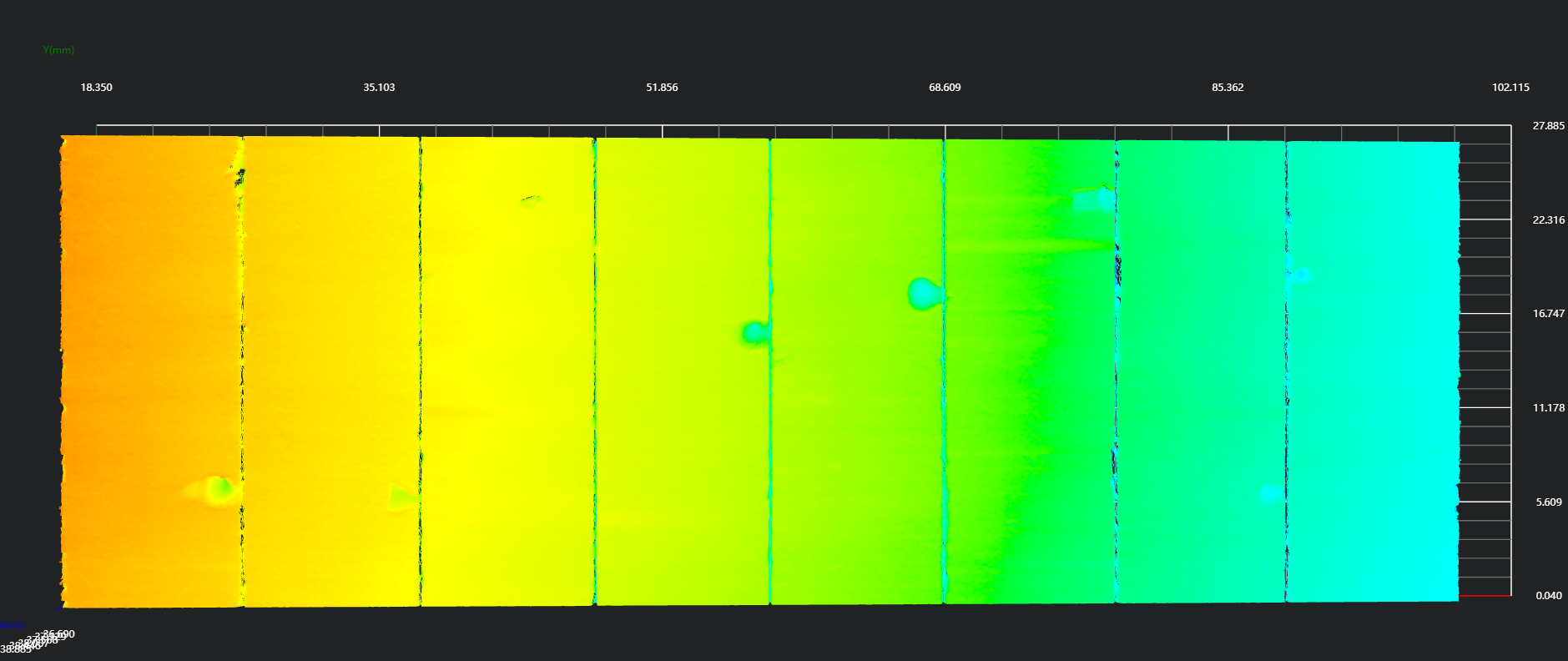
2. Preprocessing
Use the
3D Regiontool to select the region for plane fitting.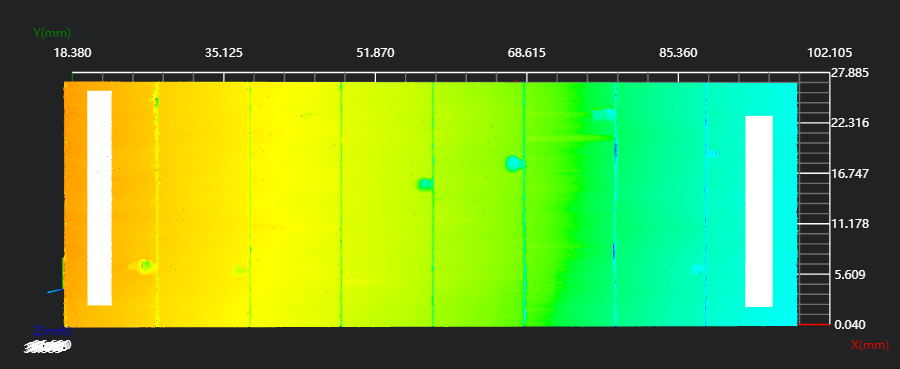
Use the
3D Planetool, bound to the region set by the3D Regiontool, to fit a plane and set it as the zero plane.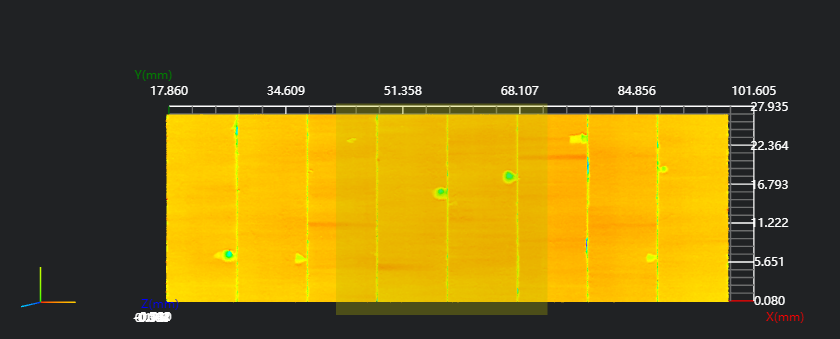
3. Surface Inspection for Different Slices
Select the
Markertool to set the loop starting point.Use the
Lua Scripttool to calculate the cylindrical slice region to be cropped and push the box coordinates.
x = 23.5

sx = (x + count * 10) - 5
sy = 0
sz = -5

ex = (x + count * 10) + 3.6
ey = 26
ez = 5

SetBox("box", sx,sy,sz,ex,ey,ez)Use the
3D Croptool, bound to the output variableboxfrom the previousLua Scriptstep as the input region, to crop out the cylindrical slice to be inspected.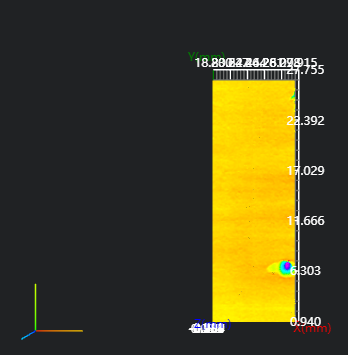
Use the
3D Surface Defecttool to run the inspection and obtain information about dent or protrusion defects on the current cylindrical slice.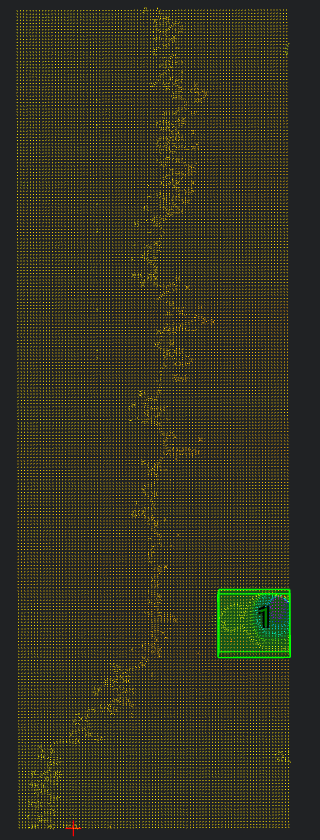
Use the
Lua Scripttool- Bind to the output variable (defect information) from the previous
3D Surface Defecttool. - Edit the Lua script to format the information and display it on the corresponding IM window.
- Determine if the loop should end.
- Bind to the output variable (defect information) from the previous
Note
string.format is used to format strings. %.nf formats a floating-point number to keep n decimal places. Example:
pi = 3.14159 str = string.format("Pi is approximately %.3f", pi) print(str) -- Output: Pi is approximately 3.142
-- Defect count
defectcount = #defect_area

-- Loop to display defect height
for i=1, defectcount, 1 do
    -- Get defect centroid position
    x = defect_centroid_x[i]
    y = defect_centroid_y[i]

    -- Current defect information, formatted to 3 decimal places
    height = string.format("%.3f", defect_height[i])
    area = string.format("%.3f", defect_area[i])
    max_width = string.format("%.3f", defect_bbox_max_width[i])

    -- Draw on IM1
    DrawText3D(1, "green", x, y, 0, 15, "Dent" .. i )
    DrawText3D(1, "green", x, y - 1.5, 0, 15, "Height:" .. height)
    DrawText3D(1, "green", x, y - 3, 0, 15, "Area:" .. area)
    DrawText3D(1, "green", x, y - 4.5, 0, 15, "Max Width:" .. max_width)
end


if count == 7 then
    Jump("End")
else
    SetIntVariable("Count", count + 1)
    Jump("Start")
end
- The processing logic for the remaining slices is the same as for the first slice.