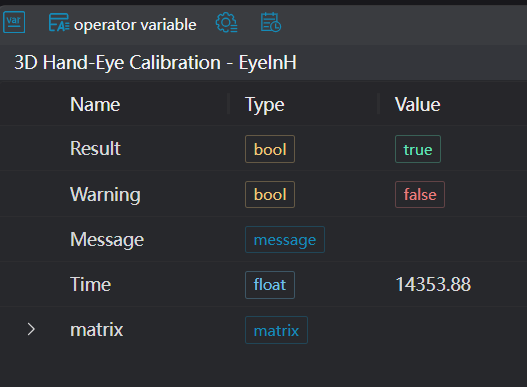
3D Hand-Eye Calibration - Eye-in-Hand
Operator Function
Calibrate the camera coordinate system and gripper coordinate system, outputting the transformation matrix from the camera coordinate system to the gripper coordinate system.
Note: The input robot TCP position data unit is
millimeters, and the orientation data format is quaternion w,x,y,z
Parameter Introduction
Calculation Parameters
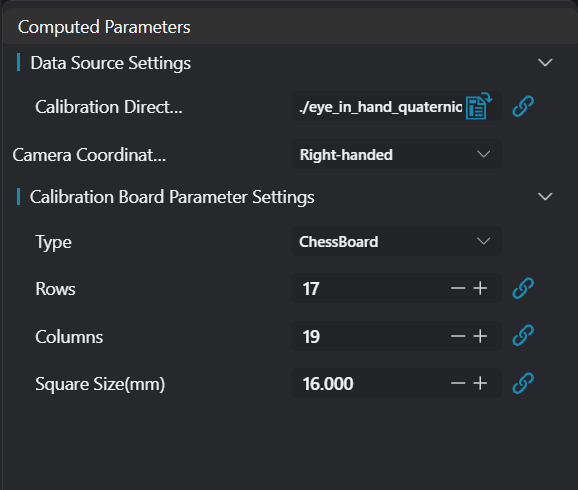
| Parameter | Range | Default Value | Description | Illustration |
|---|---|---|---|---|
| Calibration Folder Path | Empty | Select the path of the calibration folder Note: Each calibration folder needs to contain the following: ordered point cloud PCD file, calibration board RGB image, and robot TCP TXT file. The content of the robot TCP TXT file is as follows: | ||
| Camera Coordinate System | Left-handed/Right-handed | Right-handed | Select whether the camera coordinate system is left-handed or right-handed Right-handed: Let the right thumb point in the positive x-axis direction, the index finger point in the positive y-axis direction. If the middle finger can point in the positive z-axis direction, then this coordinate system is called a right-handed Cartesian coordinate system Left-handed: Let the left thumb point in the positive x-axis direction, the index finger point in the positive y-axis direction. If the middle finger can point in the positive z-axis direction, then this coordinate system is called a left-handed Cartesian coordinate system | |
| Type | Checkerboard | Checkerboard | Checkerboard type calibration board | |
| Checkerboard Rows | 17 | Number of inner corner points in each column direction of the checkerboard | ||
| Checkerboard Columns | 19 | Number of inner corner points in each row direction of the checkerboard | ||
| Grid Size | 16.000 | Side length of the square grid |
Output Parameters
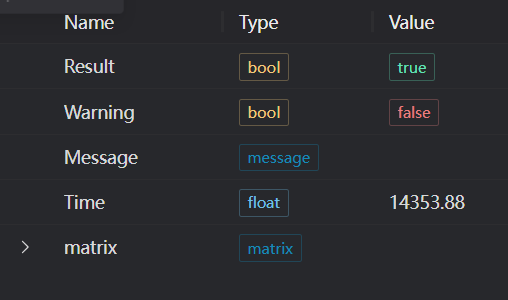
| Name | Type | Range | Description |
|---|---|---|---|
| Result | bool | true/false | true for success false for failure |
| Warning | bool | true/false | true indicates a warning false indicates no warning |
| Message | string | Output success, error, or warning messages. Empty if no error or warning. | |
| Time | float | Operator execution time, unit: ms | |
| matrix | matrix | Hand-eye calibration matrix |
The content of the robot TCP TXT file is as follows:
txt
# x y z W X Y Z
-674.403 -48.73 208.417 0.027337064798979564 0.9987043426207015 0.02640403261922582 -0.0338400351680058Exception Troubleshooting
| No. | Exception Information | Corresponding Parameter | Solution |
|---|---|---|---|
| 1 | Calibration folder path is empty | Select the correct file path | |
| 2 | Calibration folder does not exist | Select the correct calibration file path | |
| 3 | Eye-in-hand calibration failed | Check if the folders containing rgb, tcp, and point cloud pcd files are empty. If empty, place the data correctly |
Example Introduction
Engineering Design
- Select the
3D Hand-Eye Calibration - Eye-in-Handtool.
Tool Usage
Set the
calibration folderpath.Set the
calibration board parameters.Click
Testto view the calibration matrix.If there are no issues, click
Save. Run the operator in the run list, and then view the running results.