SmartRay
Note
SmartRay DevKit needs to be installed
| Parameter | Type | Description | Dependency |
|---|---|---|---|
| Address | IP | Specify the IP address | |
| Port | Integer | Specify the port, default: 40 | |
| Configuration File | Path | Specify the path of the camera configuration file, with the suffix .par; supports project-relative paths | |
| Number of Rows | Integer | Set the number of rows for point cloud generation | |
| Y-axis Point Spacing | Float | Specify the Y-axis point spacing | |
| Remove Invalid Points | Boolean (Switch) | Set whether to enable the function of removing invalid points; an unordered point cloud will be output after removing invalid points |
Camera Usage
Camera Preparation
- Ensure the IP address of the camera controller and the network card IP address are in the same subnet.
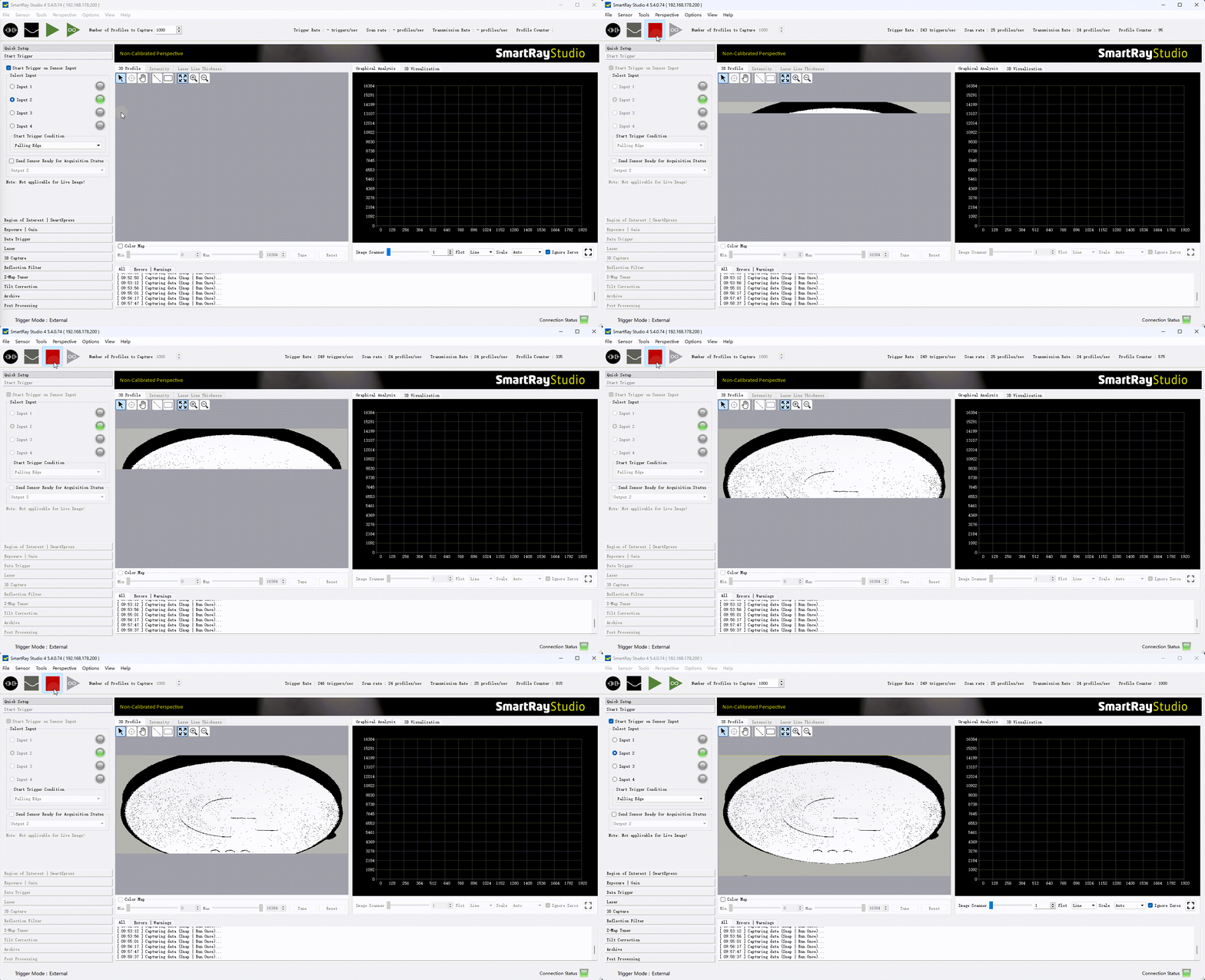
- Verify that images can be captured using the official camera software and meet the desired results.
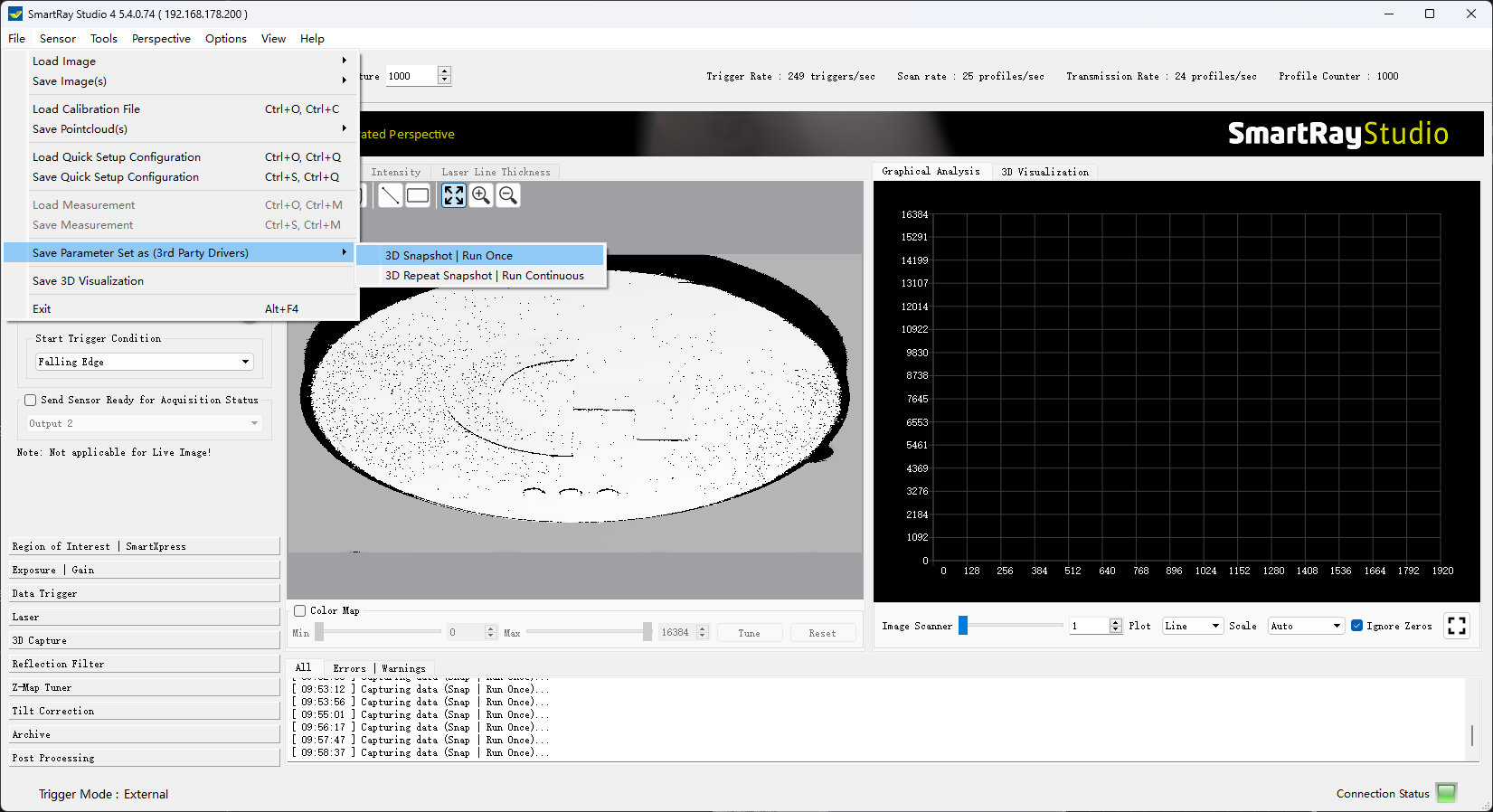
- Save the camera configuration file
Add and Connect Device
Tip
Please close the official image capture software before connection to avoid mutual interference.
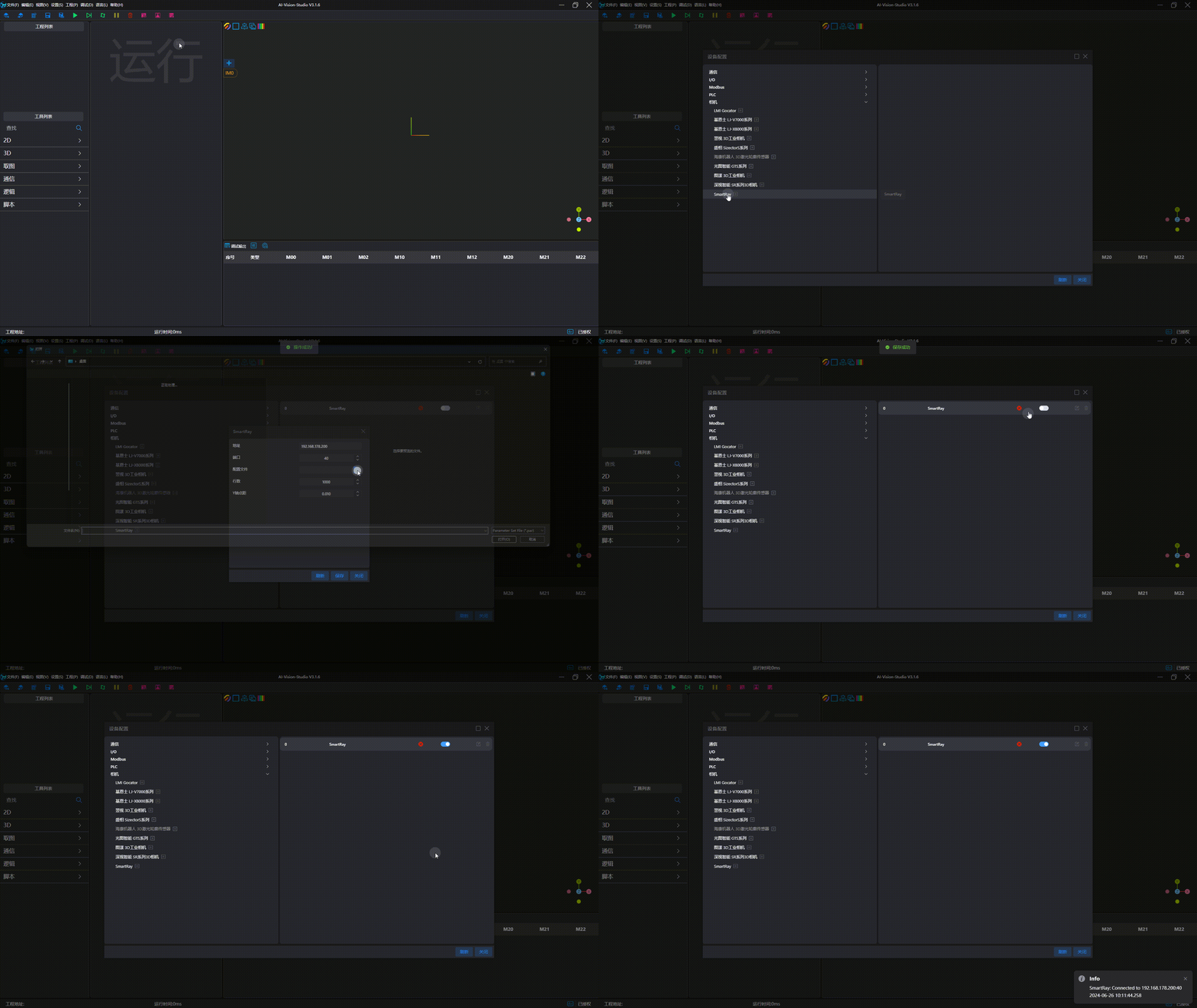
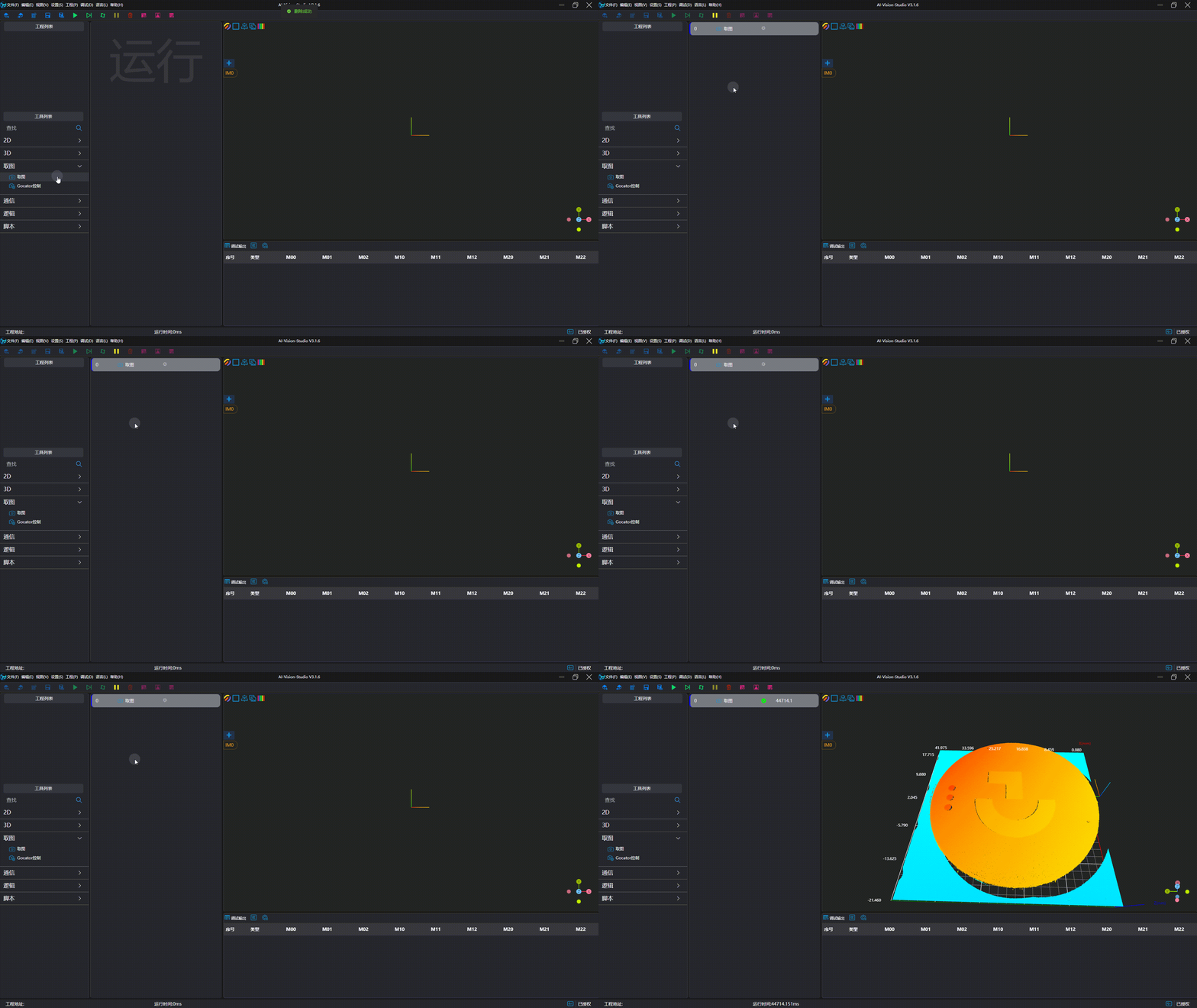
Image Capture Test