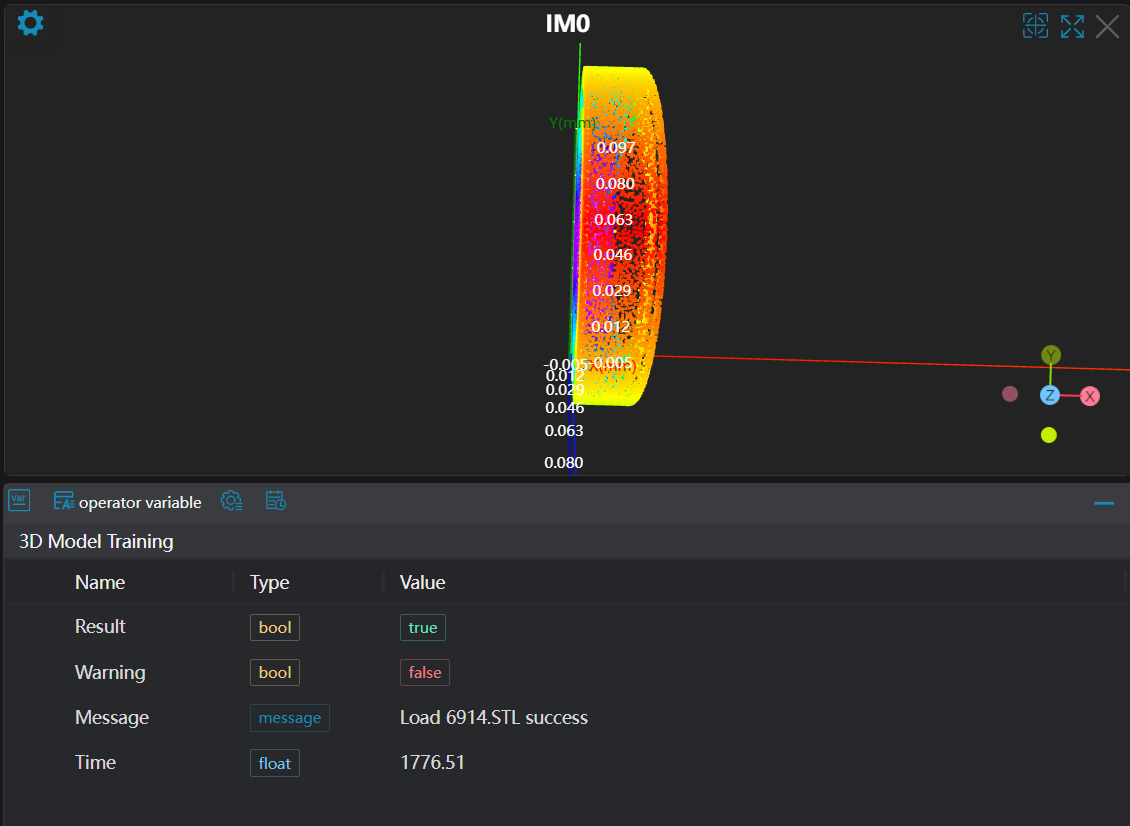
3D Model Training
Operator Function
Read pcd, stl, or ply files to generate 3D model files.
Parameter Introduction
Input Parameters

| Parameter | Range | Default Value | Description | Illustration |
|---|---|---|---|---|
| File | Select path for pcd, stl, or ply files |
Calculation Parameters
| Parameter | Range | Default Value | Description | Image |
|---|---|---|---|---|
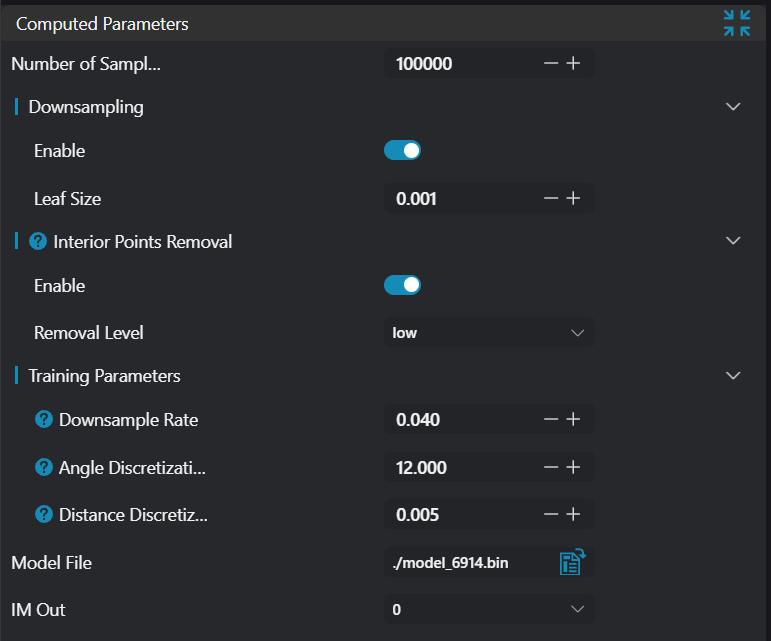
| Sampling Point Count | 100000 | Number of uniformly sampled output point cloud points | ||
| Downsampling | true/false | false | ||
| Voxel Side Length | 0.001 | Only required when Downsampling is enabled: Cube voxel side length for downsampling | ||
| Interior Point Removal | true/false | false | Interior point removal switch | 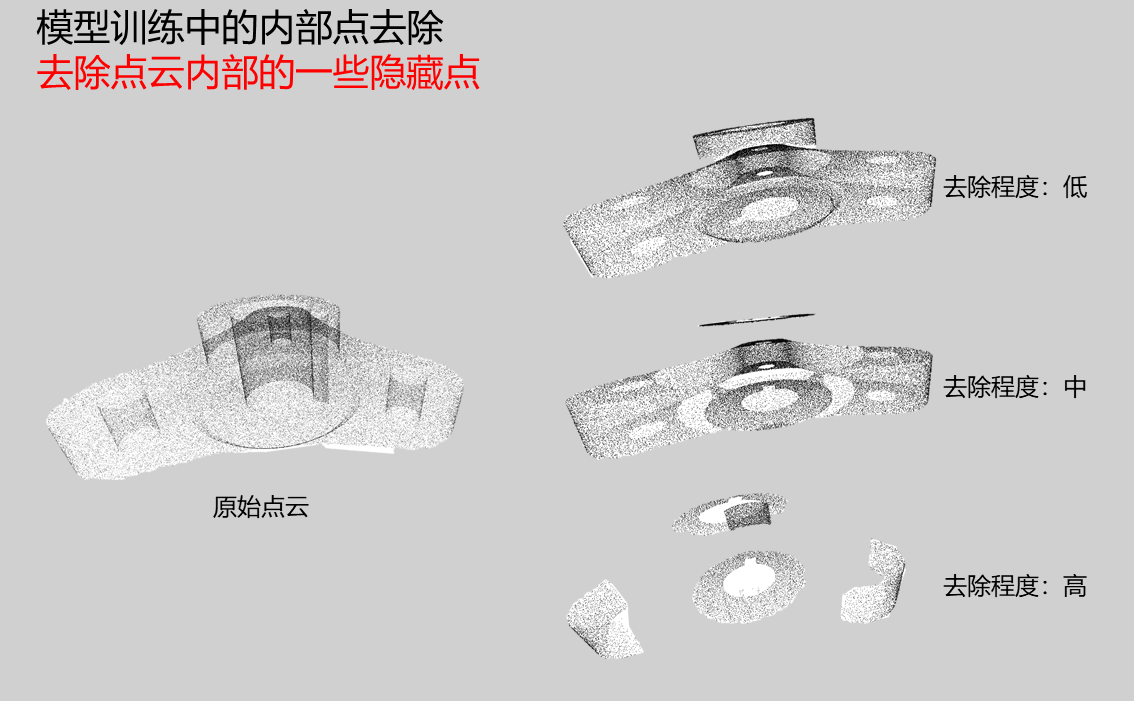 |
| Interior Point Removal Level | Low/Medium/High | Low | Only required when Interior Point Removal is enabled: Provides 3 removal levels: Low, Medium, High | |
| Downsampling Rate | (0, 1) | 0.040 | Proportional coefficient when downsampling input scene point cloud. Larger value means fewer points in sampled point cloud. Range is (0, 1) | 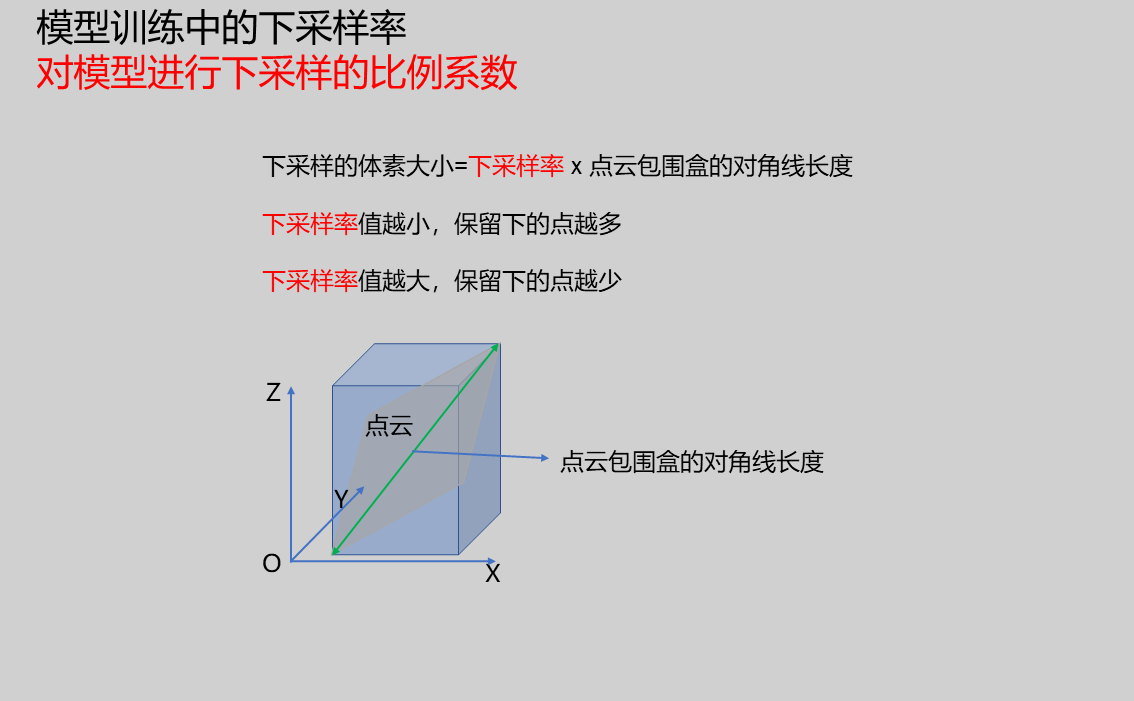 |
| Angle Discretization Step | (0, 360) degrees | 12.000 | Parameter for discretizing angle features when calculating feature descriptors. Larger value means fewer angle feature intervals, making features less distinguishable; smaller value means more intervals but increases computation time. Unit is degrees, range is (0, 360) degrees | 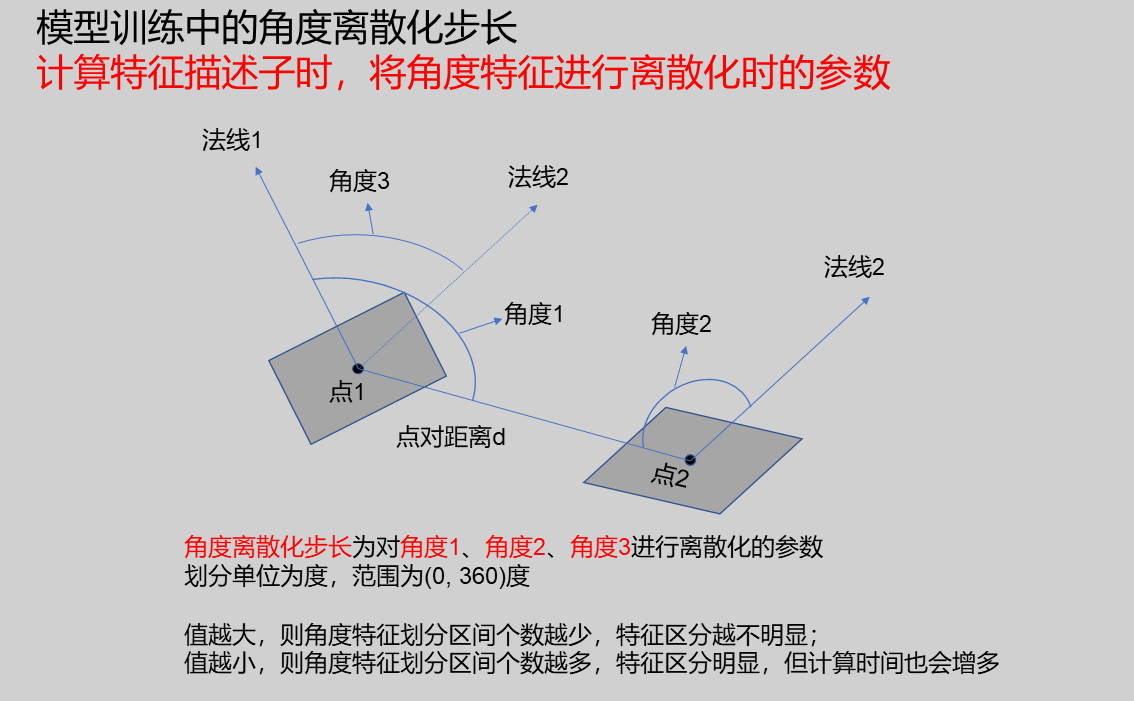 |
| Distance Discretization Step | (0, 100) | 0.005 | Parameter for discretizing distances between points when calculating feature descriptors. Range is (0, 100) | 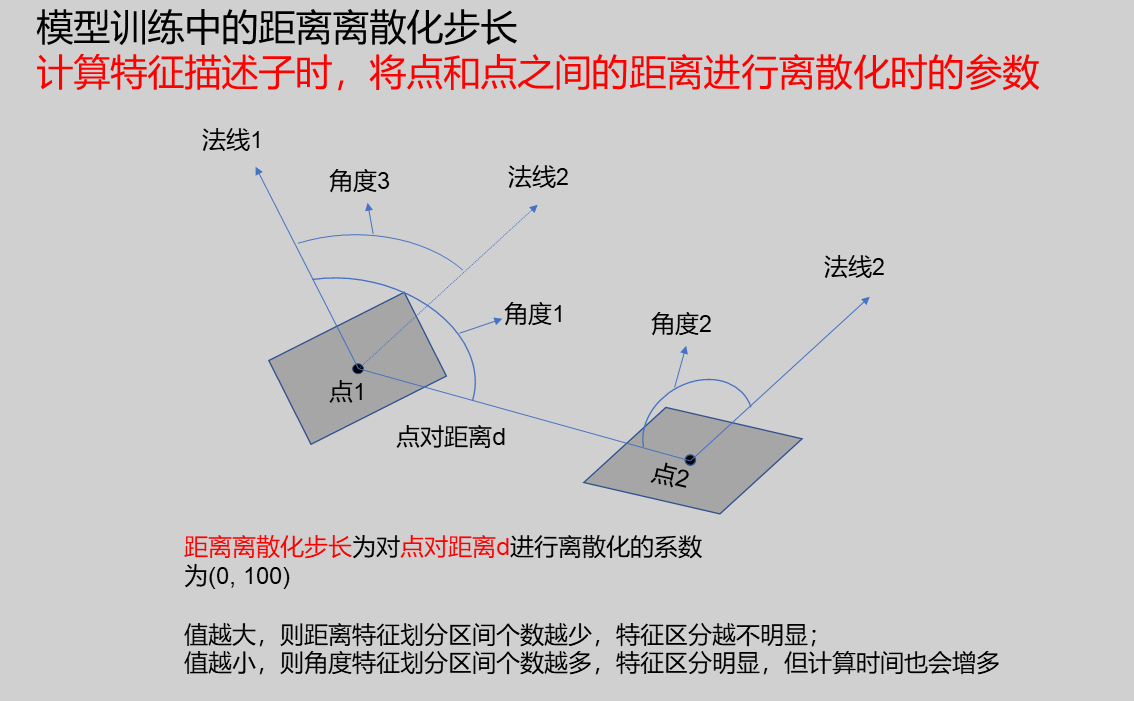 |
| Output Model File | Empty | Set model save path | ||
| Output Image | 0-8 | 0 | IM number for image output, used to display model point cloud image |
Output Parameters
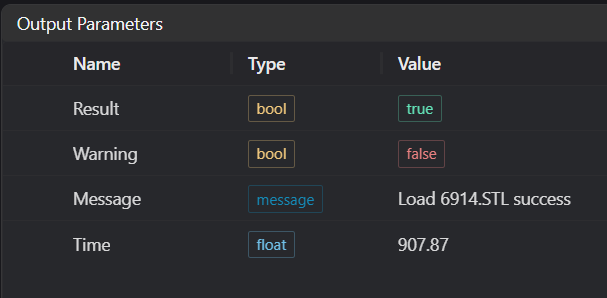
| Name | Type | Range | Description |
|---|---|---|---|
| Result | bool | true/false | true for success false for failure |
| Warning | bool | true/false | true indicates there is a warning false indicates there is none |
| Message | string | Outputs success, error, or warning information | |
| Time | float | Operator execution time, unit: ms |
Exception Troubleshooting
| No. | Exception Information | Corresponding Parameter | Solution |
|---|---|---|---|
| 1 | File parameter is empty | 1. Check input file path, select correct path 2. Check output model path, select correct path | |
| 2 | Permission denied | Create the folder or switch to a folder with read permissions | |
| 3 | Cannot write to "{0}" | File Path | Check if file is being used by other software |
| 4 | Loaded {0} successfully | File Path | None |
| 5 | Failed to load PLY file | Check if PLY file format is standard format | |
| 6 | Failed to generate mesh from STL file | 1. Check file read permissions 2. Check if STL file is too large, causing insufficient memory | |
| 7 | Invalid calculation parameters | Check downsampling voxel side length parameter; if equal to 0, modify to value greater than 0 |
Example Introduction
Engineering Design
- Select the
3D Model Trainingtool.
Tool Usage
Select point cloud mesh file path.
Set parameters.
Click
Testto check if the image window and parameters meet expectations.If there are no issues, click
Save, then run the operator in the run list to view the results in the corresponding IM.