3D Point Cloud Transformation
Operator Function
Perform affine transformation on the input point cloud and output the transformed point cloud.
Parameter Introduction
Input Parameters

| Parameter | Range | Default Value | Description | Illustration |
|---|---|---|---|---|
| Input Image | 0-8 | 0 | The IM number for image input | |
Calculation Parameters
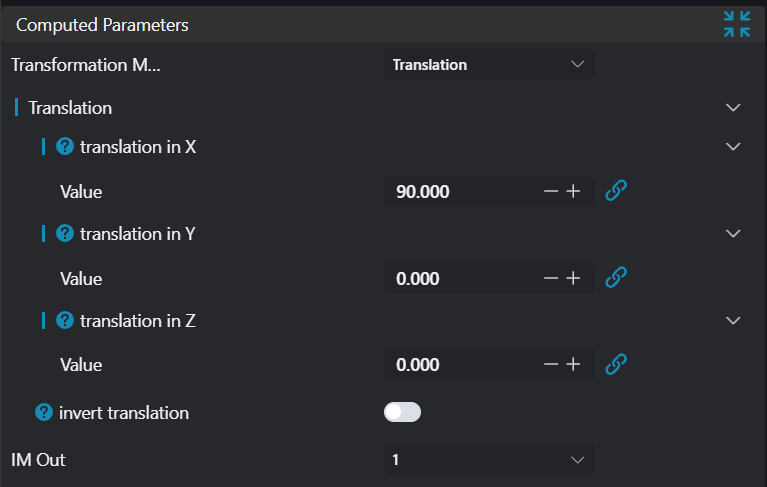
| Parameter | Range | Default Value | Description | Illustration |
|---|---|---|---|---|
| Mode | Translation/Rotation/Shearing/Scaling/Mirroring | Translation | Switch between different transformation modes | |
| Translate Along X | 0.000 | Distance to translate along X-axis, positive values translate in positive X direction; negative values translate in negative X direction. | 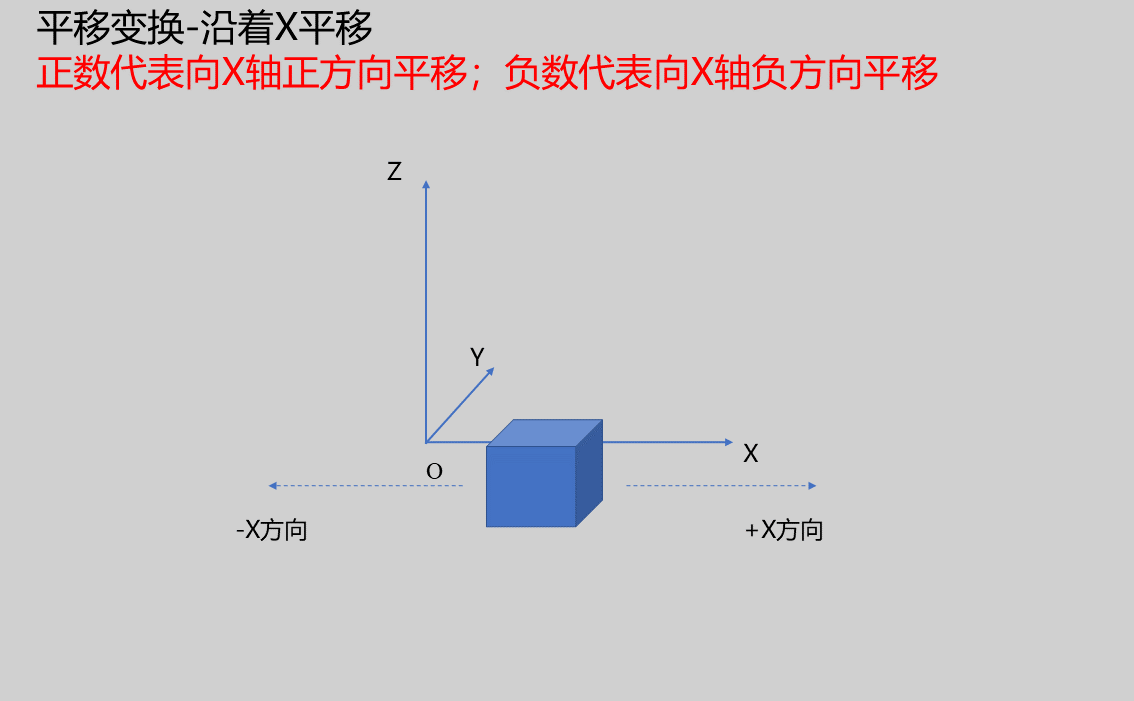 | |
| Translate Along Y | 0.000 | Distance to translate along Y-axis, positive values translate in positive Y direction; negative values translate in negative Y direction. | 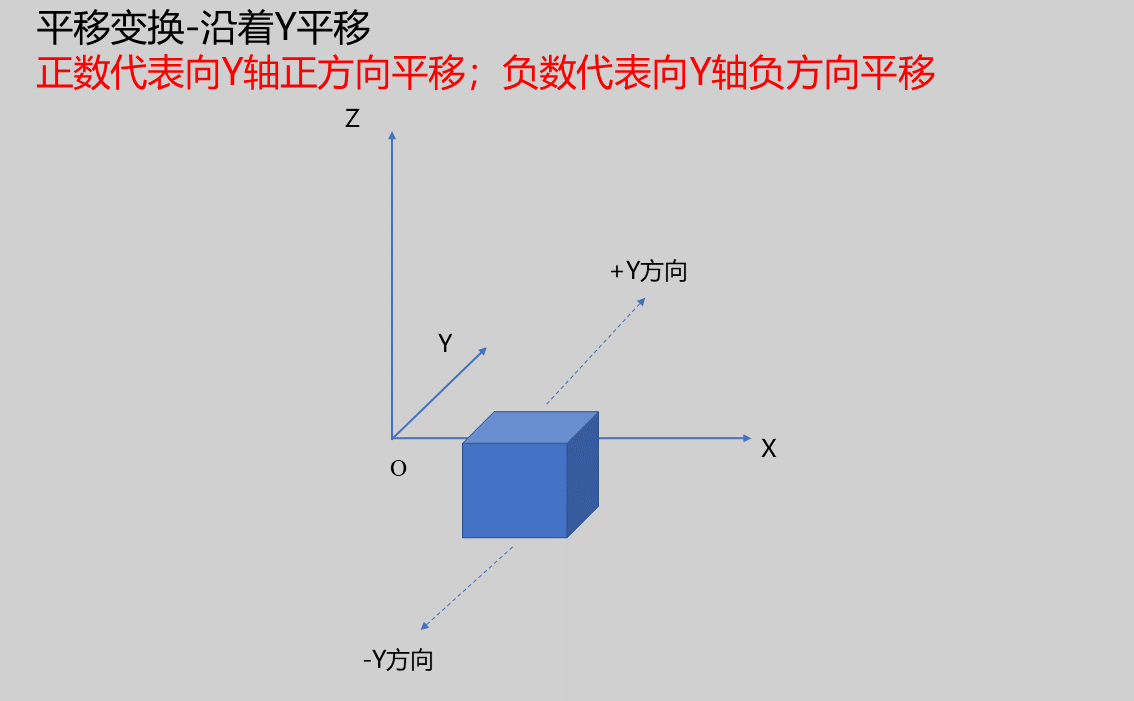 | |
| Translate Along Z | 0.000 | Distance to translate along Z-axis, positive values translate in positive Z direction; negative values translate in negative Z direction. | 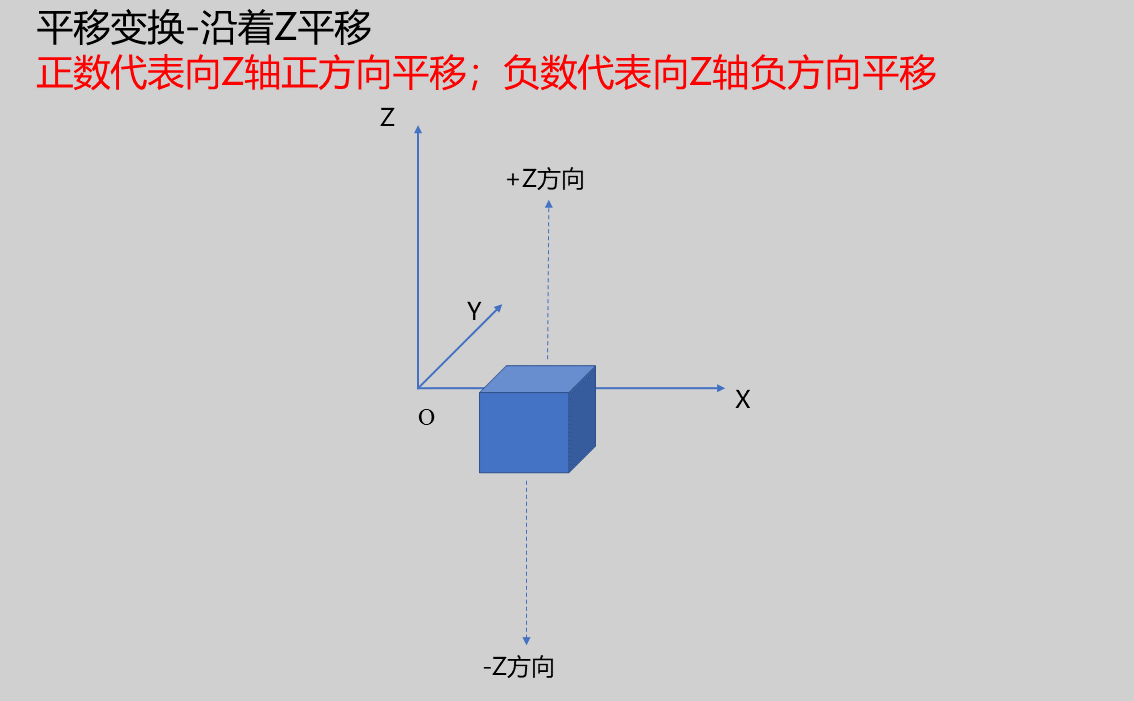 | |
| Reverse Translation | true/false | false | If checked, translate in opposite direction. | |
| Rotate Around X Axis | 0.000 | Positive values rotate counterclockwise around X-axis; negative values rotate clockwise around X-axis. | .Boj6jKZb.png) | |
| Rotate Around Y Axis | 0.000 | Positive values rotate counterclockwise around Y-axis; negative values rotate clockwise around Y-axis. | .DMXdaQNu.png) | |
| Rotate Around Z Axis | 0.000 | Positive values rotate counterclockwise around Z-axis; negative values rotate clockwise around Z-axis. | .B5KhUMFL.png) | |
| Reverse Rotation | true/false | false | If checked, rotate in opposite direction. | |
| X Scale Factor | 0.000 | Scale X coordinates, negative values scale the mirrored point cloud's X coordinates. | 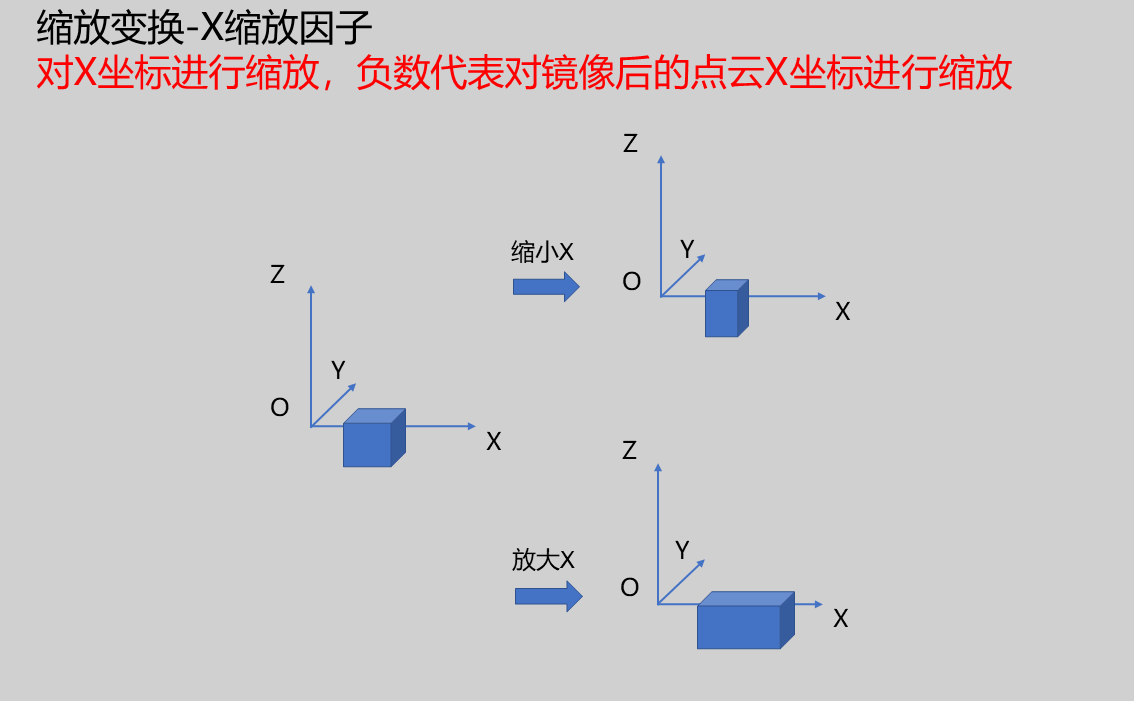 | |
| Y Scale Factor | 0.000 | Scale Y coordinates, negative values scale the mirrored point cloud's Y coordinates. | 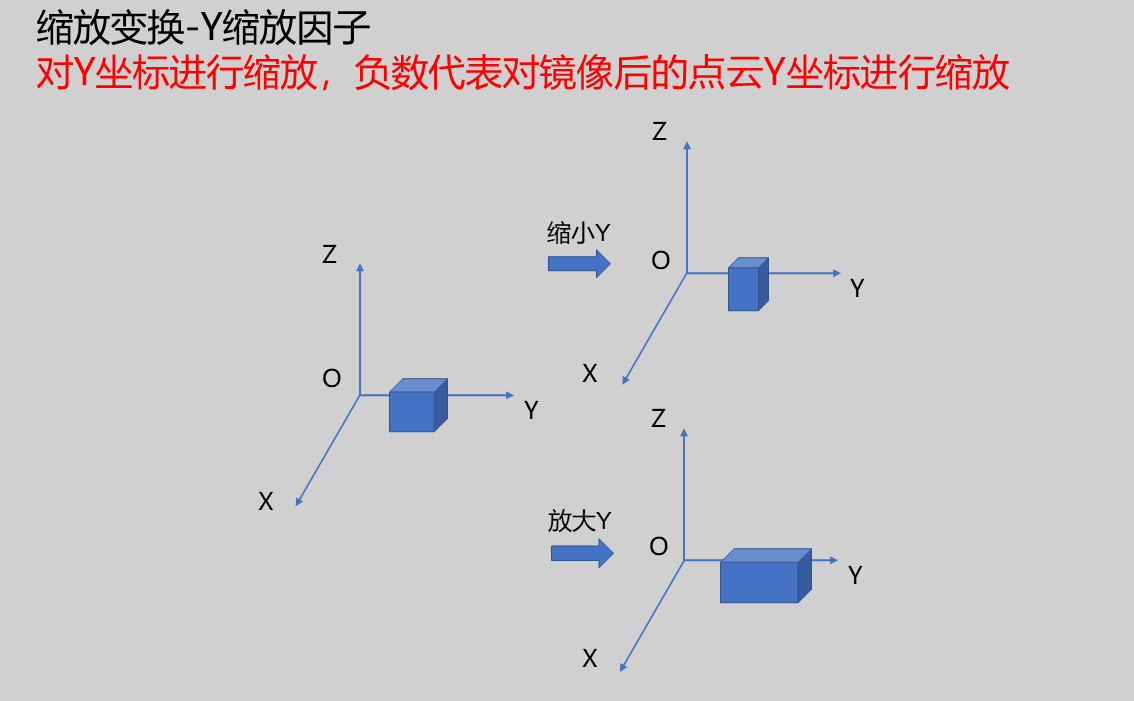 | |
| Z Scale Factor | 0.000 | Scale Z coordinates, negative values scale the mirrored point cloud's Z coordinates. | 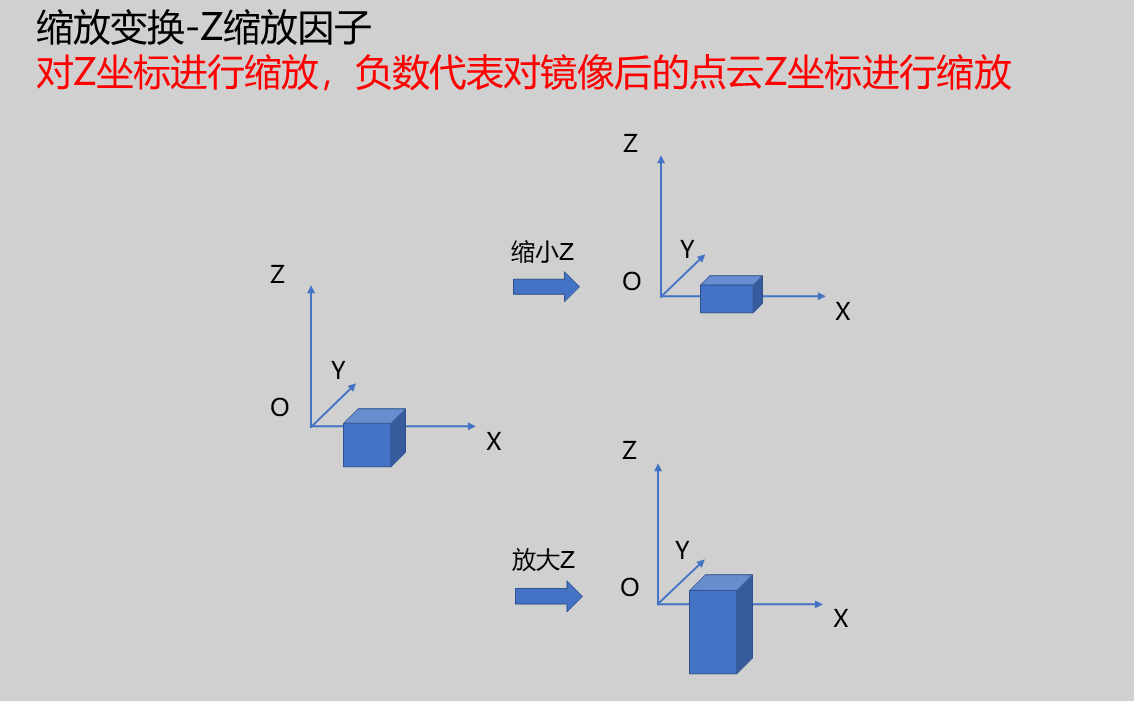 | |
| Reverse Scaling | true/false | false | Mirror the input point cloud before scaling. | |
| Shear Axis | Shear X Relative to Y/Shear X Relative to Z/Shear Y Relative to X/Shear Y Relative to Z/Shear Z Relative to X/Shear Z Relative to Y | Shear X Relative to Y | Shear the point cloud along the selected coordinate axis direction. | 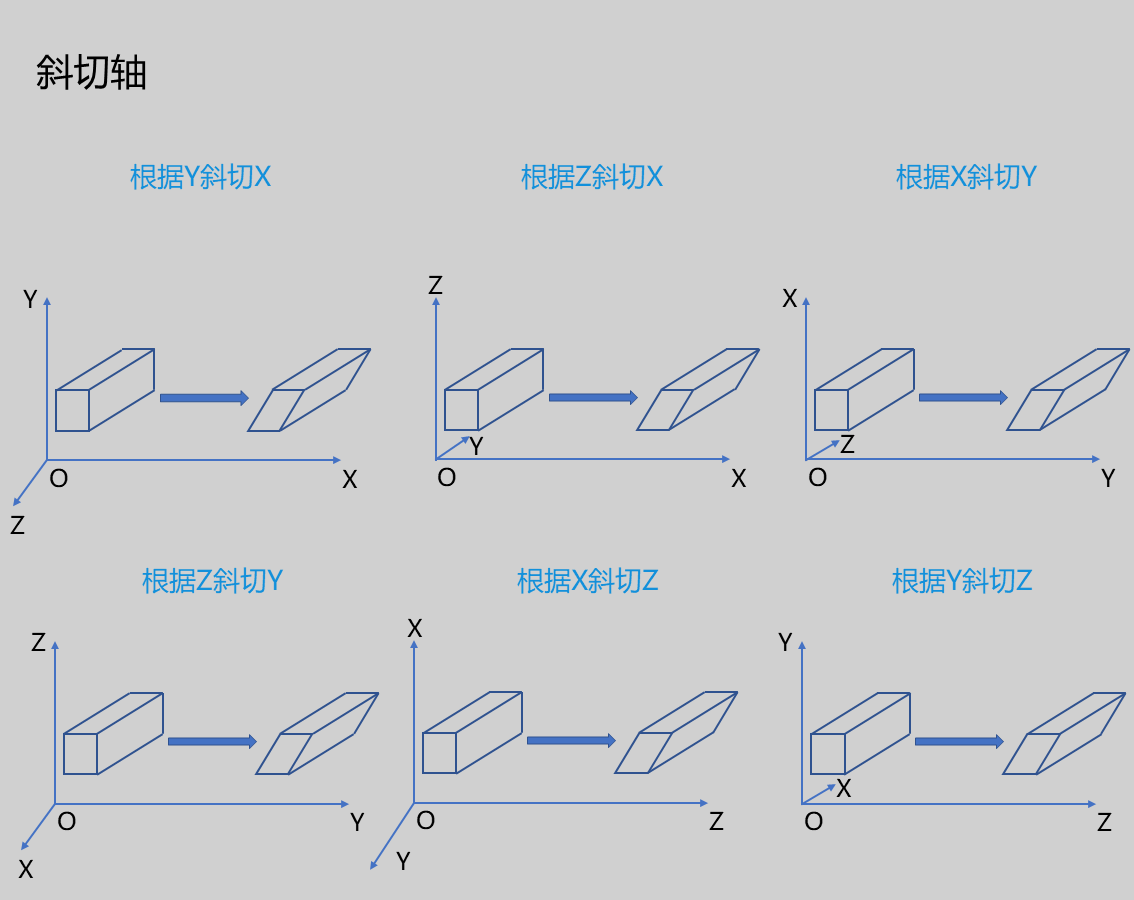 |
| Shear Unit | Raw Shear Factor/Angle Shear Factor | Raw Shear Factor | The dimension of the scaling factor when transforming a coordinate | 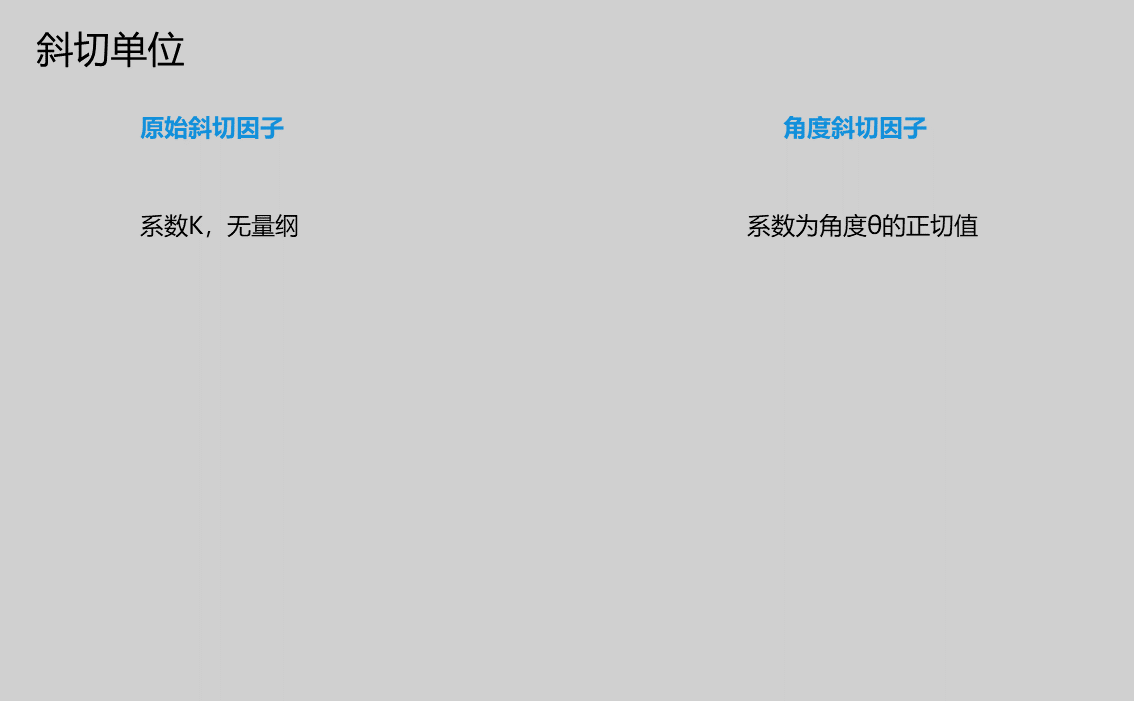 |
| Raw Shear Factor | 0.000 | Dimensionless | 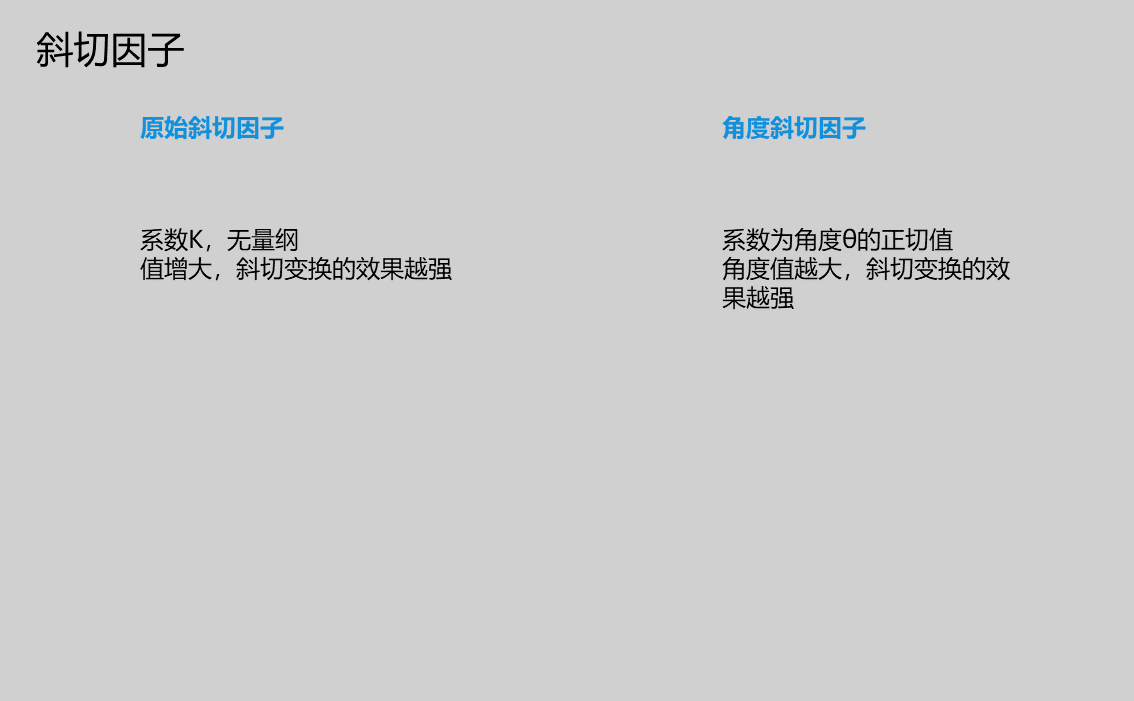 | |
| Angle Shear Factor | 0.000 | Input value unit is degrees | ||
| Reverse Shearing | true/false | false | If checked, shear the point cloud in the opposite direction along the selected coordinate axis | |
| Mirror X | true/false | true | Mirror the point cloud about the X-axis, i.e., mirror the point cloud about the YZ plane | 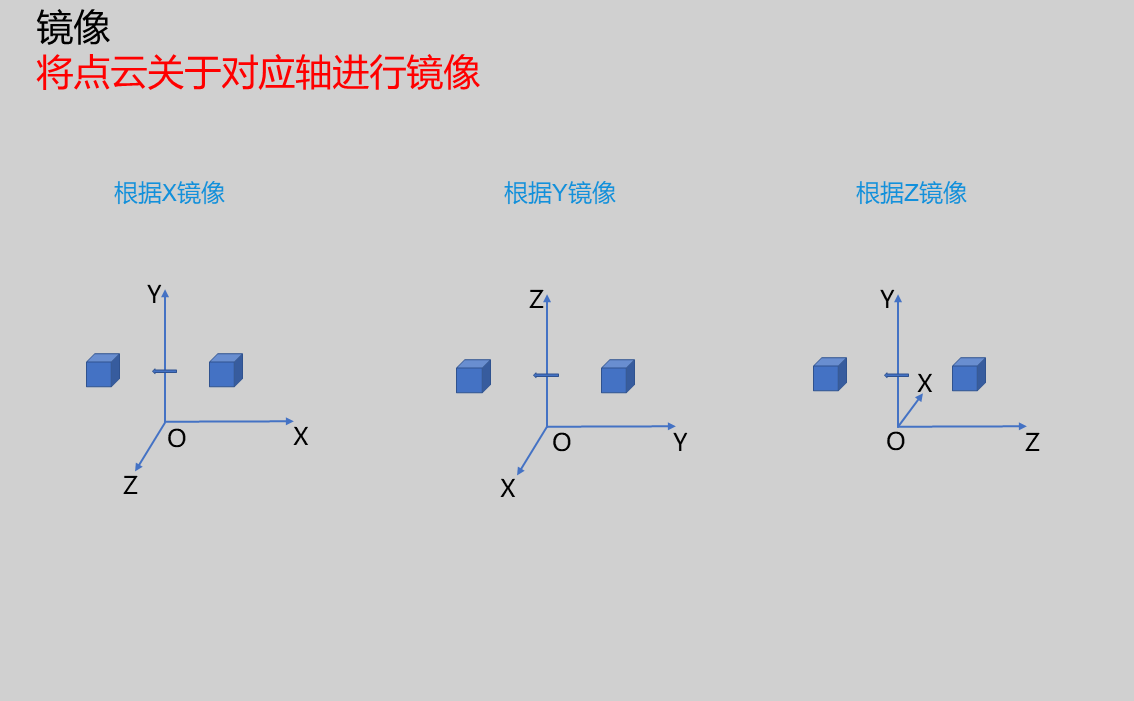 |
| Mirror Y | true/false | true | Mirror the point cloud about the Y-axis, i.e., mirror the point cloud about the XZ plane | |
| Mirror Z | true/false | true | Mirror the point cloud about the Z-axis, i.e., mirror the point cloud about the XY plane | |
| Output Image | 0-8 | 0 | The IM number for image output |
Output Parameters
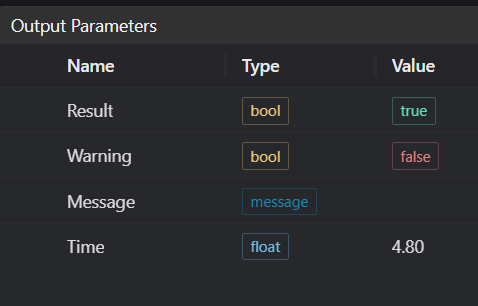
| Name | Type | Range | Description |
|---|---|---|---|
| Result | bool | true/false | true for success false for failure |
| Warning | bool | true/false | true indicates there is a warning false indicates there is none |
| Message | string | Outputs success, error, or warning information; if there is no error or warning, it is empty | |
| Time | float | Operator execution time, unit: ms |
Exception Troubleshooting
| No. | Exception Information | Corresponding Parameter | Solution |
|---|---|---|---|
| 1 | The input value is {0}, invalid shear axis | Shear Axis | Only supports shear X relative to Y, shear X relative to Z, shear Y relative to X, shear Y relative to Z, shear Z relative to X, shear Z relative to Y |
| 2 | The input value is {0}, invalid shear unit | Shear Unit | Only supports raw shear factor, shear angle |
| 3 | The input value is {0}, invalid transformation mode | Transformation Mode | Only supports Translation, Rotation, Scaling, Shearing, Mirror |
| 4 | Input point cloud is empty | Check if input point cloud is empty |
Example Introduction
Engineering Design
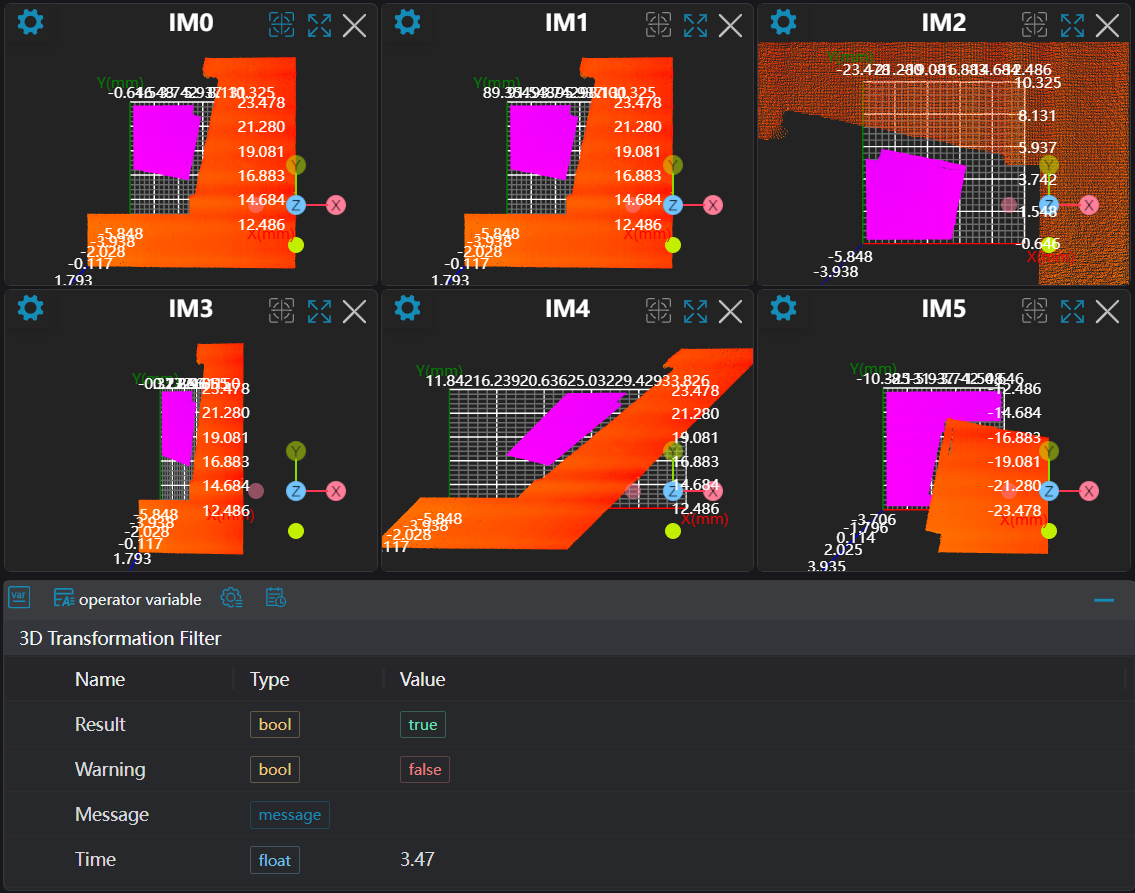
Select the
Load Point Cloudtool to load the 3D point cloud image to be processed into IM0.Select the
3D Transformationtool.
Tool Usage
Select the input image for operation; the image number must match the IM number where the image is located in the project.
Set transformation mode (set Translation, Rotation, Scaling, Shearing, Mirroring separately)
Set parameters
Click
Testto check if the image window and parameters meet expectationsIf there are no issues, click
Save, then run the operator in the run list to view the results in the corresponding IM