3D Outlier Filter
Operator Function
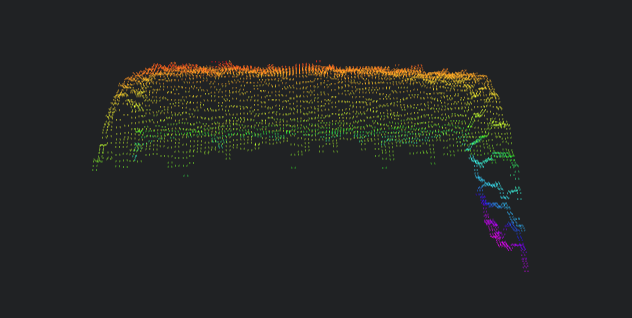
Remove outliers from the input point cloud
Input point cloud
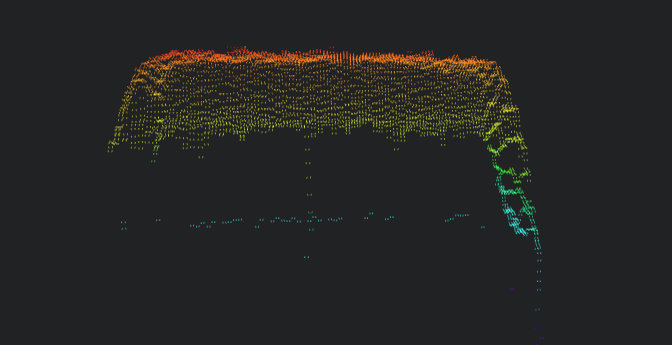
Output result
Parameter Introduction
Input Parameters

| Parameter | Range | Default Value | Description | Illustration |
|---|---|---|---|---|
| Input Image | 0-8 | 0 | The IM number for image input | |
Calculation Parameters
| Parameter | Range | Default Value | Description | Illustration |
|---|---|---|---|---|
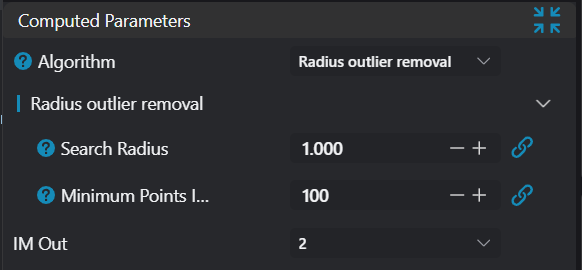
| Algorithm | Neighborhood-based Outlier Removal/Radius Outlier Removal | Neighborhood-based Outlier Removal | 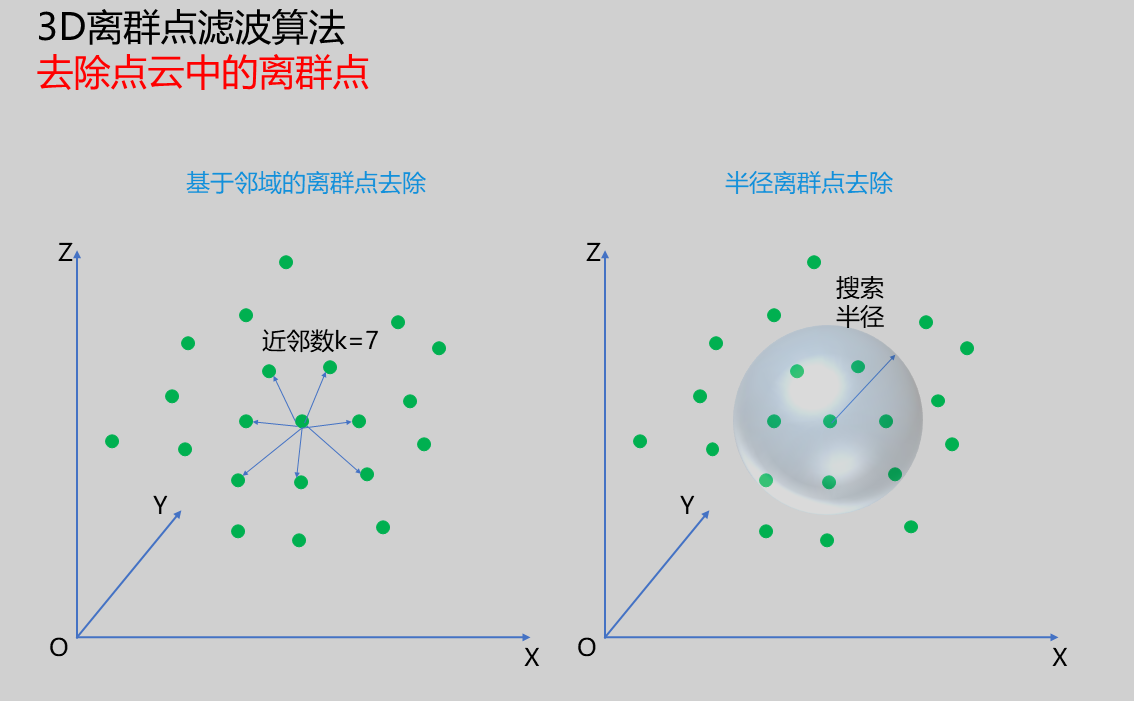 | |
| Neighborhood-based Outlier Removal | See Neighborhood-based Outlier Removal | |||
| Radius Outlier Removal | See Radius Outlier Removal | |||
| Output Image | The IM number for image output |
Neighborhood-based Outlier Removal
| Parameter | Range | Default Value | Description | Illustration |
|---|---|---|---|---|
| K-Nearest Neighbors | 10 | Number of neighboring points to search. When value is large (e.g., 50-100), beneficial for removing outliers outside the overall range.When value is small, beneficial for removing local outliers. Note: Larger k values increase operator processing time; balance between filtering effect and runtime. | 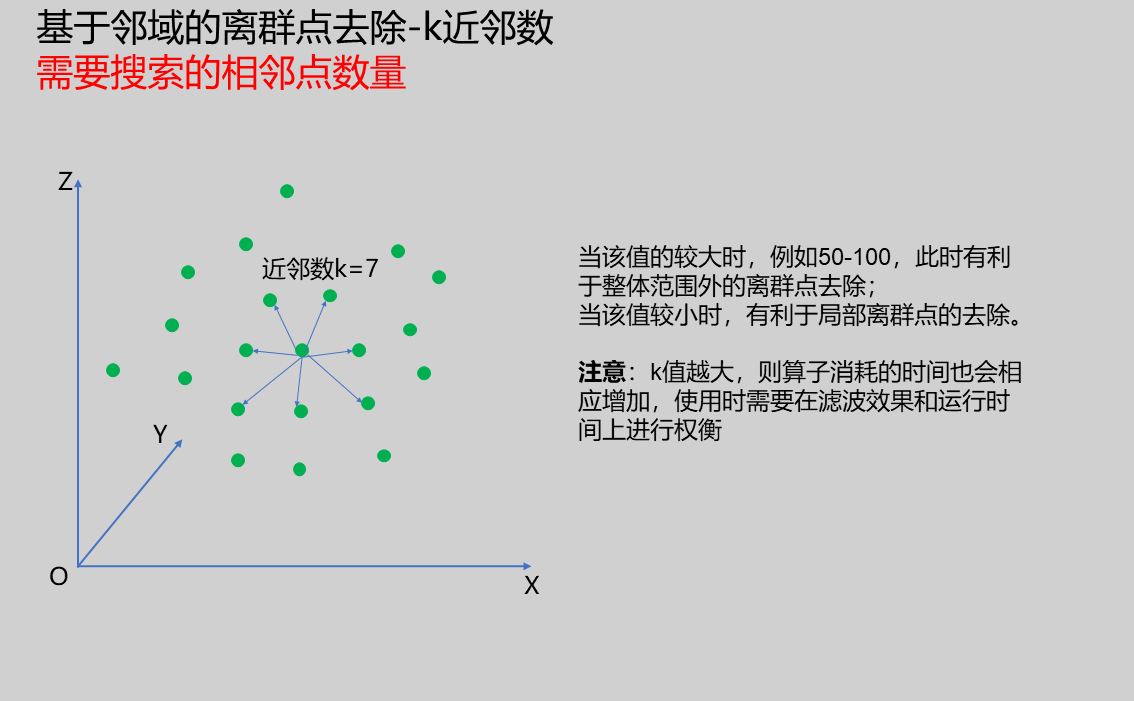 | |
| Standard Deviation Multiplier | 2.000 | Coefficient for calculating outlier removal threshold. Smaller values result in smaller distance thresholds, removing more outliers. Recommended adjustment range: 1.0-2.0.Note: Values less than 1.0 should be adjusted cautiously as they may remove many valid points. | 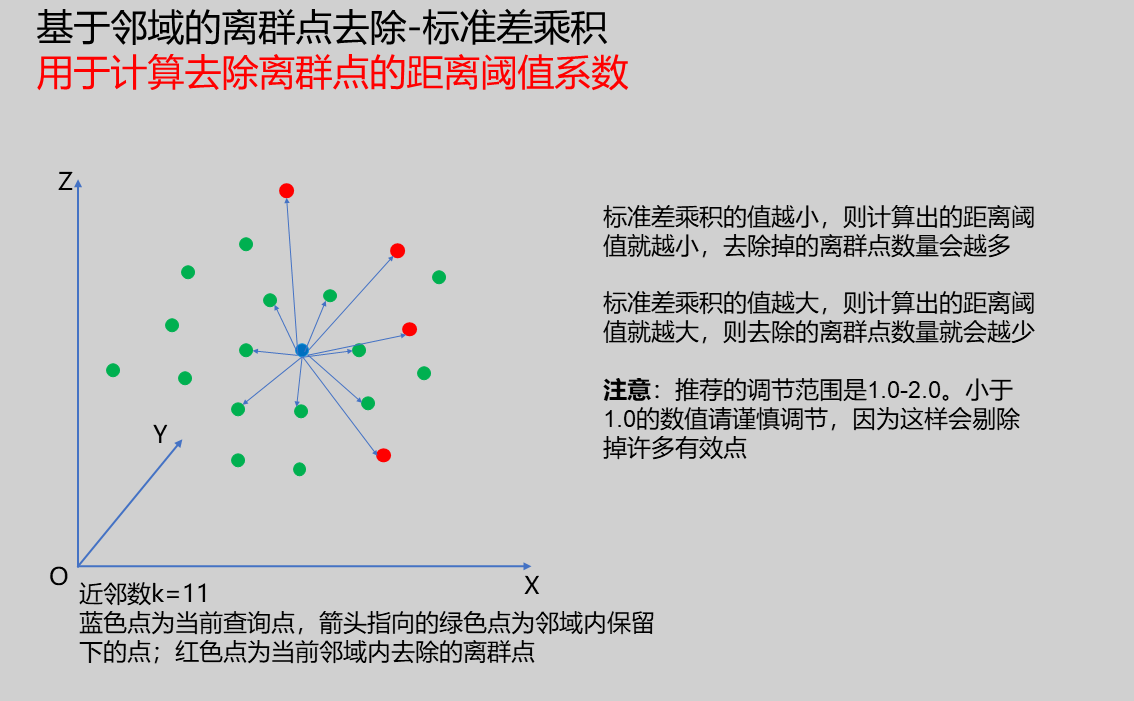 |
Radius Outlier Removal
| Parameter | Range | Default Value | Description | Illustration |
|---|---|---|---|---|
| Search Radius | 0.500 | Sphere radius for radius search. Larger radius typically increases number of points within radius range. Therefore, this parameter should be adjusted in combination with Minimum Points in Radius. Note: Larger search radius values increase operator processing time accordingly. | 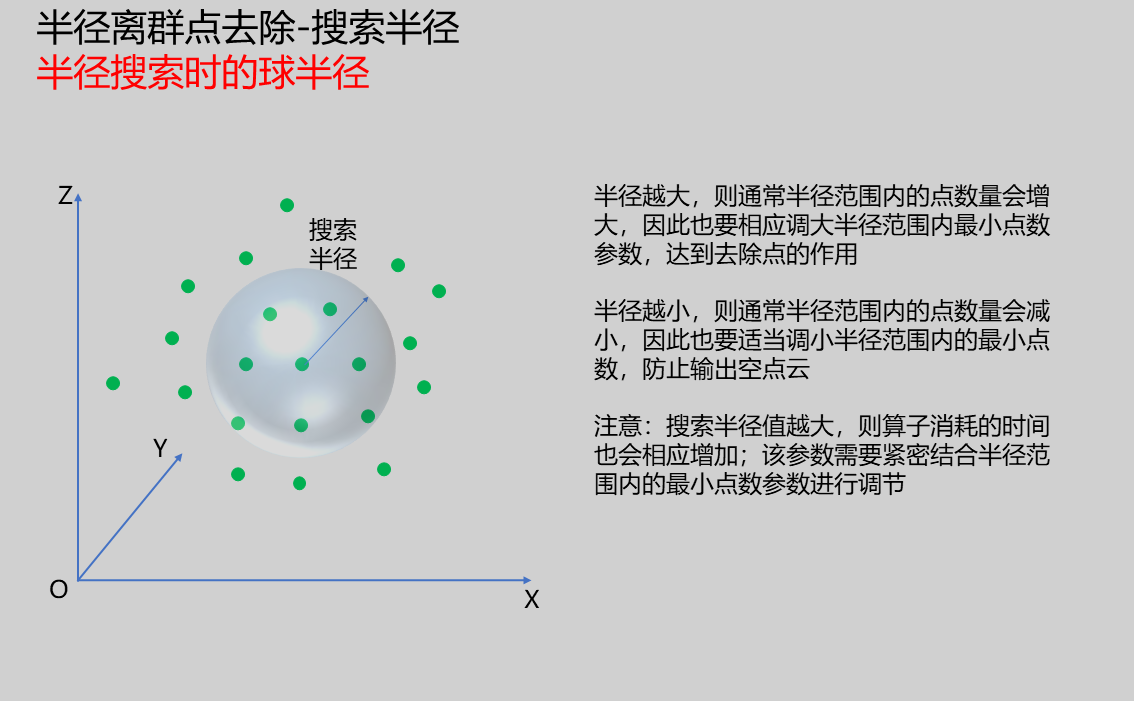 | |
| Minimum Points in Radius | 1 | Minimum number of points required within sphere radius; if less than set threshold, current query point will be filtered out. Note: Larger point count thresholds increase operator processing time accordingly. | 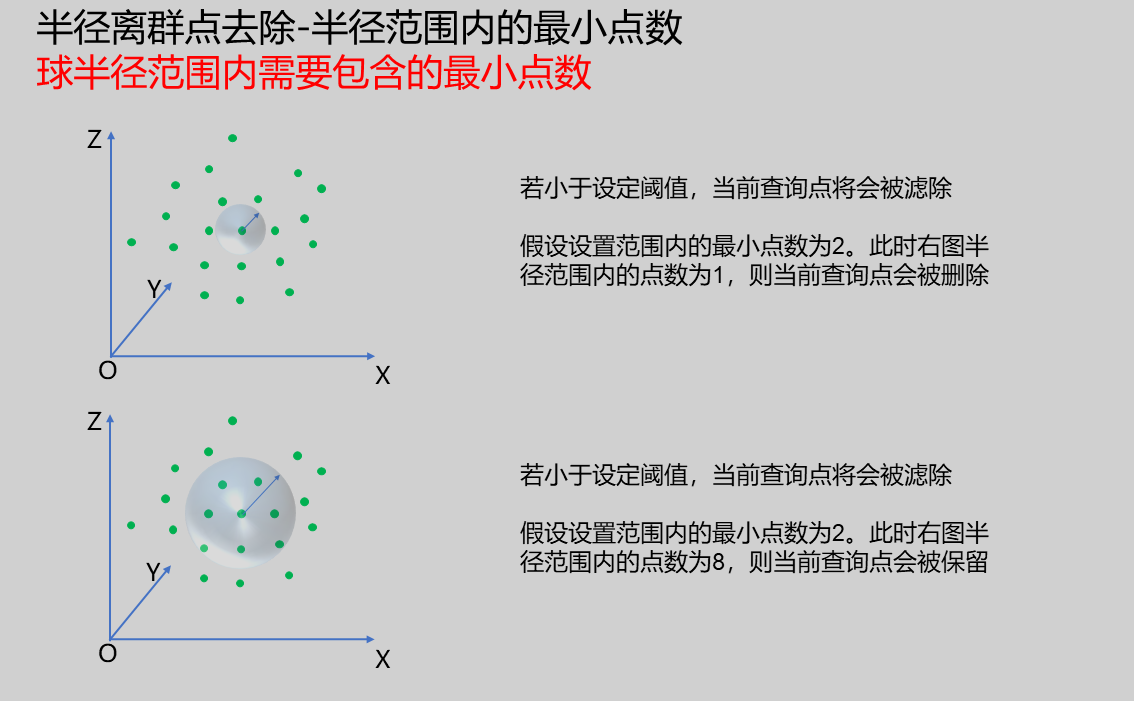 |
Output Parameters
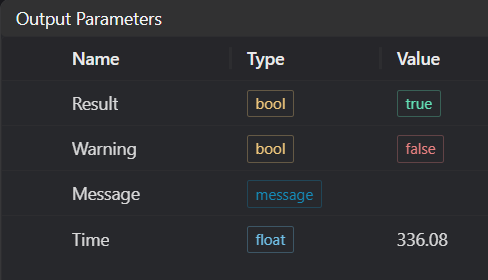
| Name | Type | Range | Description |
|---|---|---|---|
| Result | bool | true/false | true for success false for failure |
| Warning | bool | true/false | true indicates there is a warning false indicates there is none |
| Message | string | Outputs success, error, or warning information; if there is no error or warning, it is empty | |
| Time | float | Operator execution time, unit: ms |
Exception Troubleshooting
| No. | Template | Parameter | Solution |
|---|---|---|---|
| 1 | Statistical outlier filtering failed | 1. Check if input point cloud is empty 2. Check if k value is less than 0 or greater than 100 3. Check if standard deviation coefficient is less than 0 or greater than 1000 | |
| 2 | Radius filtering failed | 1. Check if input point cloud is empty 2. Check if radius is less than 0 | |
| 3 | All points were filtered! Please modify parameters | 1. Check if input point cloud is empty 2. Check if ROI position encloses any point cloud 3. Check if point cloud contains invalid values 4. Check if radius coefficient is set too small | |
| 4 | The input value is {0}, invalid outlier filtering algorithm | Only supports Neighborhood-based outlier removal, Radius outlier removal |
Example Introduction
Engineering Design
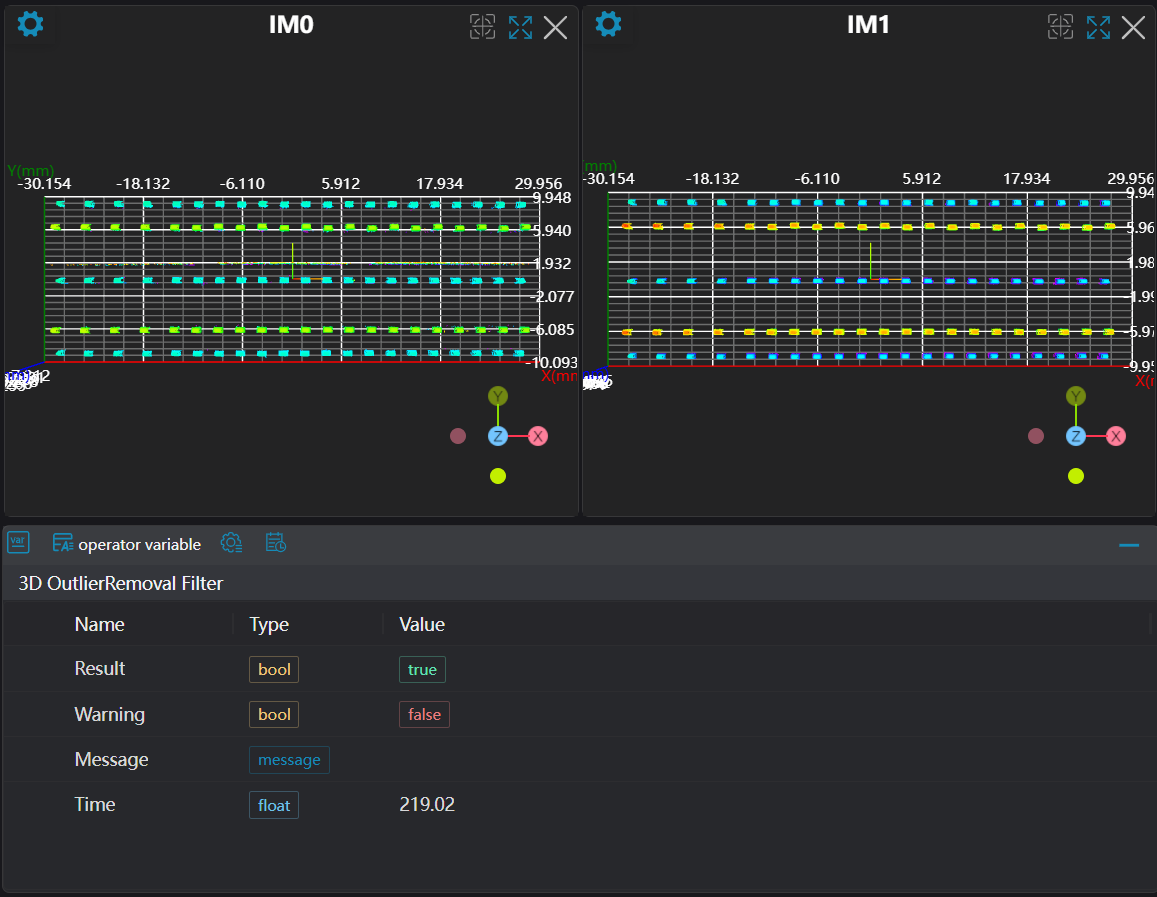
Select the
Load 3D Point Cloudtool to load the 3D point cloud image to be processed into IM0.Select two
3D Outlier Filtertools, using different algorithms to filter the point cloud.
Tool Usage
Select the input image for operation; the image number must match the IM number where the image is located in the project.
Set parameters
Click
Testto check if the image window and parameters meet expectationsIf there are no issues, click
Save, then run the operator in the run list to view the results in the corresponding IM