
BGA Solder Ball Height and Diameter Measurement
Project Background
Measurement Background
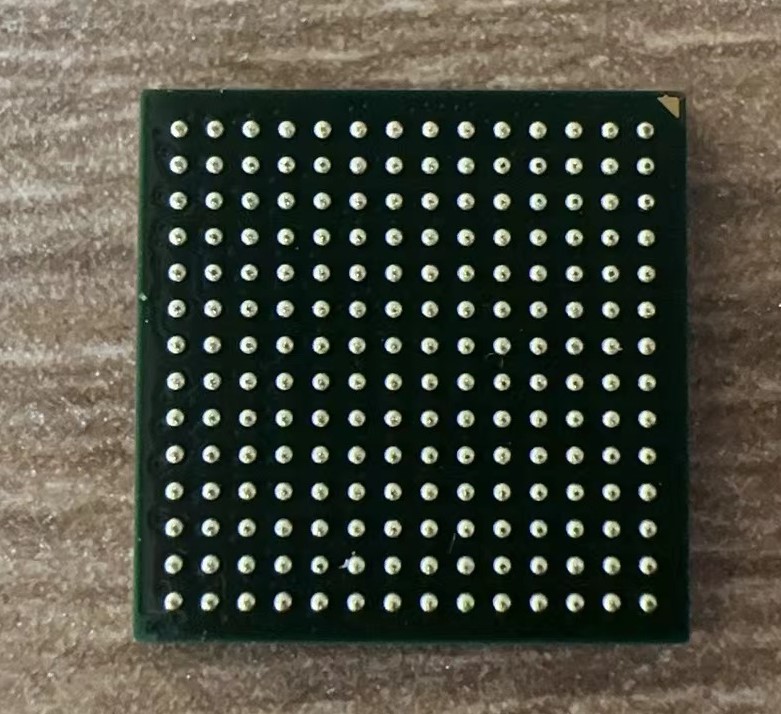
The BGA (Ball Grid Array) packaging process offers more possibilities for connections between wafer integrated circuit ICs and PCB circuit boards. The BGA process comes with certain technical requirements, necessitating strict and precise control over its production, including ensuring the accuracy of the number, size, and position of BGA balls to guarantee packaging quality.
Camera Selection
Hypersen-LCF3000
Measurement Items
Height and diameter of BGA solder balls
Detection Requirements
Measurement accuracy ≤ 0.01mm
Measurement repeatability ≤ 0.004mm
Measurement cycle ≤ 1s
Solution
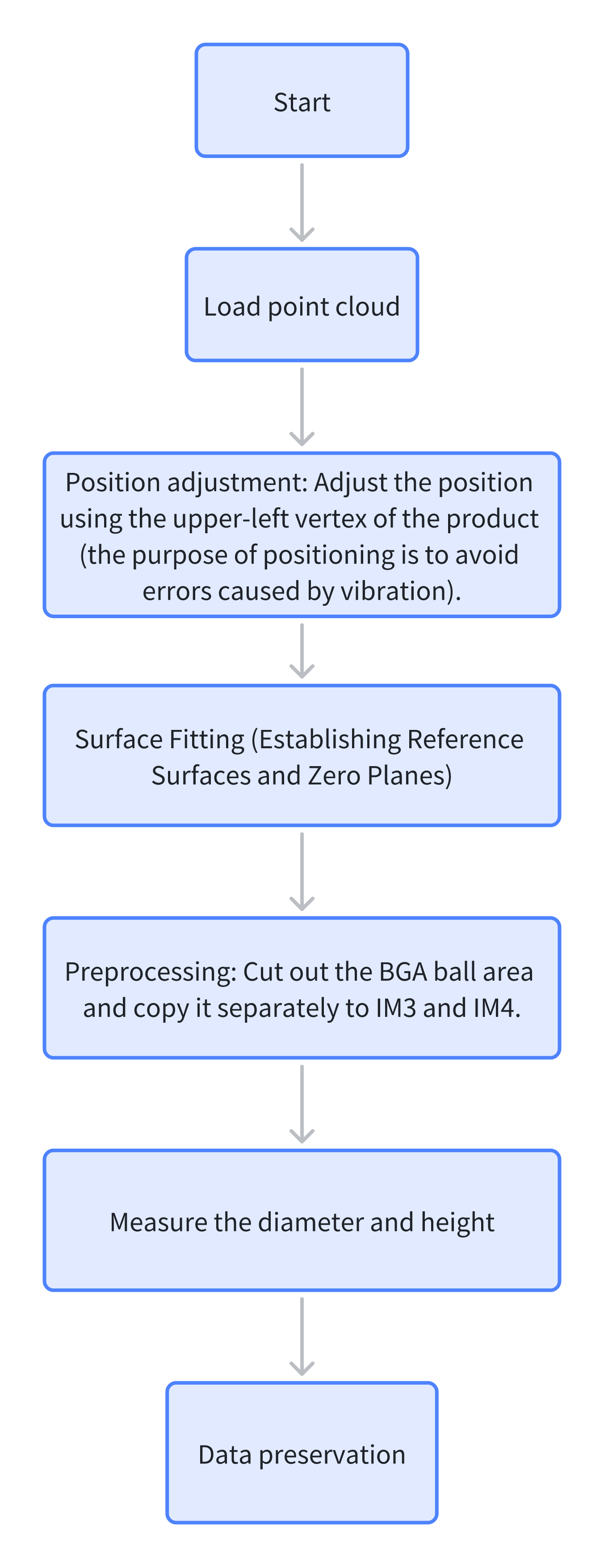
Utilize AI-Vision software to first acquire the positions of the BGA balls, then measure their height and diameter information through a loop measurement method. This approach is fast, highly accurate, simple in process, modular, and easy to build.
Design Concept
Execution Result Display
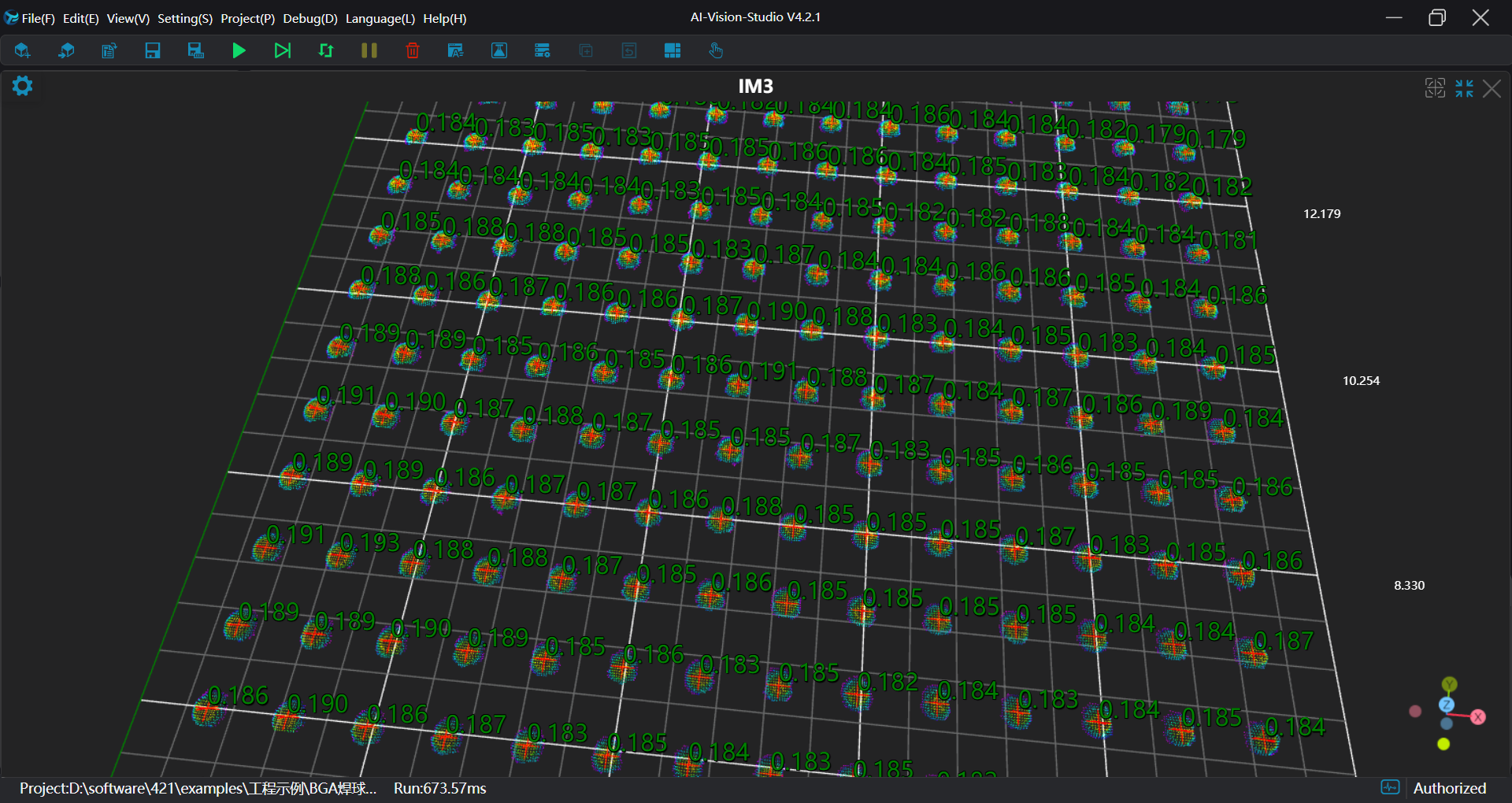
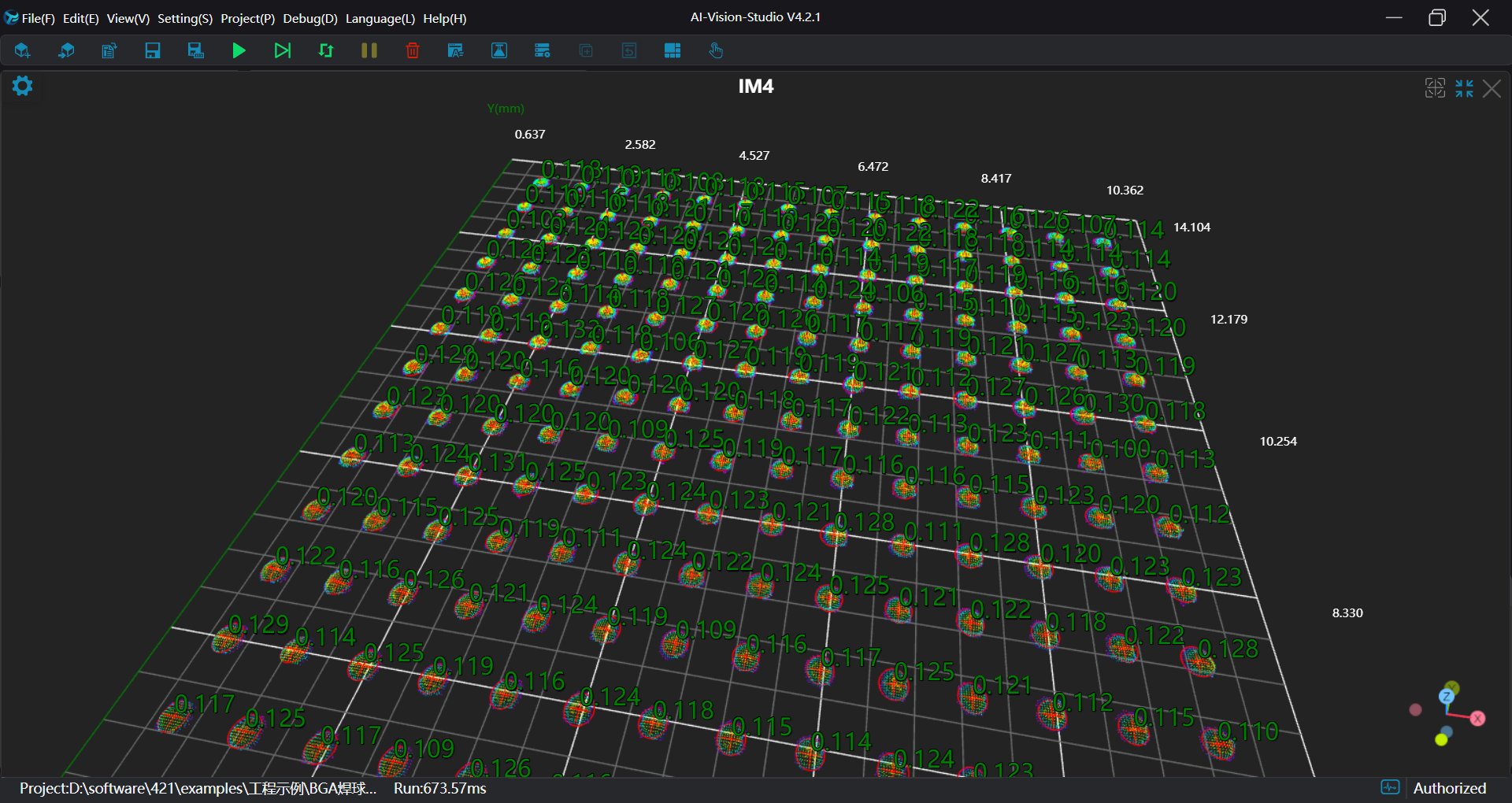
Project result display:
Height results:
Diameter results:
Project Process
First, Initialization
- Use
Lua Scripttool:
- Concatenate header strings to be saved into CSV files.
Experience
.. For string concatenation
part1 = "Hello, "
part2 = "world!"
result = part1 .. part2
print(result) # Outputs: Hello, world!
Use , as a separator to split each data item.
-- String for concatenating headers
writeC = ""
writeH = ""

-- If the file does not exist, concatenate header strings and write them into the file
if FileExists("./Circle.csv") == false then
    writeC = writeC .. "Time,"
    for i=1,196,1 do
        writeC = writeC .. "R" .. i .. ","
    end
end

PrintToFile("./Circle.csv",writeC)

if FileExists("./Height.csv") == false then
    writeH = writeH .. "Time,"
    for i=1,196,1 do
        writeH = writeH .. "H" .. i .. ","
    end
end

PrintToFile("./Height.csv",writeH)- Use
Load Point Cloudtool to load point cloud data.
Second, Preprocessing
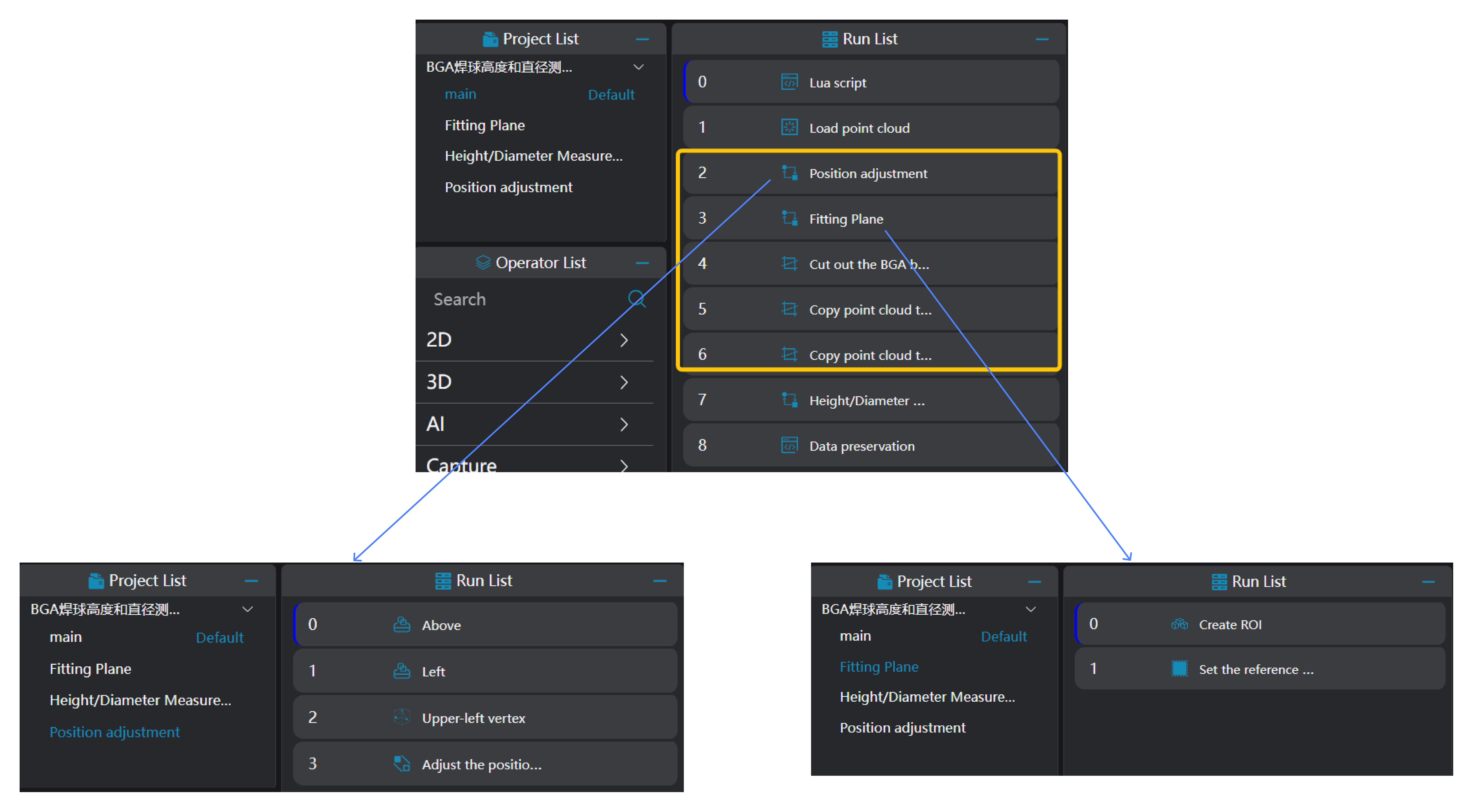
Position Adjustment
Use
3D Square Probetool to get the left and top edges of the workpiece.Use
3D Geometry Intersectiontool, bind the two edges output from the previous operator variable as input geometry, and output the intersection point of the two lines.
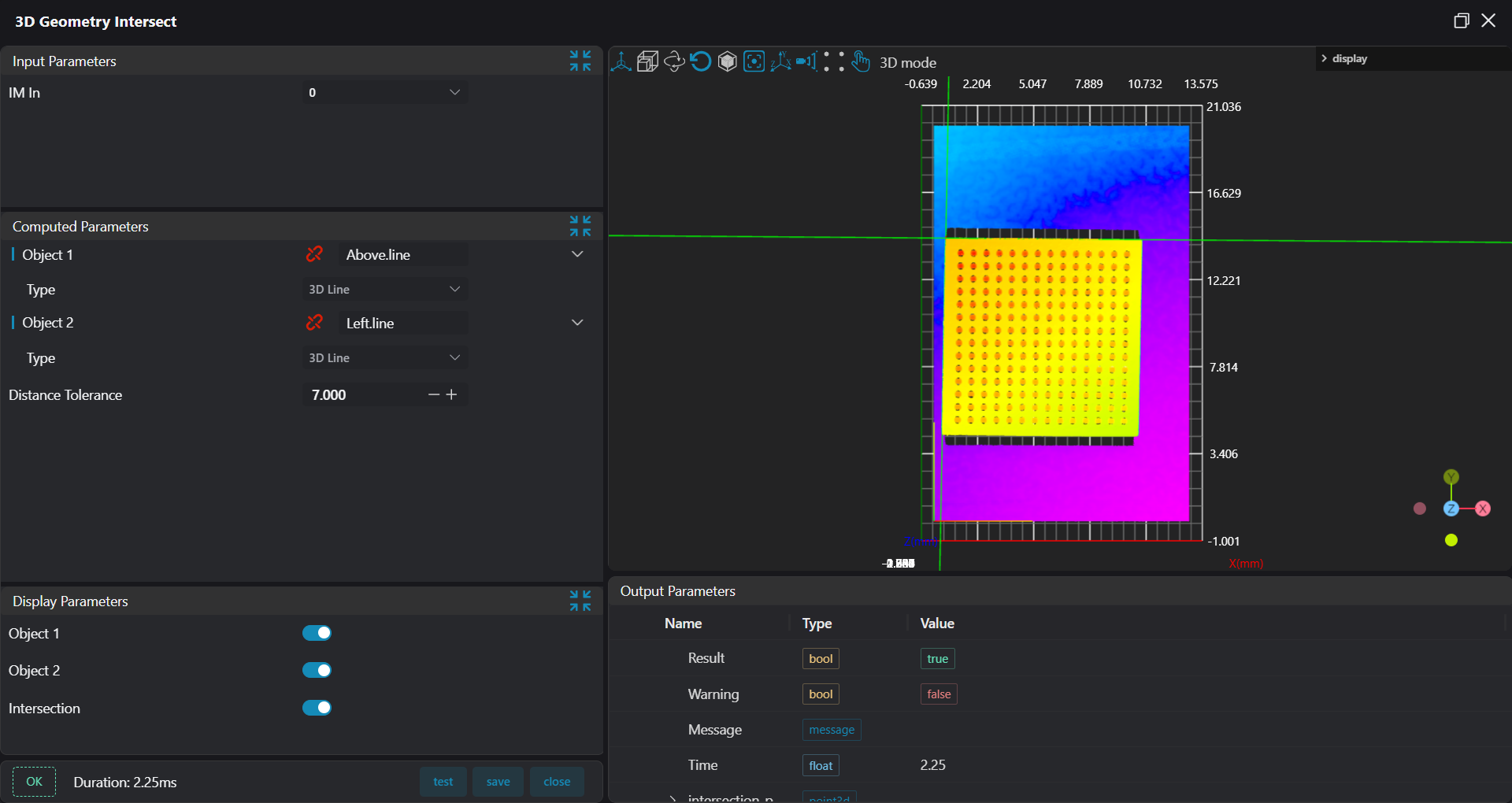
- Use
3D Position Adjustmenttool, bind the intersection point output from the previous operator as the new origin to adjust the point cloud position.
Fit Plane
Use
3D Regiontool to select the region for plane fitting.Use
3D Planetool, bind the region output from the previous operator variable as the input area, fit the plane, and set it as the zero plane.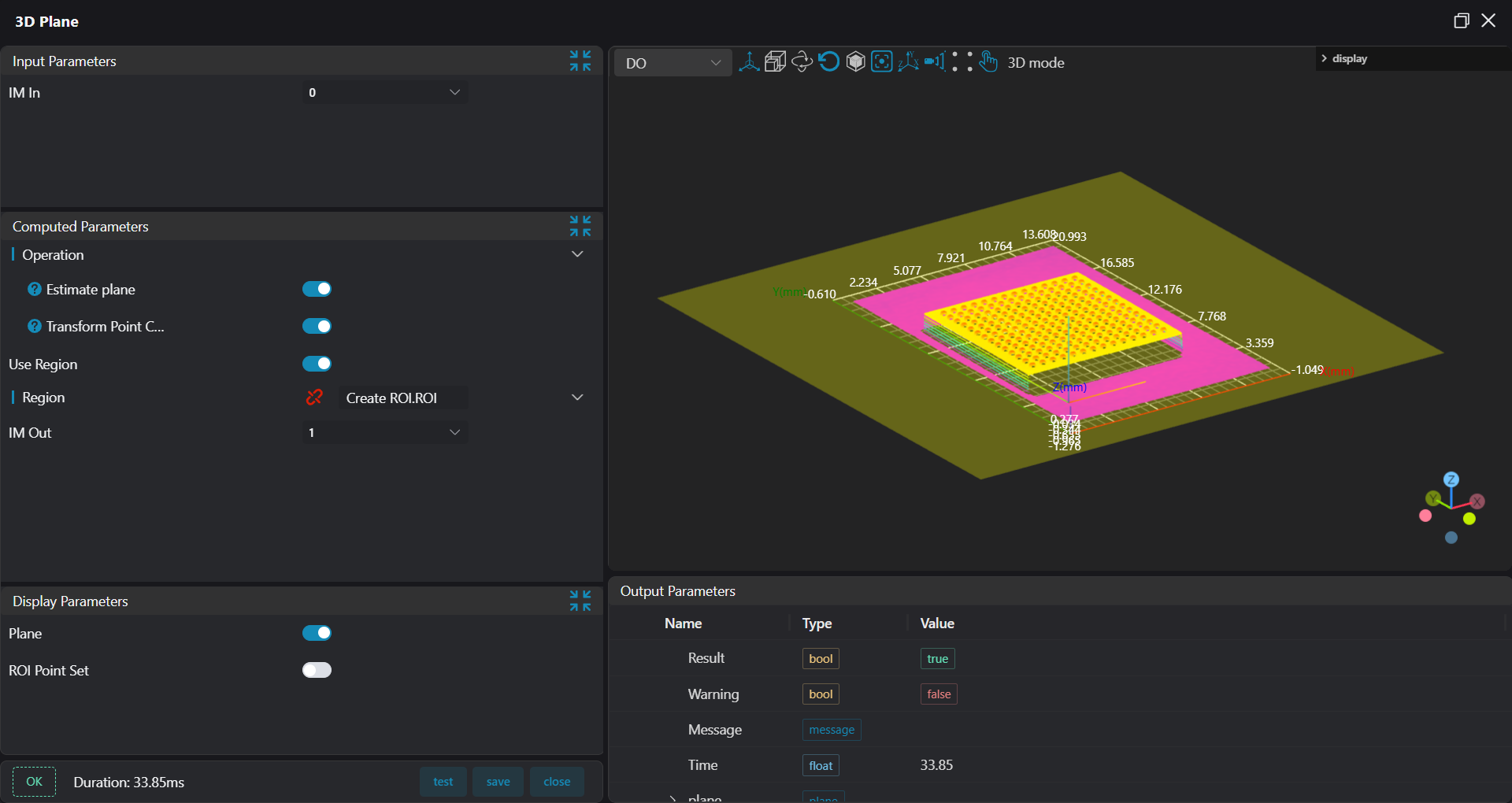
Cut Out Testing Area
Use 3D Clipping tool to cut out the BGA ball from IM1 to IM2 for subsequent height and diameter measurements.
Copy IM for Different Subroutine Calls
Copy IM2 to IM3 and IM4 separately for height and diameter measurements.
Tip
When calling subroutines in parallel, each subroutine needs to be executed on different IMs.
Third, Height and Diameter Measurement
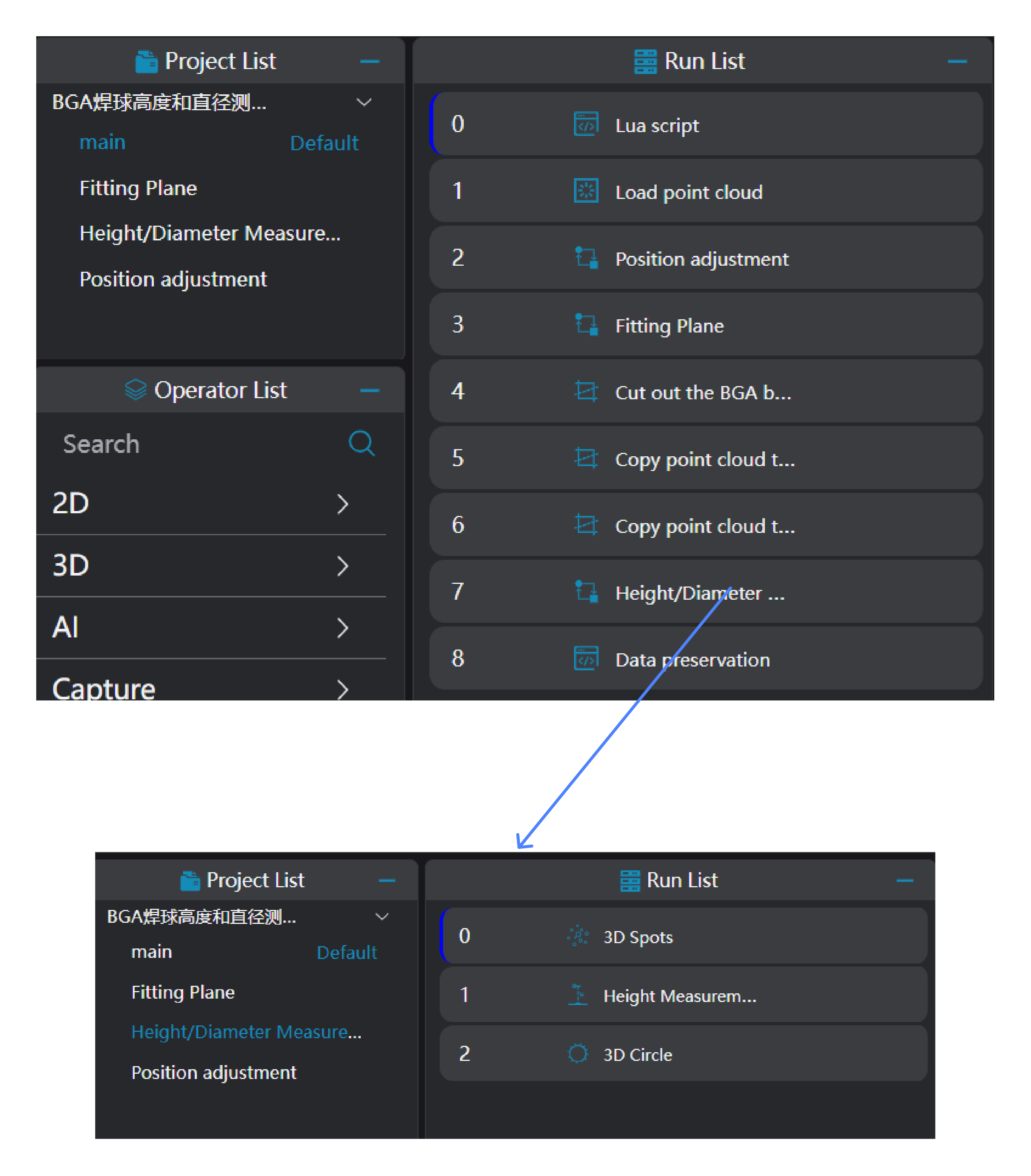
Use
3D Blobtool to find all the positions of the BGA balls.Use
3D Heighttool, bind the regions within the variables output by the3D Blobtool as the input areas, to measure the heights of all BGA balls.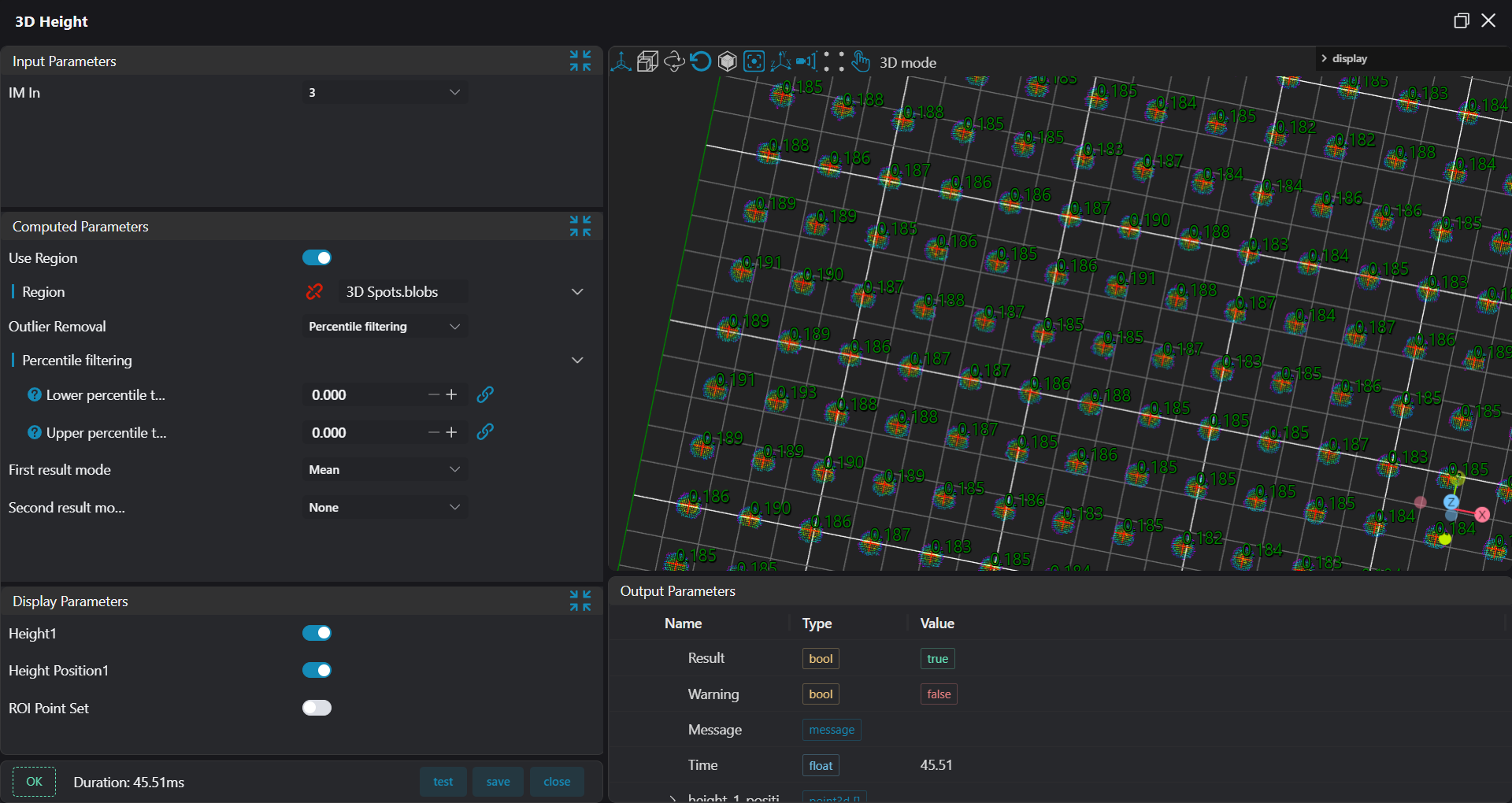
Use
3D Circletool, bind the regions within the variables output by the3D Blobtool as the input areas, to obtain fitted circle information of the BGA balls (center, radius, direction vector).
Fourth, Data Saving
Use Lua Script tool:
Bind the height and diameter information output by the operator variables.
Edit Lua scripts to concatenate height and diameter information into strings.
Write information of the 196 measured balls into files.
Time = os.date("%Y_%m_%d %H:%M:%S")
Height = Time .. ","
Circle = Time .. ","

for i=1,196 do
    Height = Height .. string.format("%.3f,",ResultHeight[i])
    Circle = Circle .. string.format("%.3f,",ResultR[i].Radius)
end

-- Write data into Height.csv file.
WriteLineToFile("./Height.csv",Height)
-- Write data into Radius.csv file.
WriteLineToFile("./Circle.csv",Circle)