
Pin Height Measurement
Project Background
Measurement Background
Given the critical role of PIN pins in PCB boards and their stringent precision requirements, traditional inspection methods suffer from insufficient accuracy and low efficiency. With the advancement of smart manufacturing and 3D vision technologies, automated inspection has become a trend—aiming to improve both inspection accuracy and efficiency, ensure product quality, and meet the demands of large-scale production.
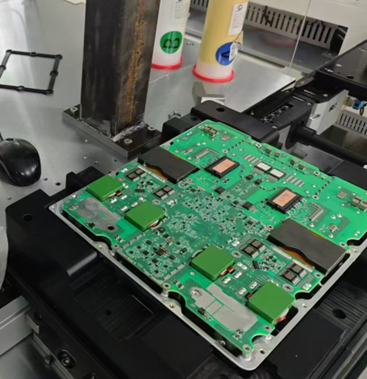
Camera Selection
Shengxiang Technology S162170
Measurement Item
Pin height
Detection Requirements
Measurement accuracy ≤ 0.03mm
Measurement repeatability ≤ 0.05mm
Measurement cycle ≤ 2000ms
Solution
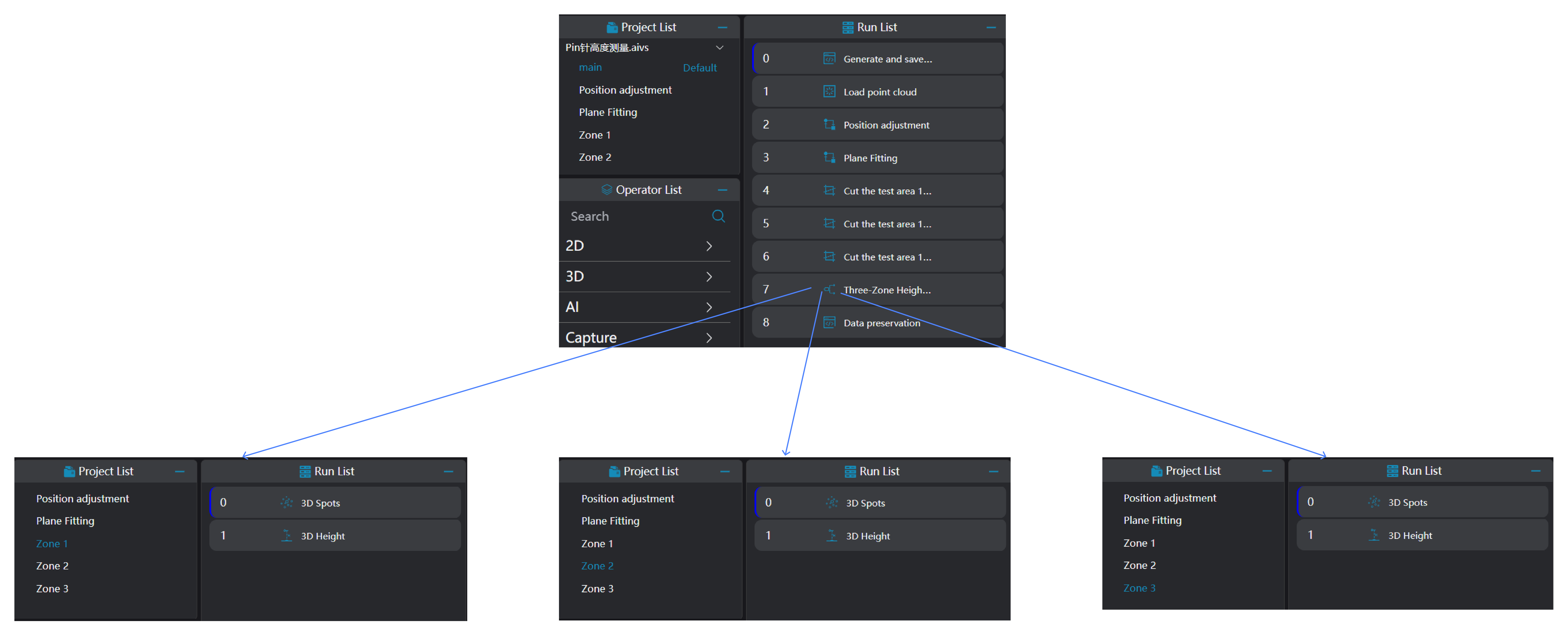
AI-Vision employs a region segmentation approach, dividing the measurement area into three parts. It uses the Blob tool to locate pins in each region and applies a multi-height measurement integrated tool to output all height results with a single click.
Design Concept
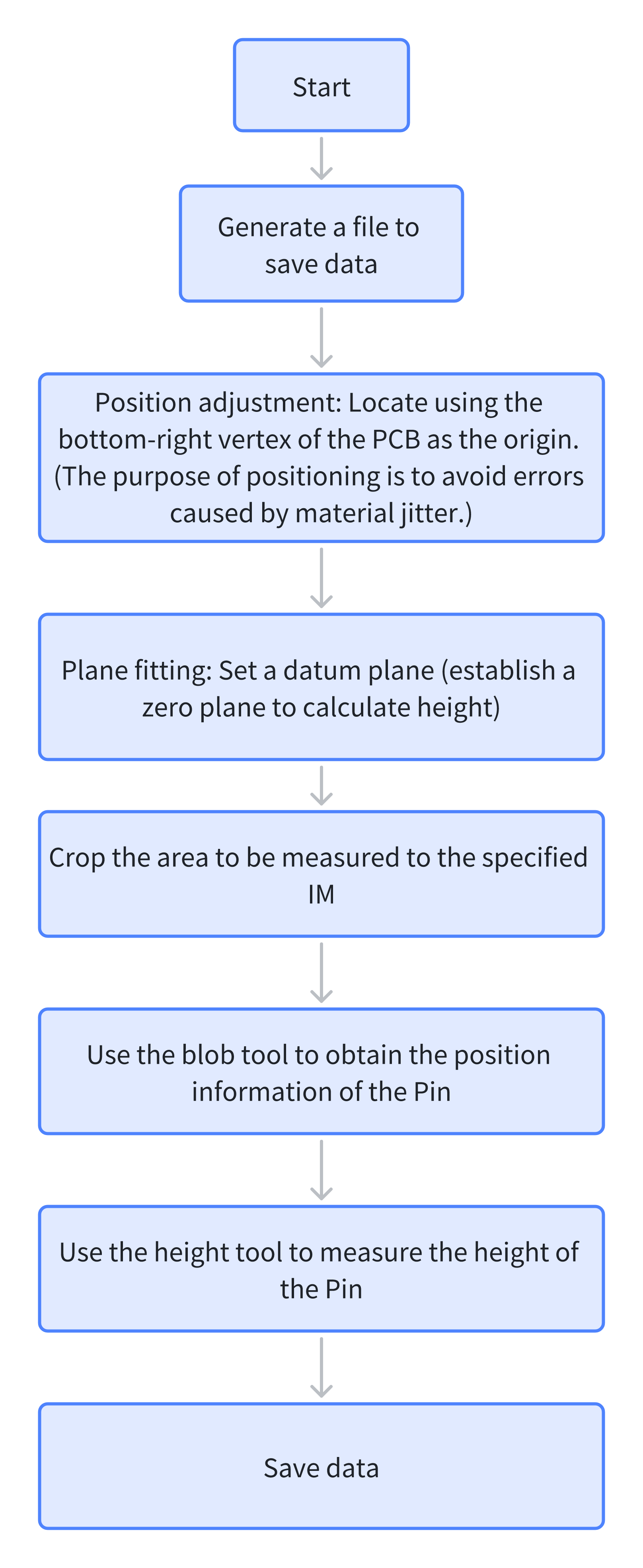
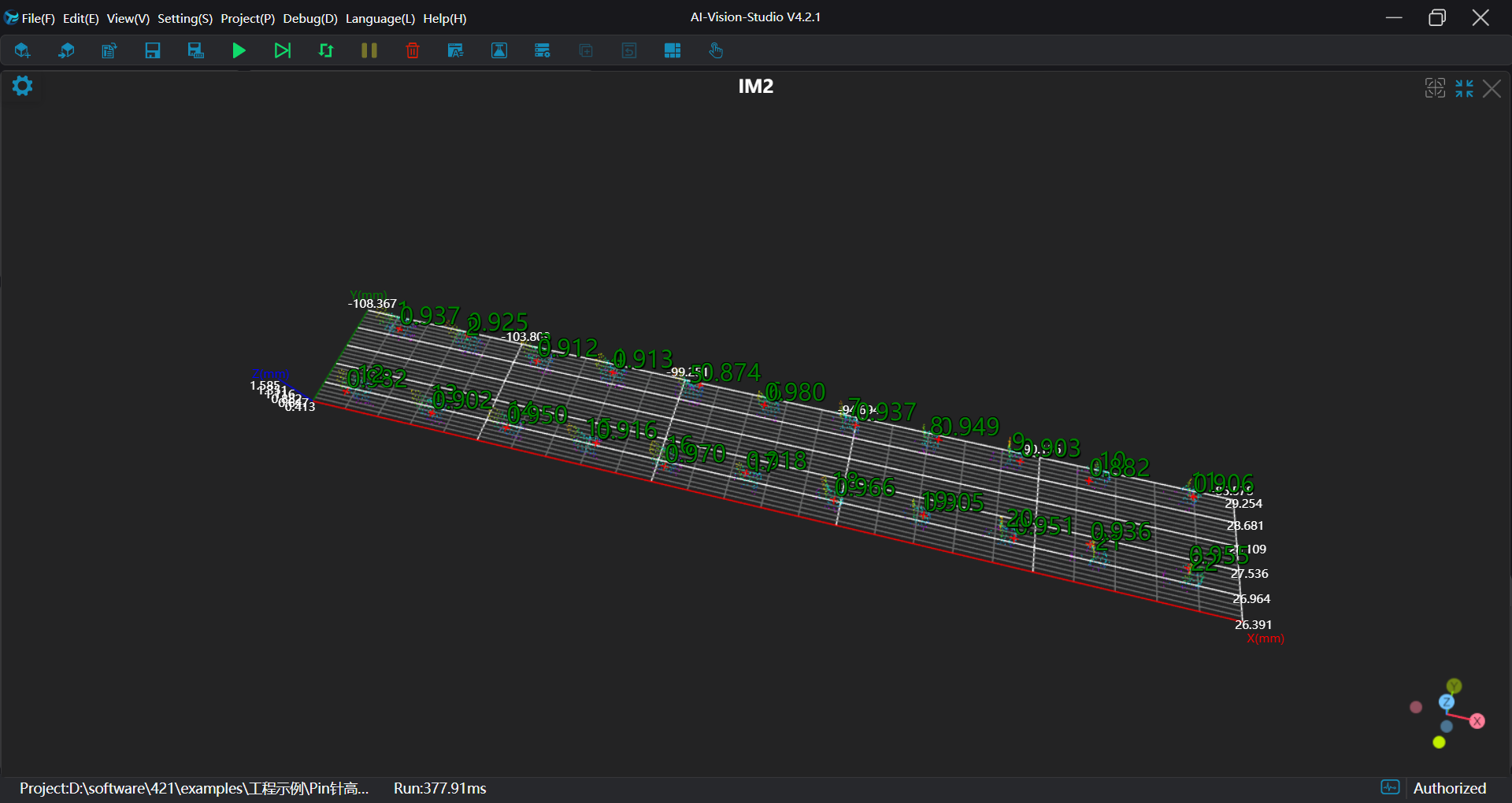
Execution Result Display
Project result display:
Region 1 measurement results
Region 2 measurement results
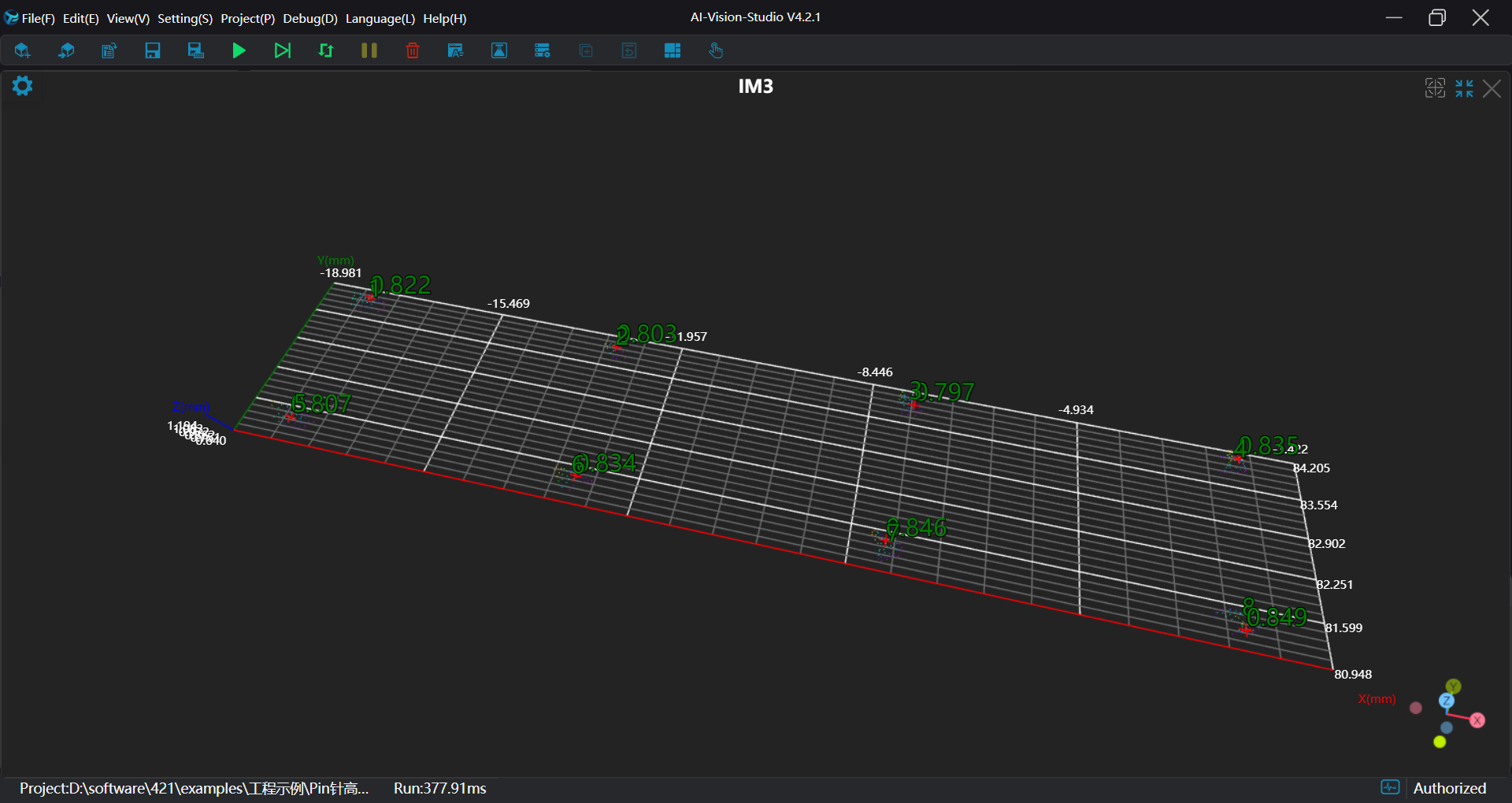
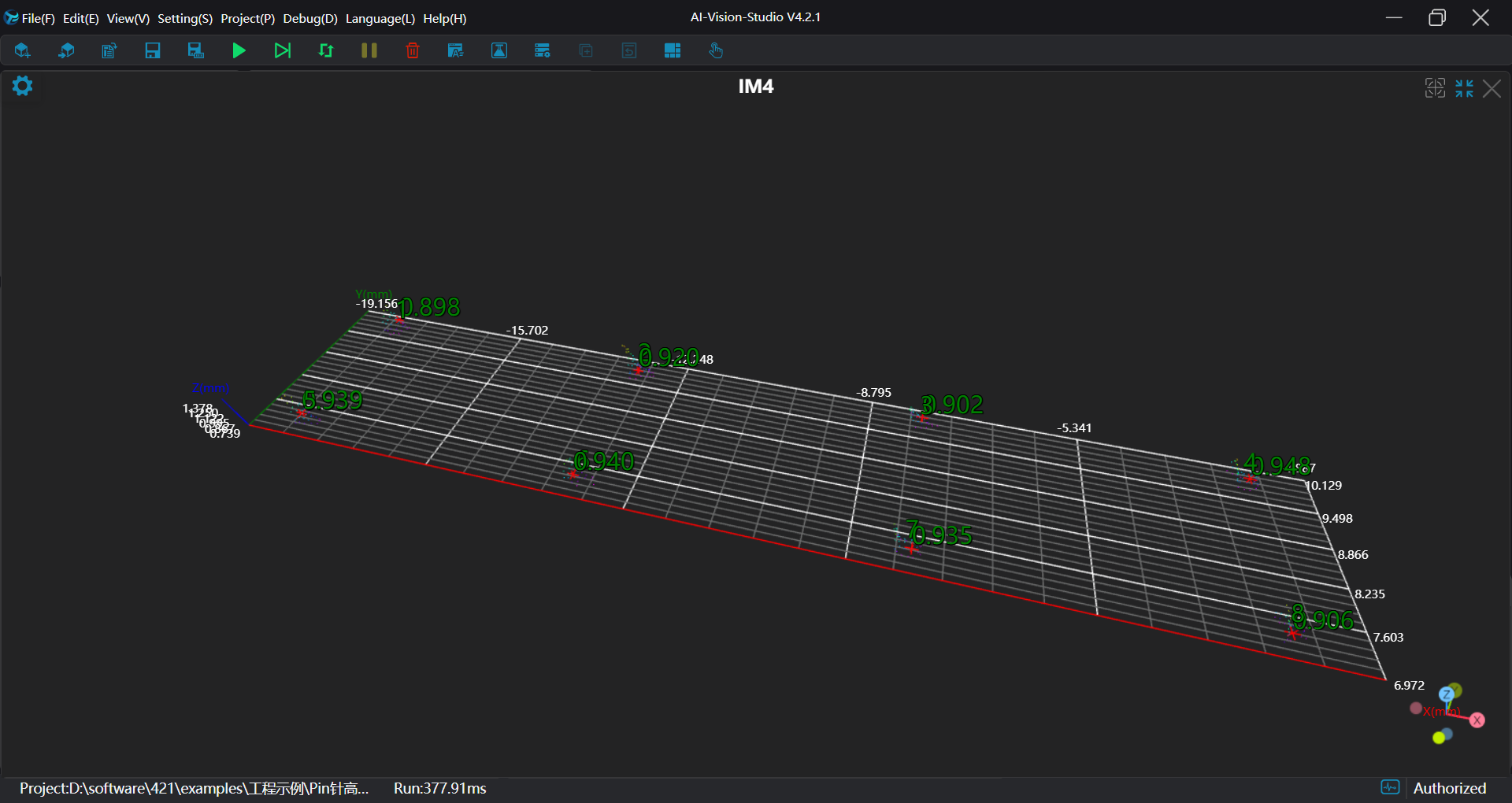
Region 3 measurement results
Project Process
I. Initialization
- Use the
Lua Scripttool to generate CSV files for data storage.
Define global
intvariables for loop counters,stringvariables for concatenating height strings, and array-type global variables for height display.Concatenate header strings and save them to CSV files.
Tip
.. is used for string concatenation
part1 = "Hello, "
part2 = "world!"
result = part1 .. part2
print(result) # Output: Hello, world!
Use , as a delimiter to separate each data item.
-- count variables for loop iteration in pin height detection per region
SetIntVariable("count1", 1)
SetIntVariable("count2", 1)
SetIntVariable("count3", 1)
-- Variables for concatenating height strings to be saved in CSV
SetStringVariable("Height1","")
SetStringVariable("Height2","")
SetStringVariable("Height3","")
-- Arrays for final height display
SetFloatArrayVariable("HeightArray1",{})
SetFloatArrayVariable("HeightArray2",{})
SetFloatArrayVariable("HeightArray3",{})
SetFloatArrayVariable("posX1",{})
SetFloatArrayVariable("posY1",{})
SetFloatArrayVariable("posZ1",{})
SetFloatArrayVariable("posX2",{})
SetFloatArrayVariable("posY2",{})
SetFloatArrayVariable("posZ2",{})
SetFloatArrayVariable("posX3",{})
SetFloatArrayVariable("posY3",{})
SetFloatArrayVariable("posZ3",{})

-- Generate CSV file for storing detection data (Region 1)
write = ""
if FileExists("./Height1.csv") == false then
  write = write .. "Time,"
  for i= 1,22,1 do
      write = write .. "Height" .. i ..","
  end
  write = write .. "\n"
end
write = write .. os.date("%Y_%m_%d %H:%M:%S") .. ","
PrintToFile("./Height1.csv", write)

-- Generate CSV file for Region 2
write = ""
if FileExists("./Height2.csv") == false then
  write = write .. "Time,"
  for i= 1,8,1 do
      write = write .. "Height" .. i ..","
  end
  write = write .. "\n"
end
write = write .. os.date("%Y_%m_%d %H:%M:%S") .. ","
PrintToFile("./Height2.csv", write)

-- Generate CSV file for Region 3
write = ""
if FileExists("./Height3.csv") == false then
  write = write .. "Time,"
  for i= 1,8,1 do
      write = write .. "Height" .. i ..","
  end
  write = write .. "\n"
end
write = write .. os.date("%Y_%m_%d %H:%M:%S") .. ","
PrintToFile("./Height3.csv", write)- Use the
Load Point Cloudtool to load the point cloud for processing.
II. Preprocessing
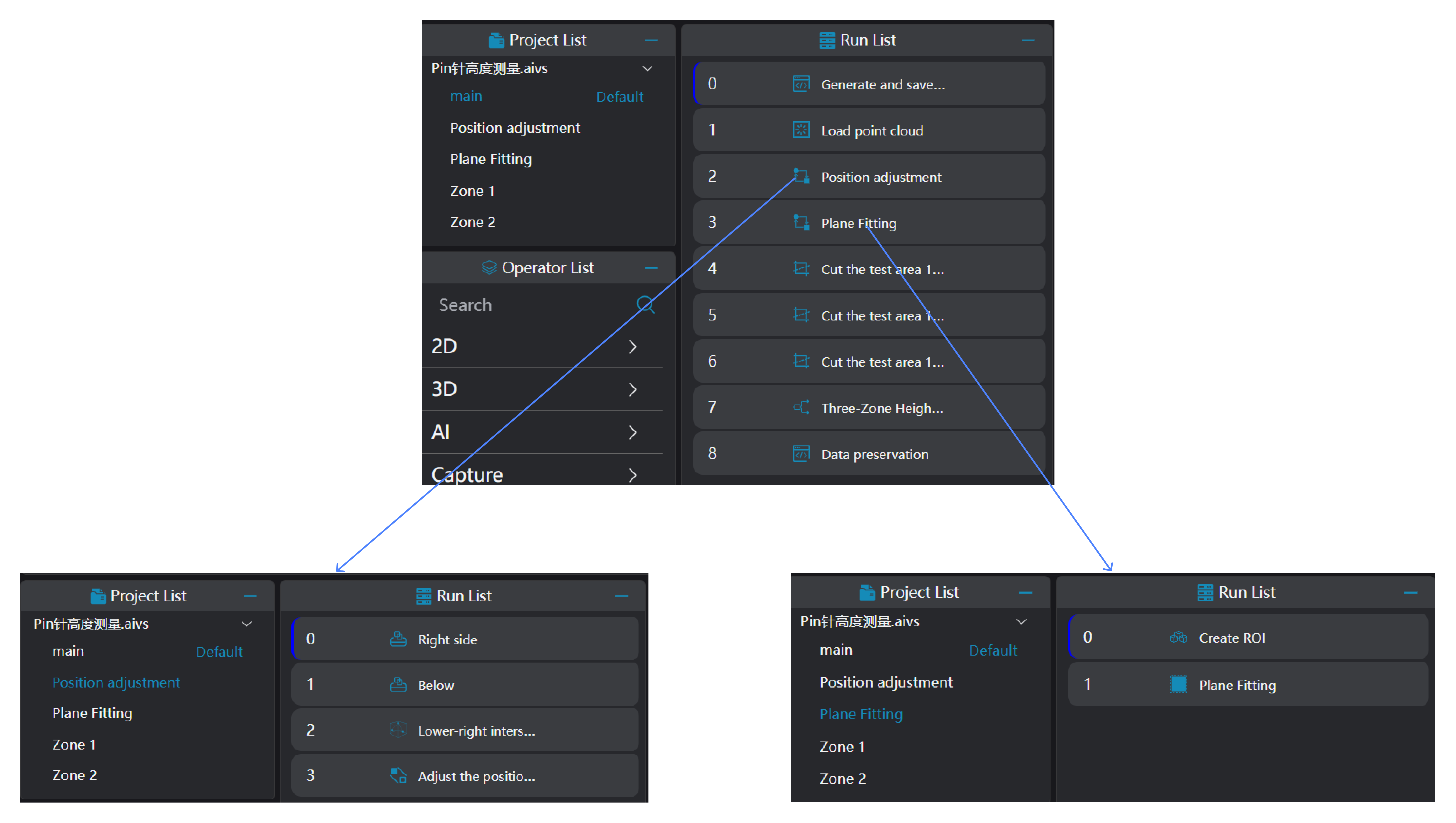
Position Adjustment
Use the
3D Square Probetool to obtain two edges of the workpiece.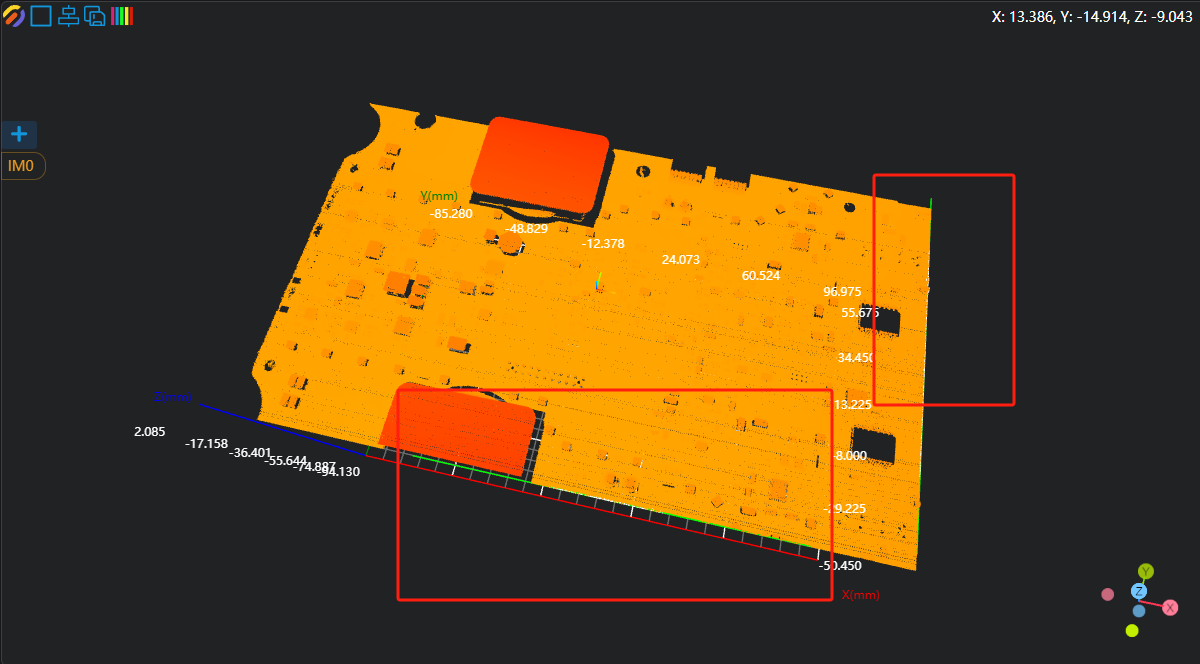
Use the
3D Geometry Intersectiontool, binding the two edges output from the previous operator as input geometry to compute their intersection point.Use the
3D Position Adjustmenttool, binding the intersection point from the previous step as the new origin to adjust the XY position of the point cloud.
Plane Fitting
Use the
3D Create ROItool to define the ROI for plane fitting.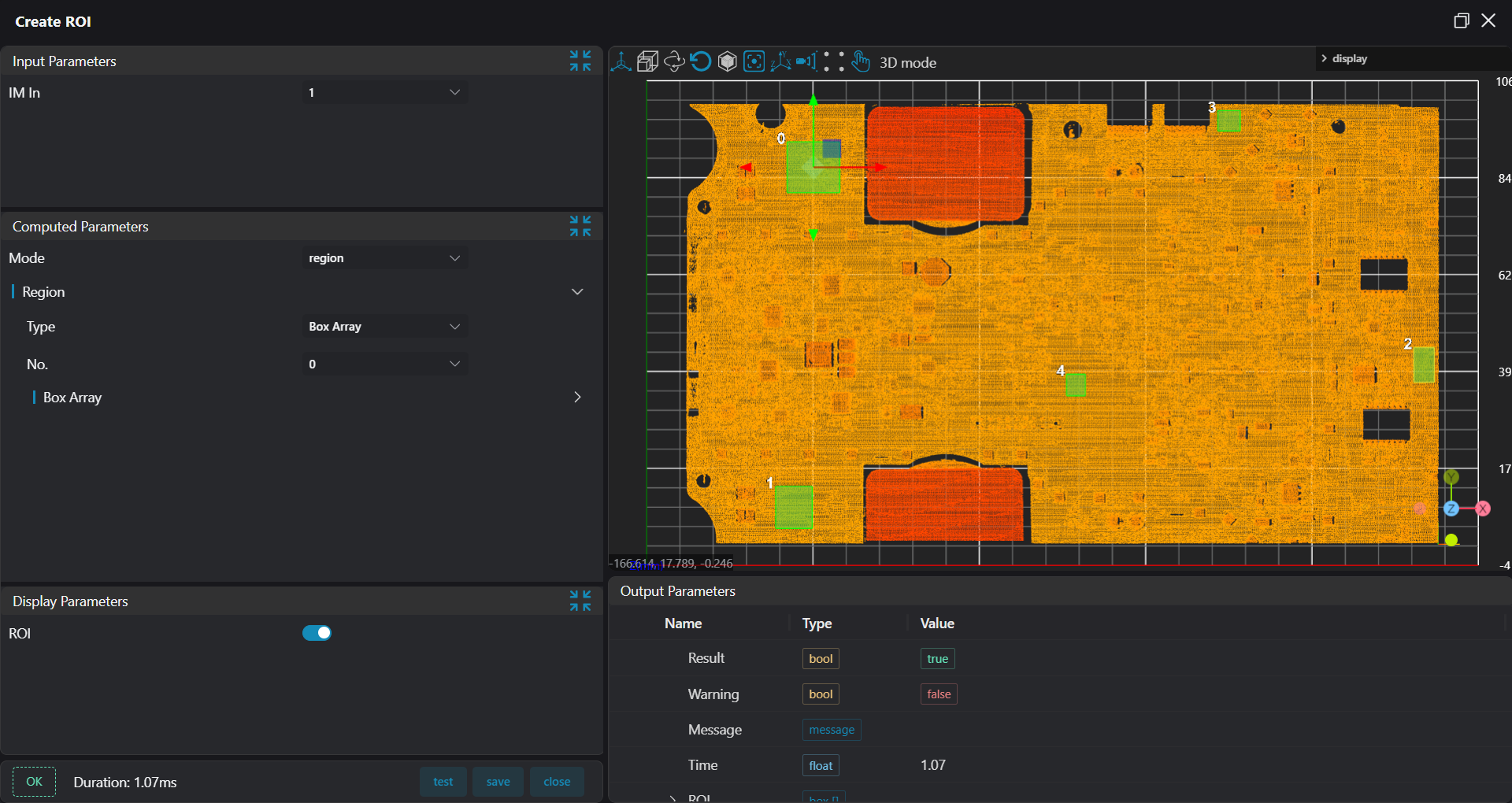
Use the
3D Planetool, binding the ROI output from the previous step as the input region to fit a plane and set it as the zero plane.
Crop Measurement Regions
Use the 3D Clipping tool to crop the three pin regions into IM2, IM3, and IM4 respectively.
III. Pin Height Measurement
Use the
3D Blobtool to obtain the position information of each solder pad.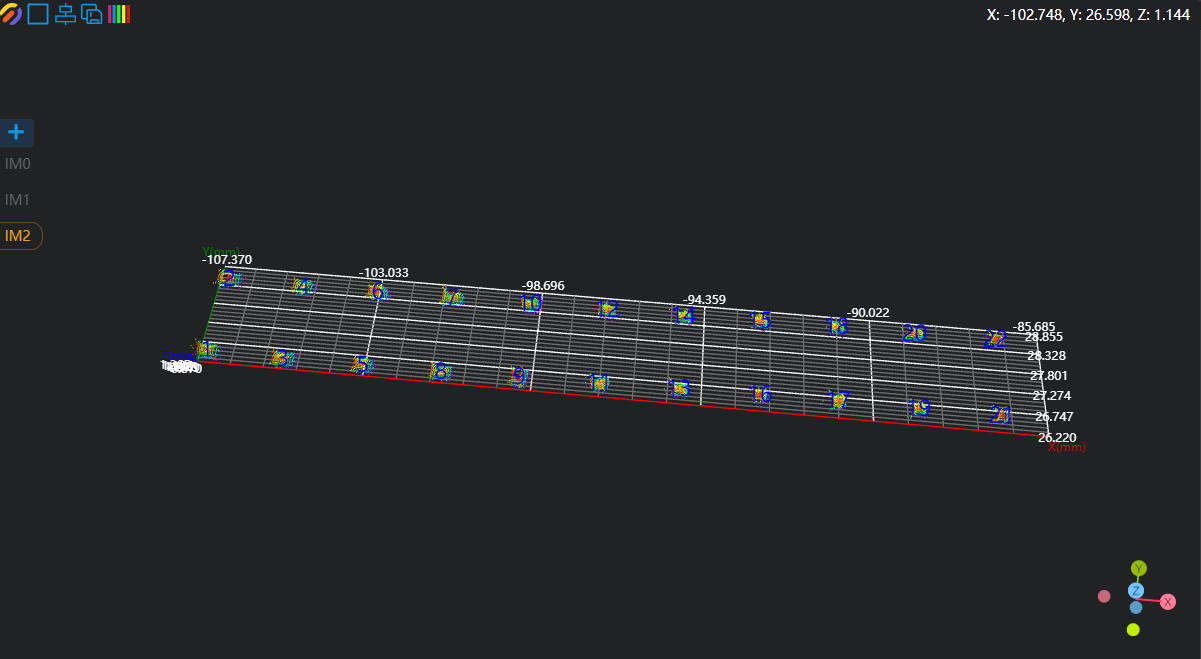
Use the
3D Heighttool, binding the pad regions output from the3D Blobtool as input regions to measure the height of all pins.
IV. Data Saving
Use the Lua Script tool:
- Bind the height arrays output from the
3D Heighttool. - Write a script to loop through and concatenate height values into strings.
- Save the data to CSV files.
Tip
string.format is used for string formatting.%.nf formats a floating-point number to n decimal places.
pi = 3.14159
str = string.format("Pi is approximately %.3f", pi)
print(str) -- Output: Pi is approximately 3.141
-- Strings for concatenating heights
writeH1 = ""
writeH2 = ""
writeH3 = ""

writeH1 = writeH1 .. os.date("%Y_%m_%d %H:%M:%S") .. ","
writeH2 = writeH2 .. os.date("%Y_%m_%d %H:%M:%S") .. ","
writeH3 = writeH3 .. os.date("%Y_%m_%d %H:%M:%S") .. ","

-- Loop to concatenate heights into strings
for i=1,22,1 do
    writeH1 = writeH1 .. string.format("%.3f,",Height1[i])
end

for i=1,8,1 do
    writeH2 = writeH2 .. string.format("%.3f,",Height2[i])
end

for i=1,8,1 do
    writeH3 = writeH3 .. string.format("%.3f,",Height3[i])
end

WriteLineToFile("./Height1.csv",writeH1)
WriteLineToFile("./Height2.csv",writeH2)
WriteLineToFile("./Height3.csv",writeH3)