
Solder Ball Volume and Height Measurement
Project Background
Measurement Background
Given the key role of solder balls in chip packaging, their parameters such as height and roundness directly affect product quality. To ensure stability and reliability, high-precision measurement technology is required to address challenges like reflection and precision, meet 100% inspection requirements, and improve product quality and production efficiency.
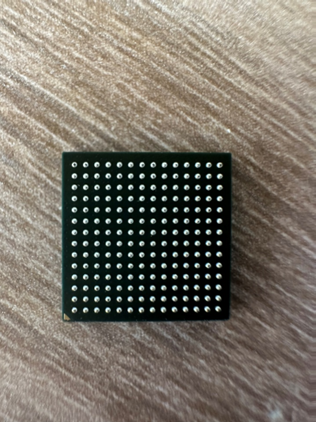
Camera Selection
Shengxiang Technology SS081017
Measurement Items
- Solder ball height
- Solder ball volume
Detection Requirements
- Measurement accuracy ≤ 0.02mm
- Measurement repeatability ≤ 0.015mm
- Measurement cycle ≤ 600ms
Solution
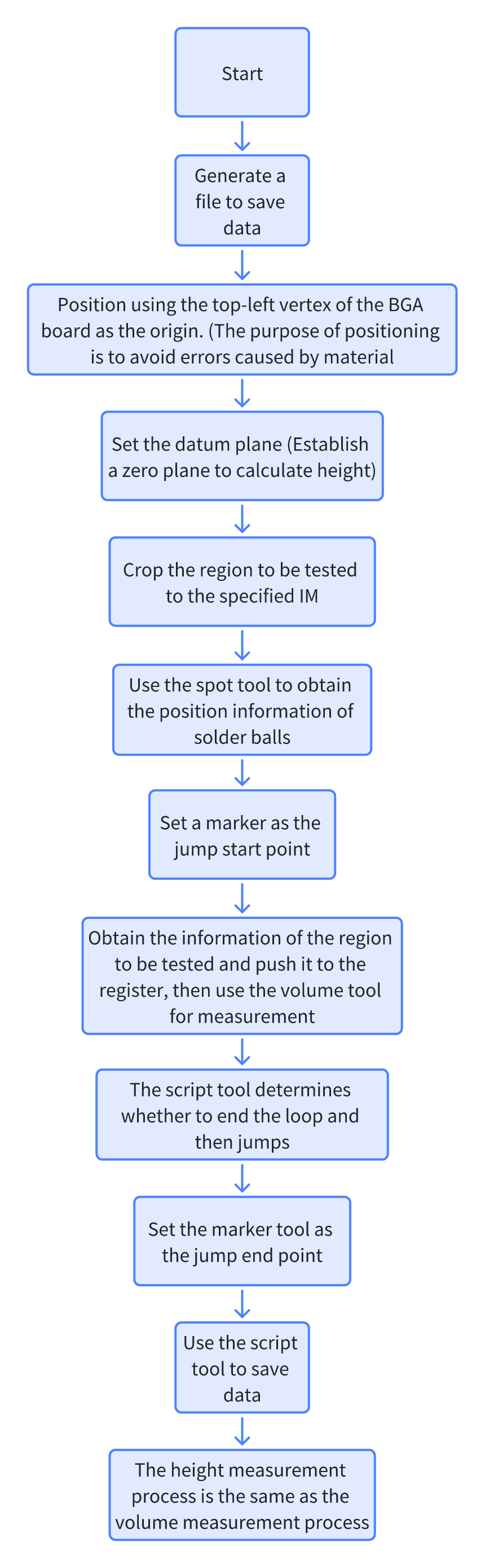
AI-Vision uses cropping tools to cut out solder balls, then uses the Blob tool to find the position of each solder ball, and uses height and volume tools for one-click measurement.
Design Concept
Implementation Effect Display
- Project Result Display
- Volume Measurement Result
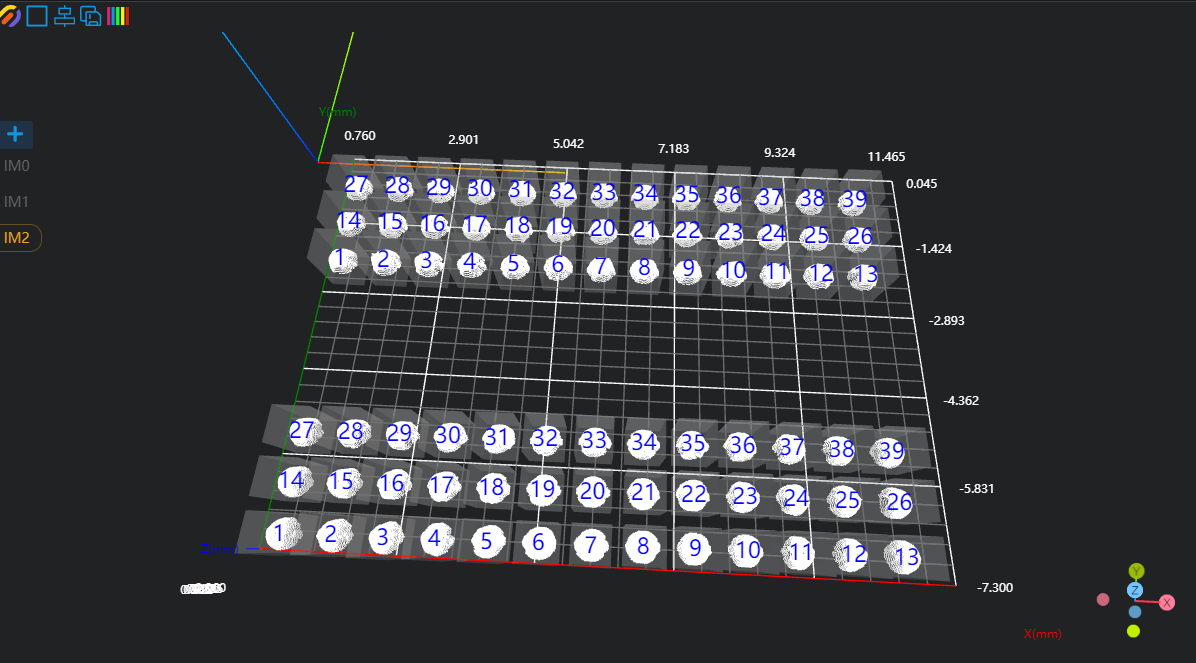
- Height Measurement Result
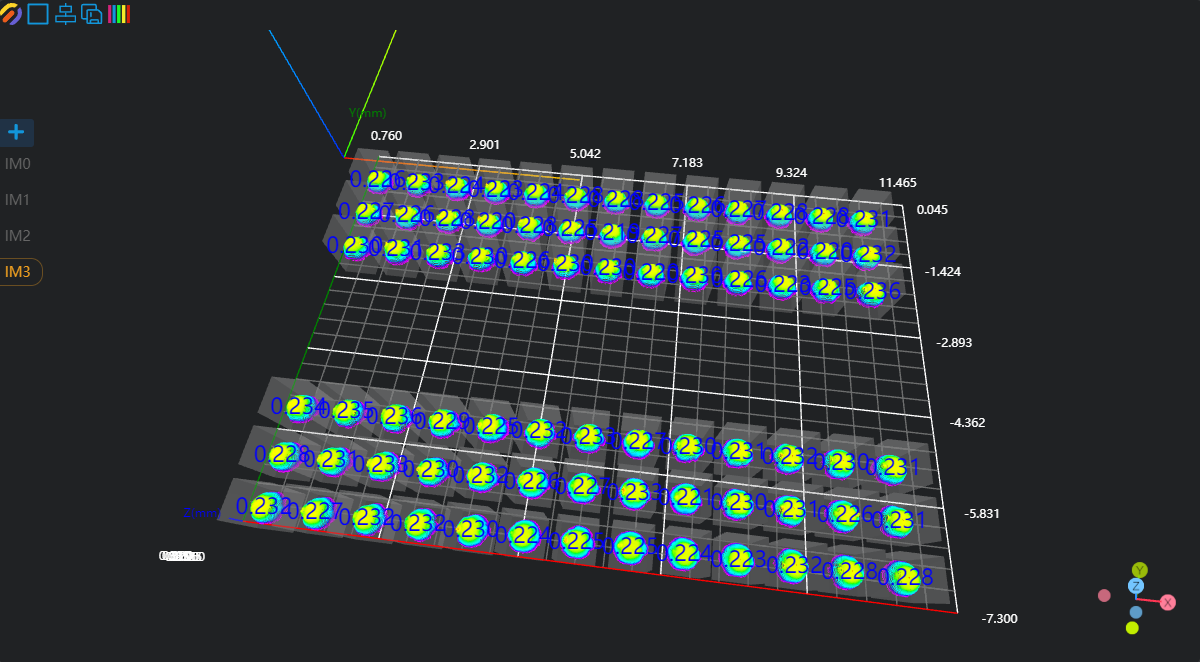
- Volume Measurement Result
Project Process
1. Initialization
- Use the
Lua Scripttool to initialize CSV files for saving data.
Experience
.. is used for string concatenation of string type
part1 = "Hello, "
part2 = "world!"
result = part1 .. part2
print(result) # Output: Hello, world!
, is used as a separator to split each data item
writeV = ""
writeH = ""

if FileExists("./Volumn.csv") == false then
    writeV = writeV .. "Time,"
    for i=1,78,1 do
        writeV = writeV .. "Volume" .. i .. ","
    end
end

PrintToFile("./Volumn.csv",writeV)

if FileExists("./Height.csv") == false then
    writeH = writeH .. "Time,"
    for i=1,78,1 do
        writeH = writeH .. "Height" .. i .. ","
    end
end

PrintToFile("./Height.csv",writeV)Use the
Load Point Cloudtool to load the point cloud image to be processed.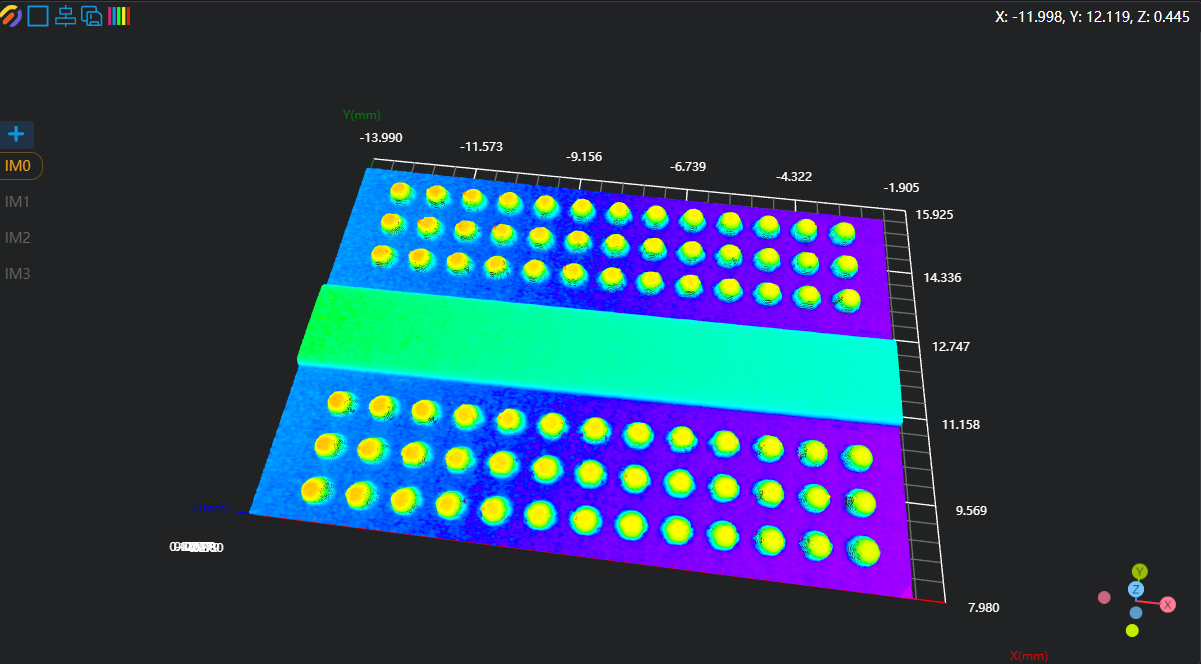
Use the
3D Croppingtool to copy the point cloud in IM1 to IM1 for subsequent processing.
2. Preprocessing
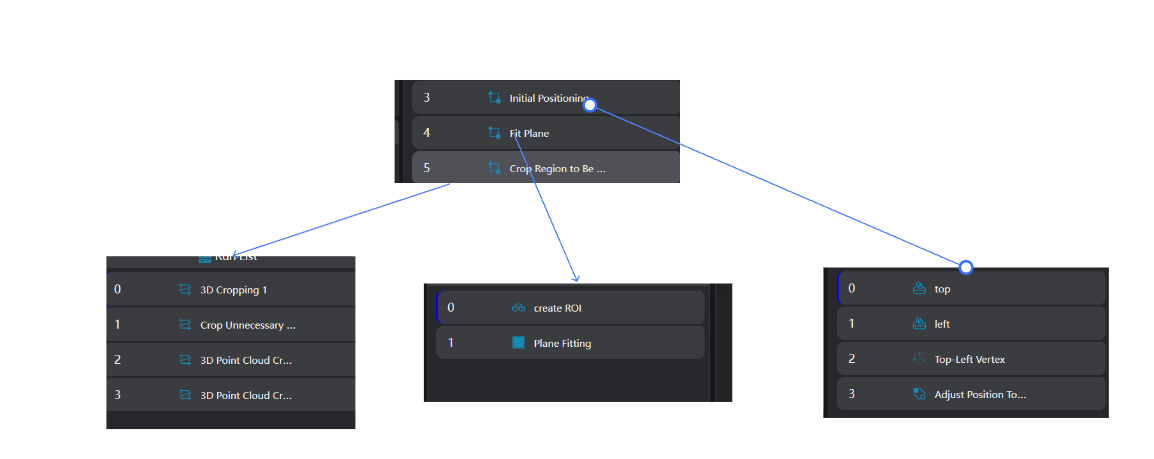
Position Adjustment
- Use the
3D Square Probetool to output two edges of the workpiece.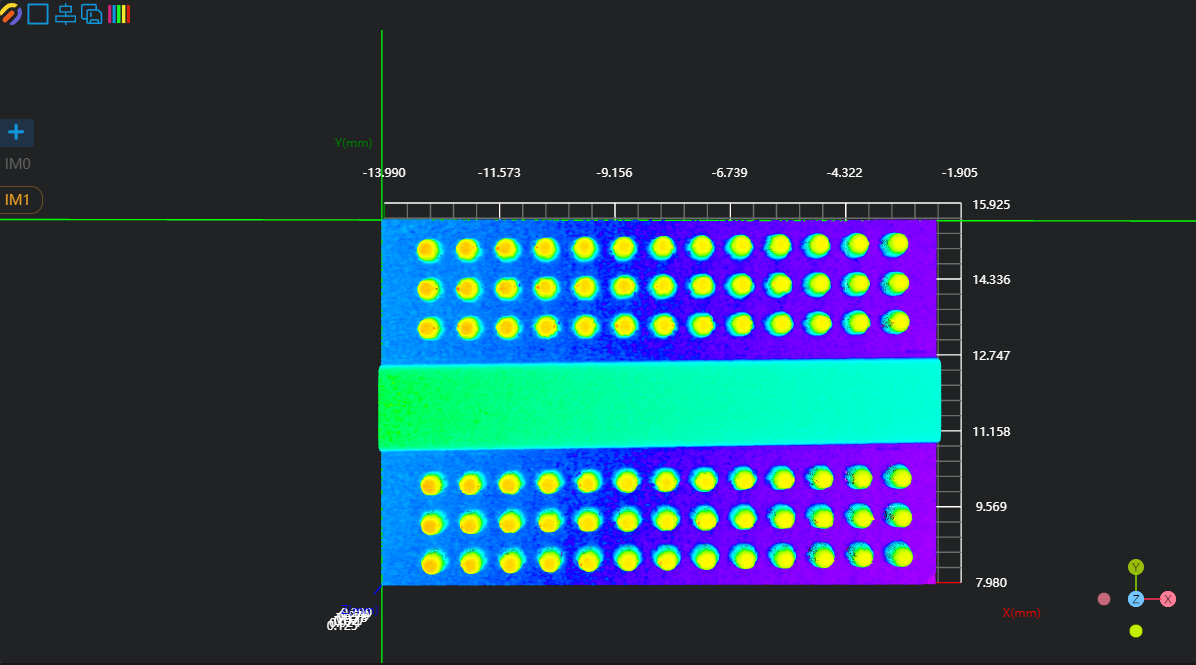
- Use the
3D Geometric Intersectiontool to output the intersection point of the two lines. - Use the
3D Position Adjustmenttool to adjust the point cloud position according to the output line intersection point.
Plane Fitting
- Use the
3D Regiontool to select the region for plane fitting.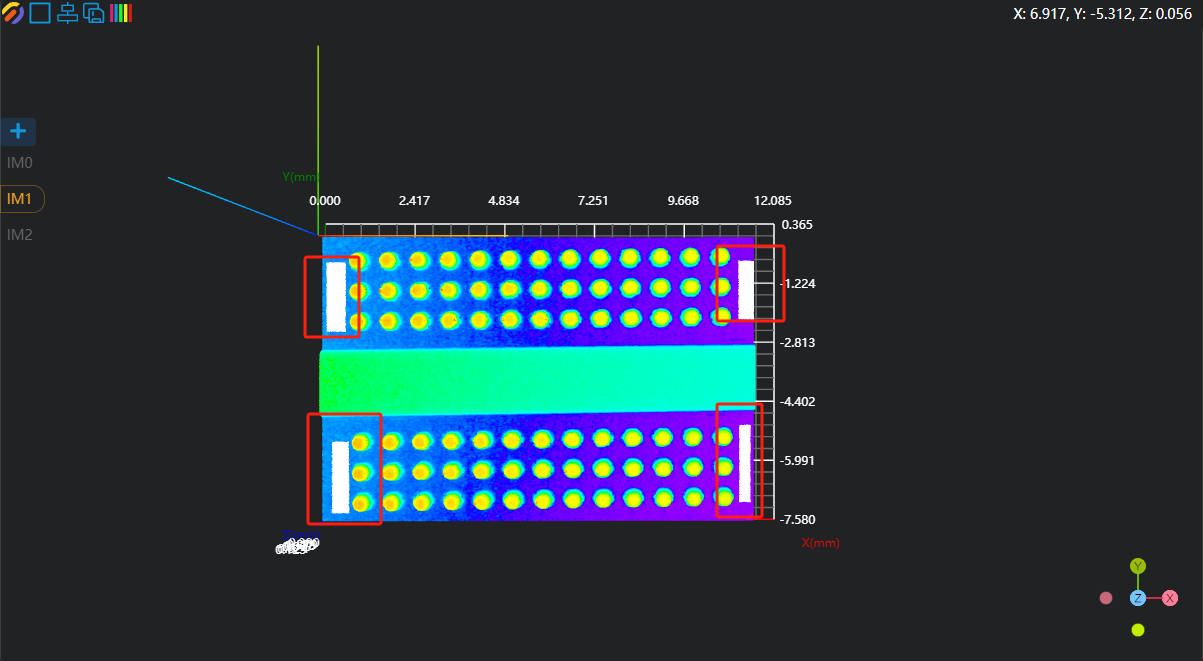
- Use the
3D Planetool to fit the plane based on the region selected by the previous tool and set it as the zero plane.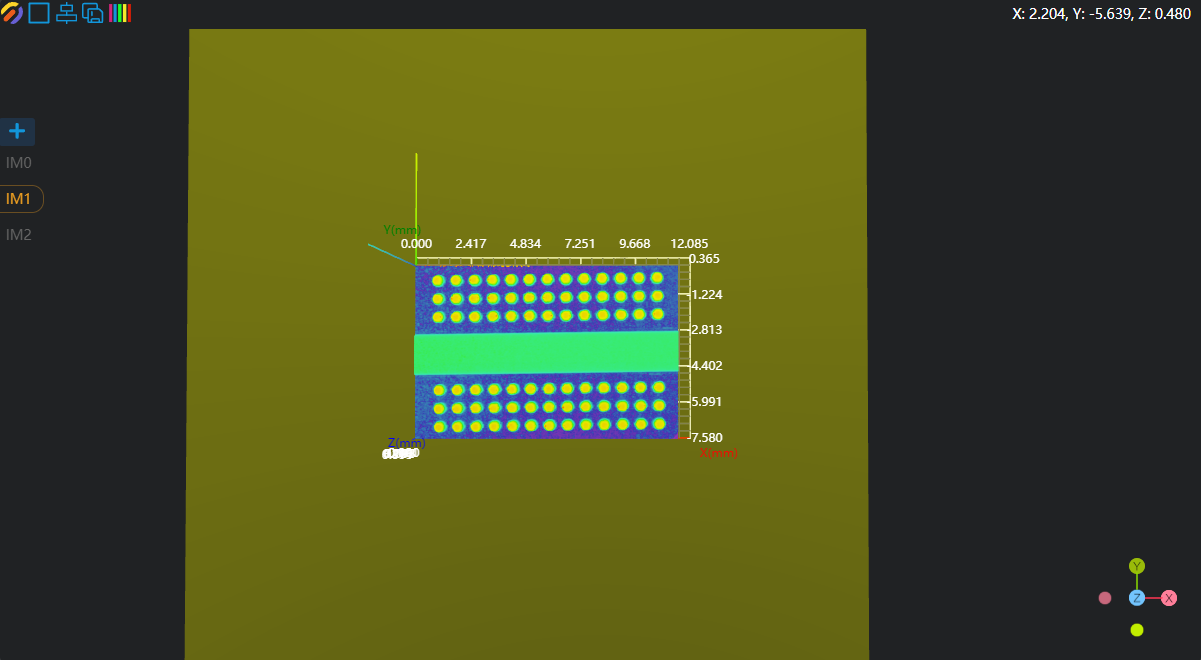
Crop the Area to Be Measured
- Use the
3D Croppingtool to crop out the solder joint area. - Use the
3D Croppingtool, select inverse cropping to cut out the areas that do not need to be measured, leaving the solder joints. - Use the
3D Croppingtool to copy IM2 to IM3 and IM4 for volume and height measurement.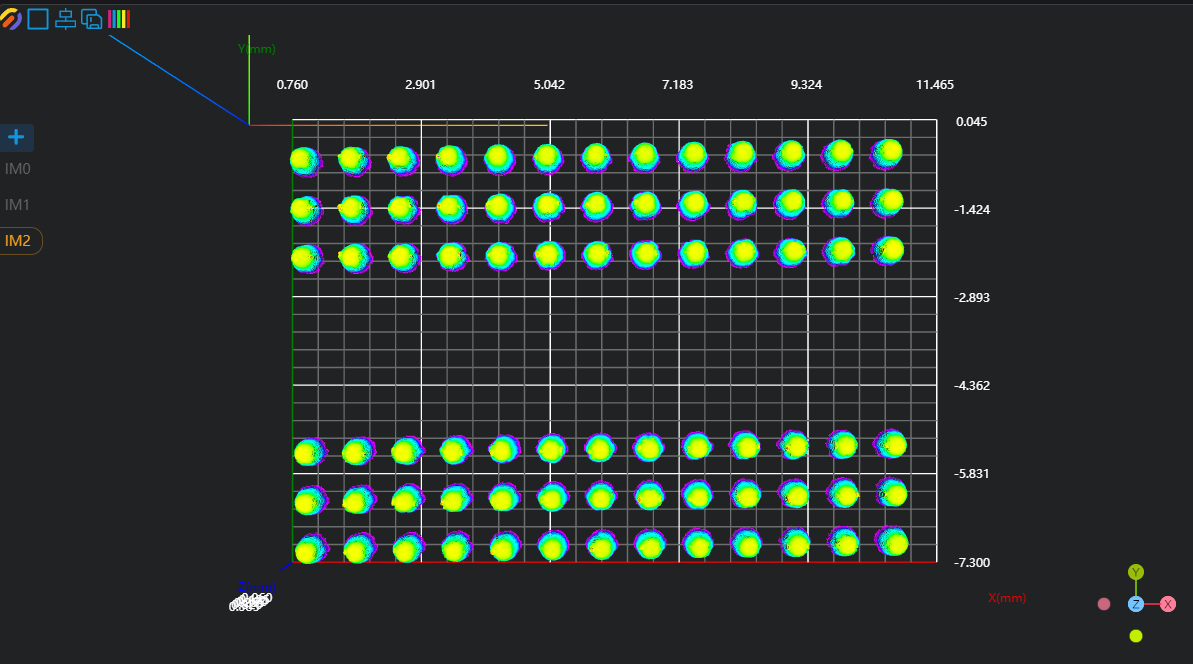
3. Volume and Height Measurement
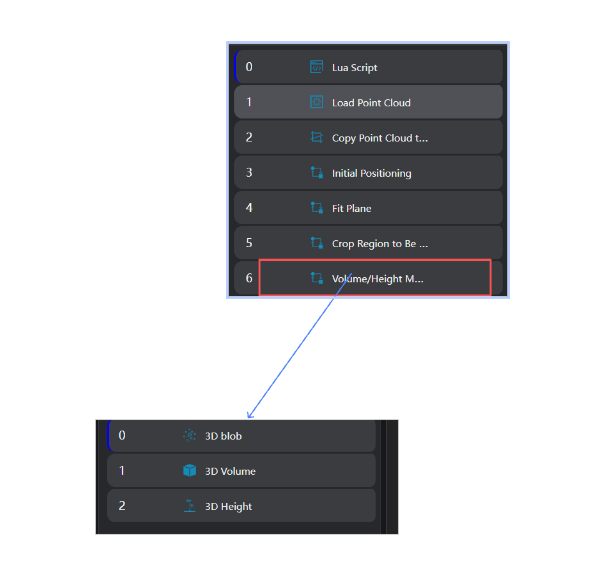
- Use the
3D Blobtool to output the position information of each solder joint.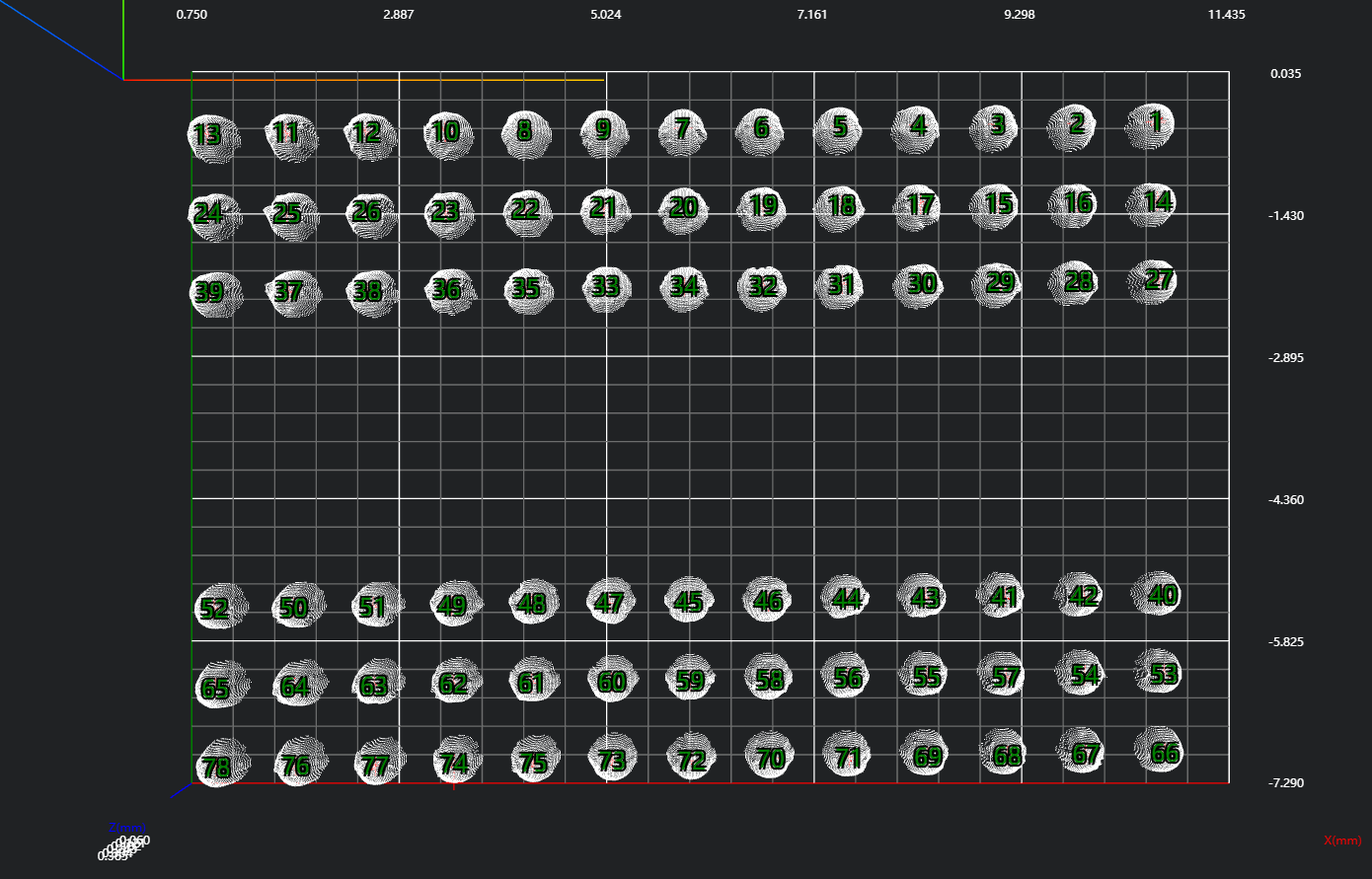
- Use the
3D Volumetool, bind the output variable blob_center_points of the 3D Blob tool (including position information of all solder joints) as the input region, and measure the volume of all solder joints. - Use the
3D Heighttool, bind the output variable blob_center_points of the 3D Blob tool (including position information of all solder joints), and measure the height of all solder joints.
4. Data Saving
Use the Lua Script tool to save data to CSV files.
Experience
string.format is used for string formatting %.nf means formatting a floating-point number to retain n decimal places.
pi = 3.14159 str = string.format("Pi is approximately %.3f", pi) print(str) -- Output: Pi is approximately 3.141
-- Initialize concatenated strings
writeV = ""
writeH = ""

-- Concatenate time (first column)
writeV = writeV .. os.date("%Y_%m_%d %H:%M:%S") .. ","
writeH = writeH .. os.date("%Y_%m_%d %H:%M:%S") .. ","

-- Concatenate volume and height values (columns 2-79)
for i= 1,78,1 do
    writeV = writeV .. string.format("%.3f,",Volume[i])
    writeH = writeH .. string.format("%.3f,",Height[i])
end

-- Write to files
WriteLineToFile("./Volumn.csv",writeV)
WriteLineToFile("./Height.csv",writeH)Experience Summary
Core Steps:
- Obtain position information of the area to be measured with 3D Blob.
- Batch measure volume and height.