
Connector Pin Position Detection
Project Introduction
Project Background
Automotive connectors have complex shapes, with some PINs surrounded by the housing. The PINs are extremely small with fine tips and have high reflectivity, making detection difficult. Inspected PINs directly affect subsequent product assembly, potentially causing unstable connections, poor contact, or direct product failure during use.
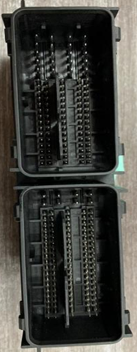
Camera Selection
LMI Laser Line Scan Camera Gocator2430
Detection Requirements
Measurement accuracy ≤ 0.02mm
Measurement repeatability ≤ 0.004mm
Measurement cycle ≤ 1s
Solution
AI-Vision uses the Pin Needle Matching integrated operator to output all Pin heights with one click and determine if they meet standards, reducing user difficulty while improving project runtime speed.
Design Concept
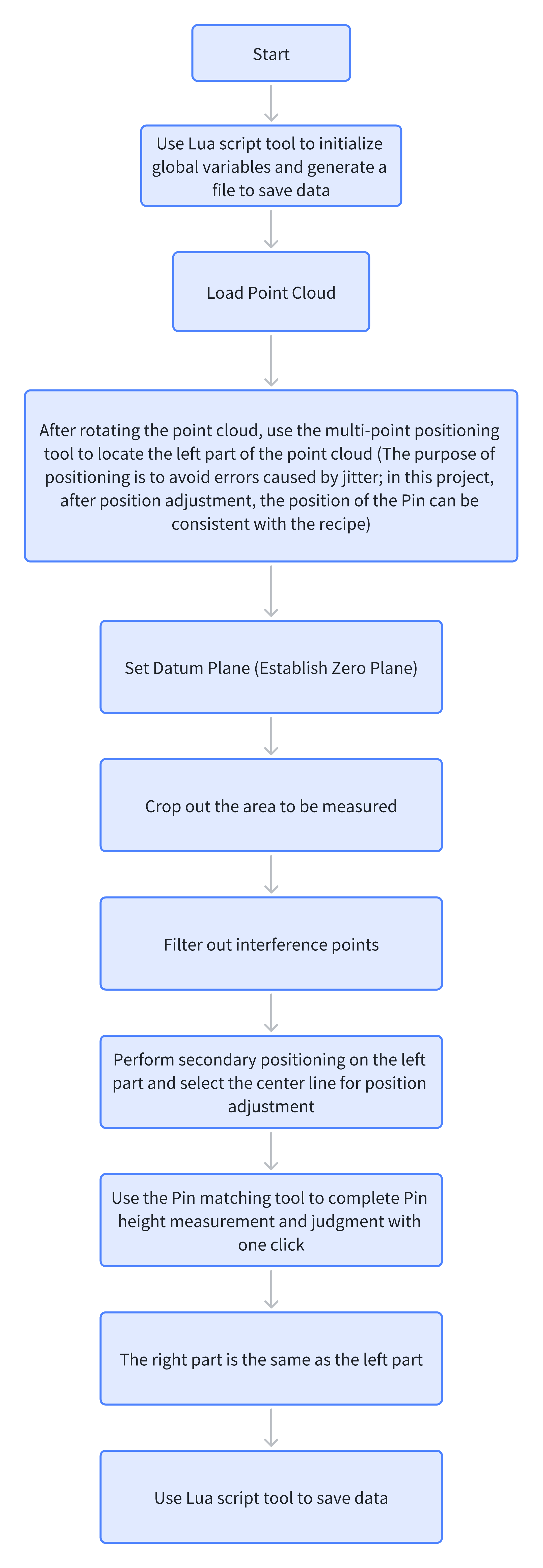
Execution Result Display
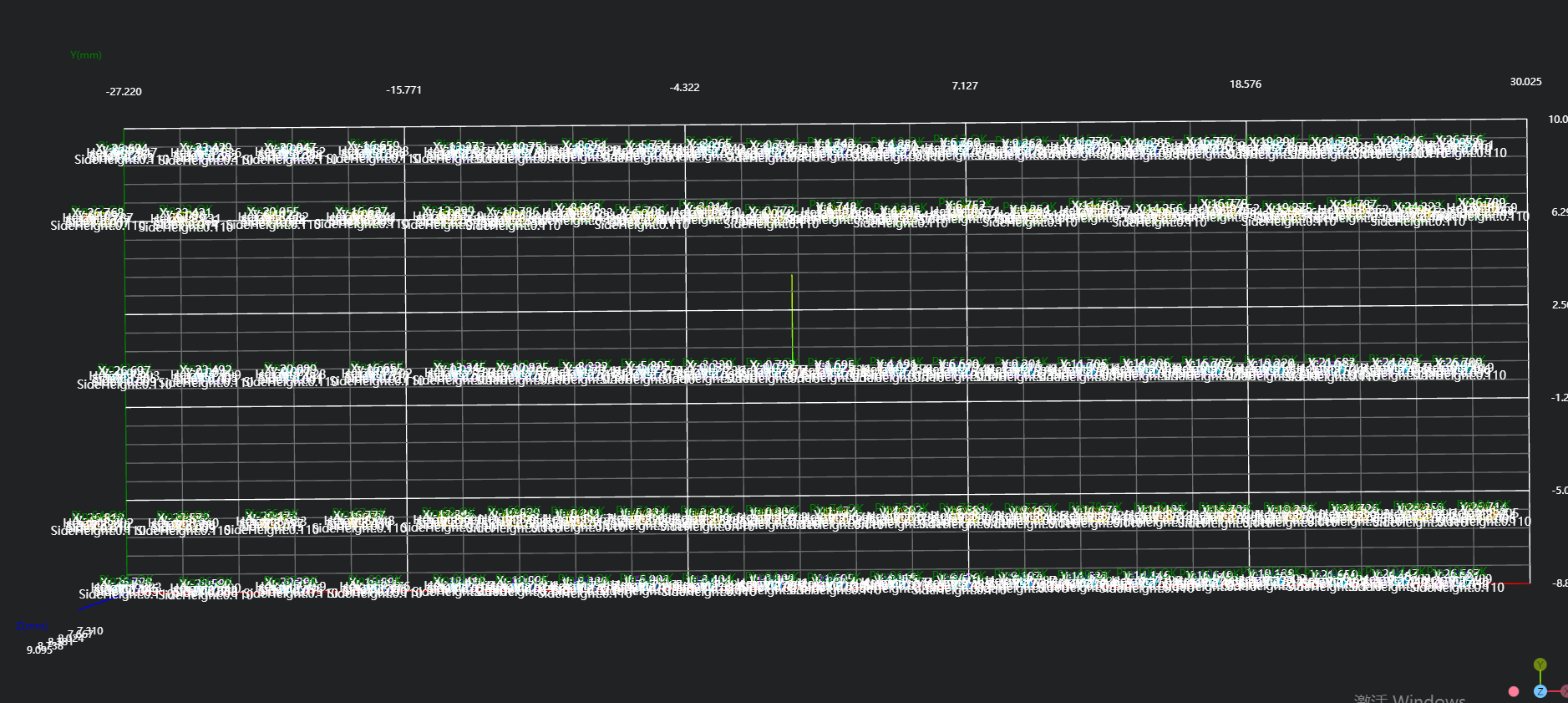
Project result display:
Left part:
Right part:
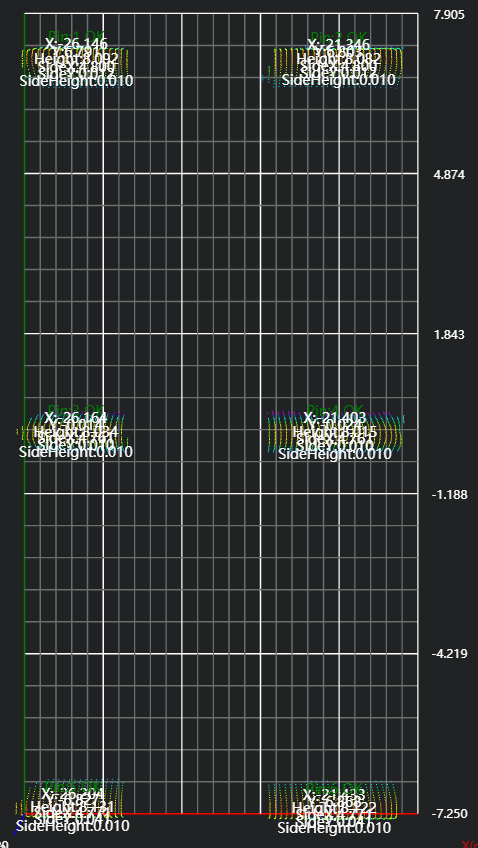
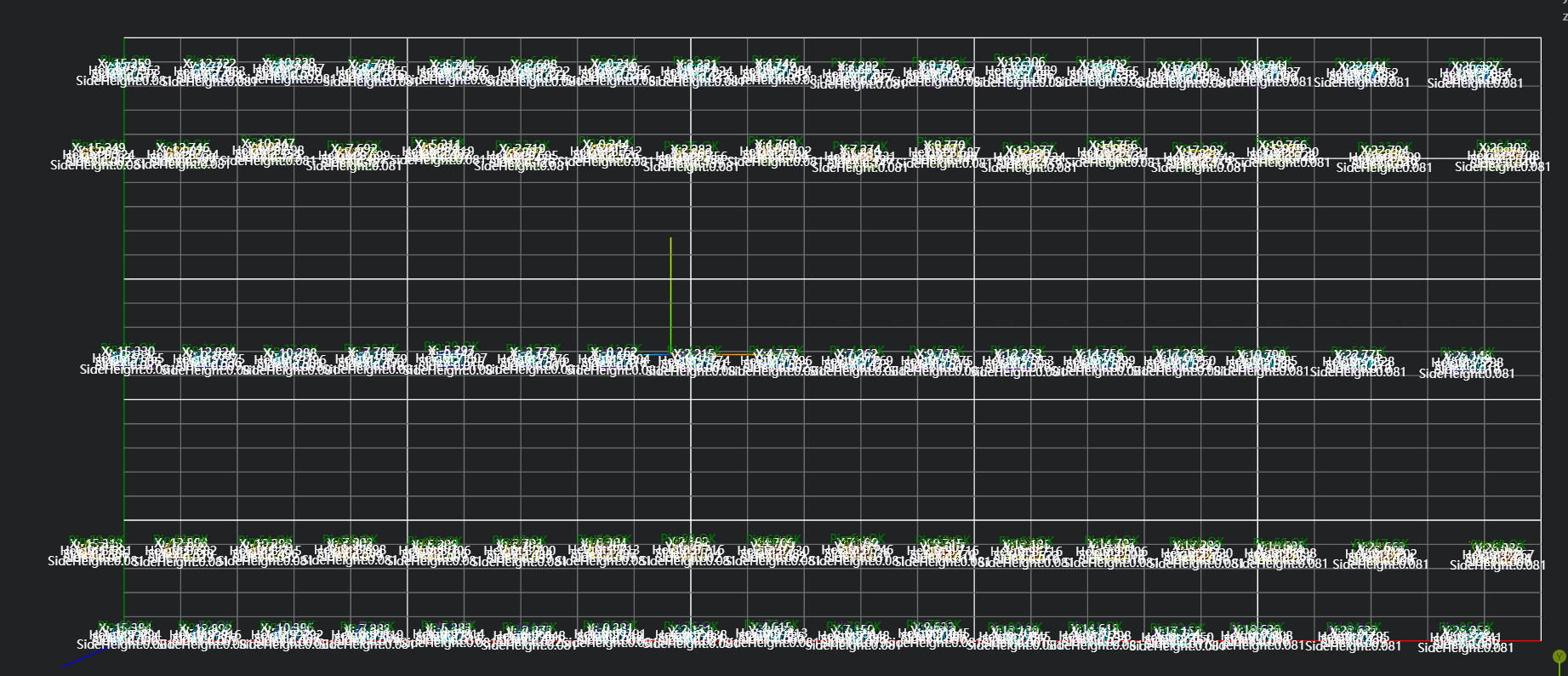
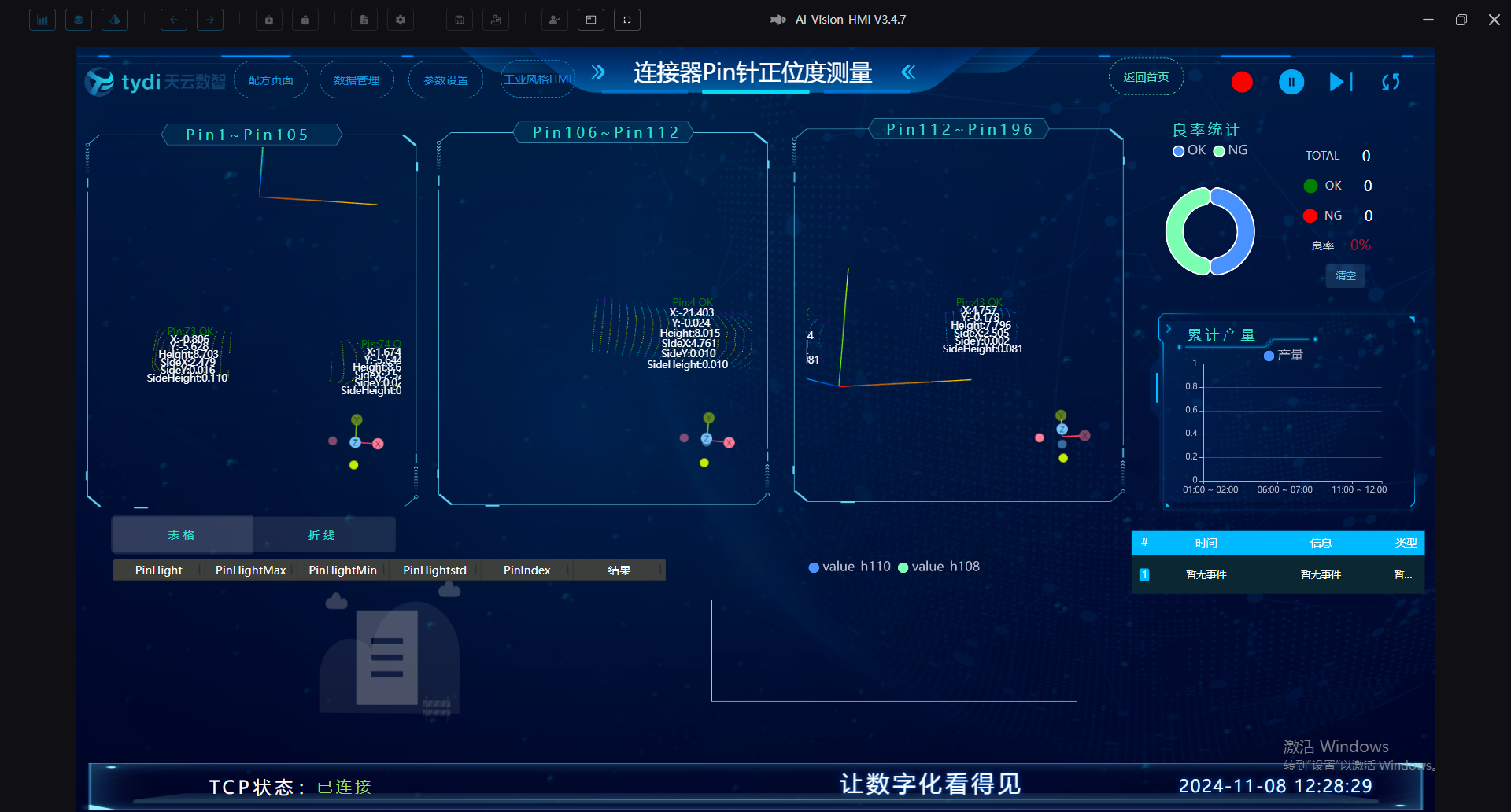
HMI result display:
Project Process
I. Initialization
- Select
Lua Script Languagetool, initialize global variables, create CSV files to receive data.
Experience
.. Used for string concatenation
part1 = "Hello, "
part2 = "world!"
result = part1 .. part2
print(result) # Output: Hello, world!
, as separator to split each data item
-- Generate string for concatenation
write = ""

-- Define CSV header content
csvHead = "Time,"
for i=1,196,1 do
    csvHead = csvHead .. "pin" .. i .. ","
end
csvHead = csvHead .. "\n"

-- Create file, script creates if doesn't exist on first run
if FileExists("./196pin_X.csv") == false then
    PrintToFile("./196pin_X.csv", csvHead)
end

-- Create y file
if FileExists("./196pin_Y.csv") == false then
    PrintToFile("./196pin_Y.csv", csvHead)
end

-- Create H file
if FileExists("./196pin_H.csv") == false then
    PrintToFile("./196pin_H.csv", csvHead)
end

-- Create SideX file
if FileExists("./196pin_SideX.csv") == false then
    PrintToFile("./196pin_SideX.csv", csvHead)
end

-- Create SideY file
if FileExists("./196pin_SideY.csv") == false then
    PrintToFile("./196pin_SideY.csv", csvHead)
end

-- Create SideH file
if FileExists("./196pin_SideH.csv") == false then
    PrintToFile("./196pin_SideH.csv", csvHead)
end

-- Create Result file
if FileExists("./196pin_Result.csv") == false then
    PrintToFile("./196pin_Result.csv", csvHead)
endSelect
Load Point Cloudtool to obtain point cloud.Select
3D Croptool, copy point cloud to IM1 (IM0 remains unchanged for later use).Select
3D Transformtool, rotate point cloud by 90 degrees.Select
3D Croptool, copy IM1 point cloud to IM3 for right part positioning and Pin needle measurement.
II. Preprocessing
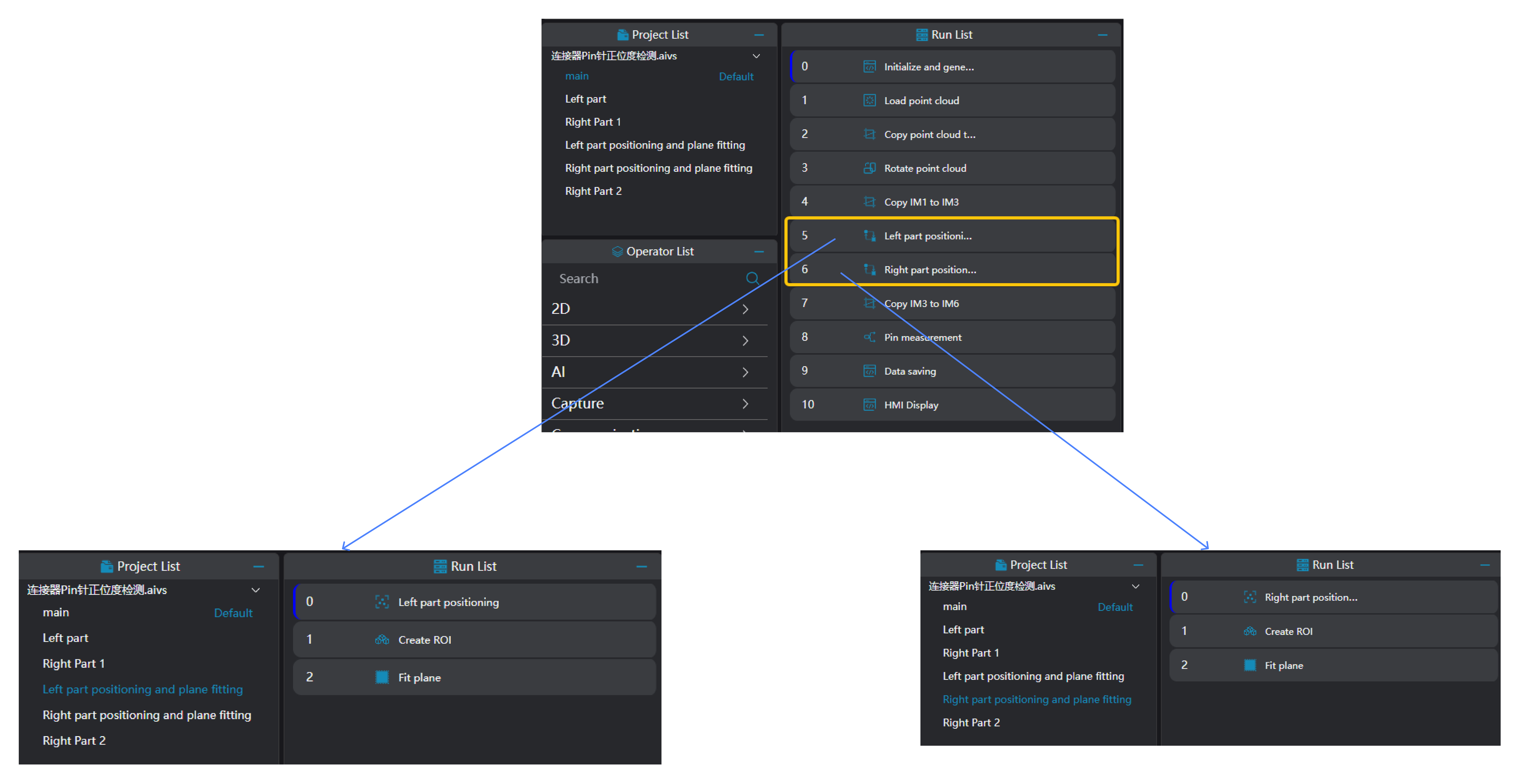
Select
Multi-point Positioningtool, select 4 boundary pin needles, calculate center position through 4 Pin needle positions, adjust point cloud XY position based on center position.Select
3D Regiontool, select area according to site requirements, merge into a large area and output to register.Select
3D Planetool, bind area output from3D Regiontool, fit plane.
III. Three Region Pin Needle Measurement
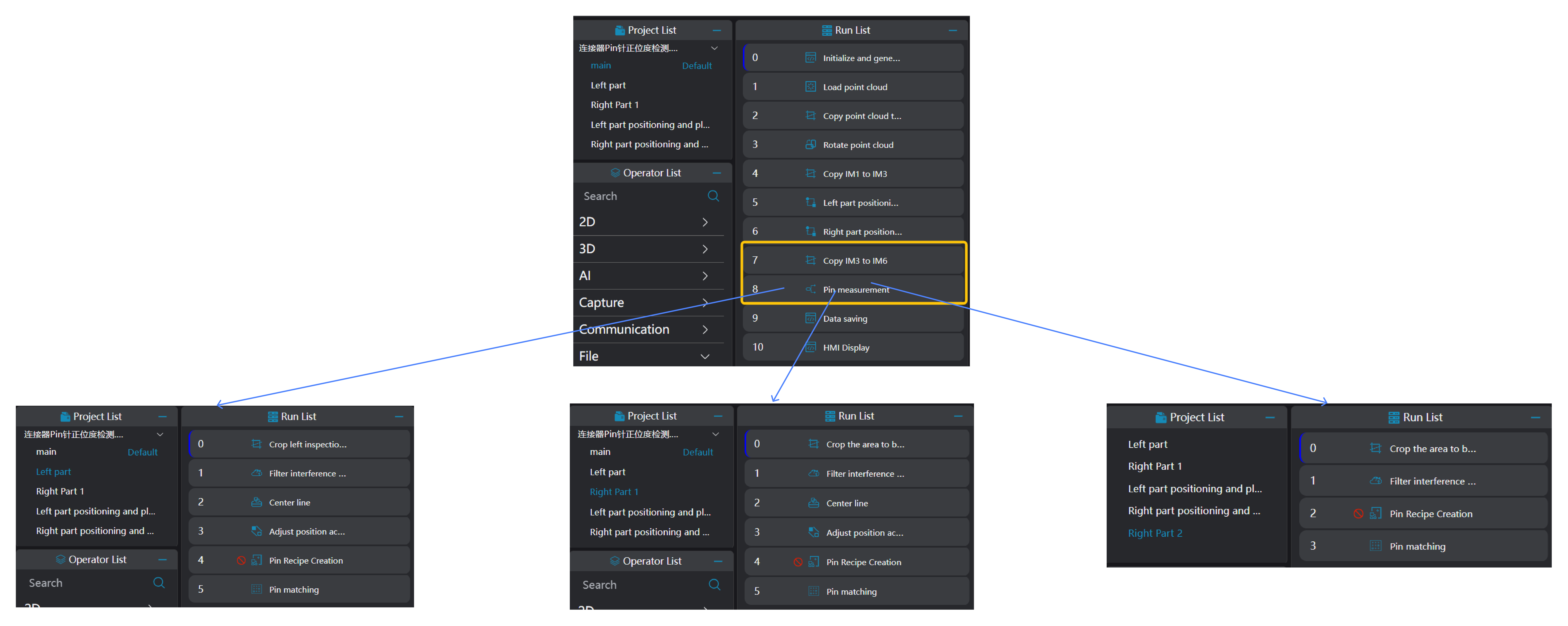
- Select
3D Croptool to copy IM3 point cloud to IM6: for right second part Pin needle measurement
Tip
When using parallel subroutine calls, each subroutine needs to be executed on different IMs.
Select
3D Outlier Filtertool, remove noise around to-be-measured Pin needle area.Select
3D Square Probetool, select middle row of pin needles, fit a line based on selected pin needle center coordinates.
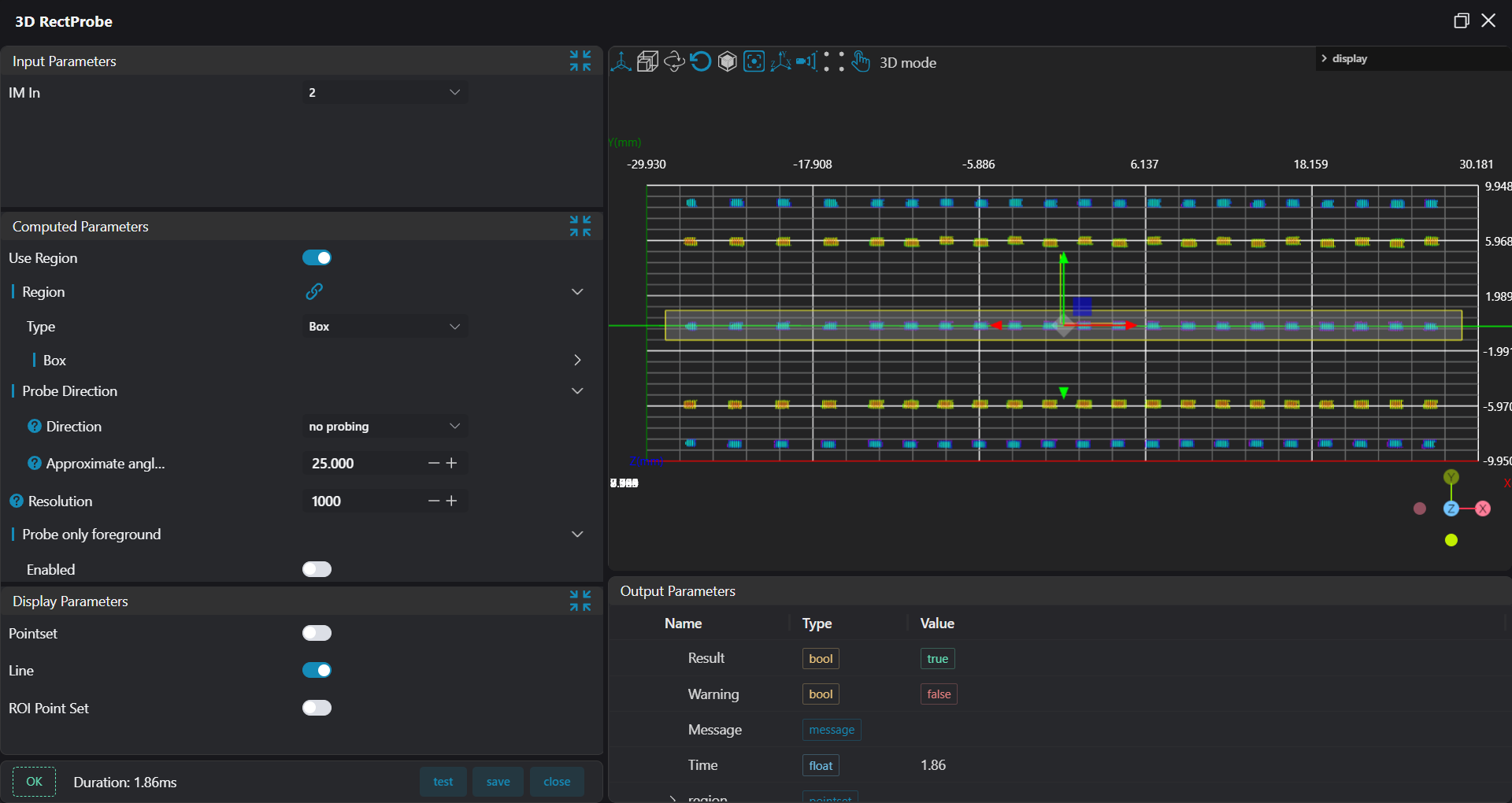
Select
3D Position Adjustmenttool, adjust point cloud XY position based on line output from previous step.Select
Pin Needle Recipe Creation Tool, set box to select to-be-detected area Pin needles, set Pin needle parameters, output recipe file for current Pin needle area.
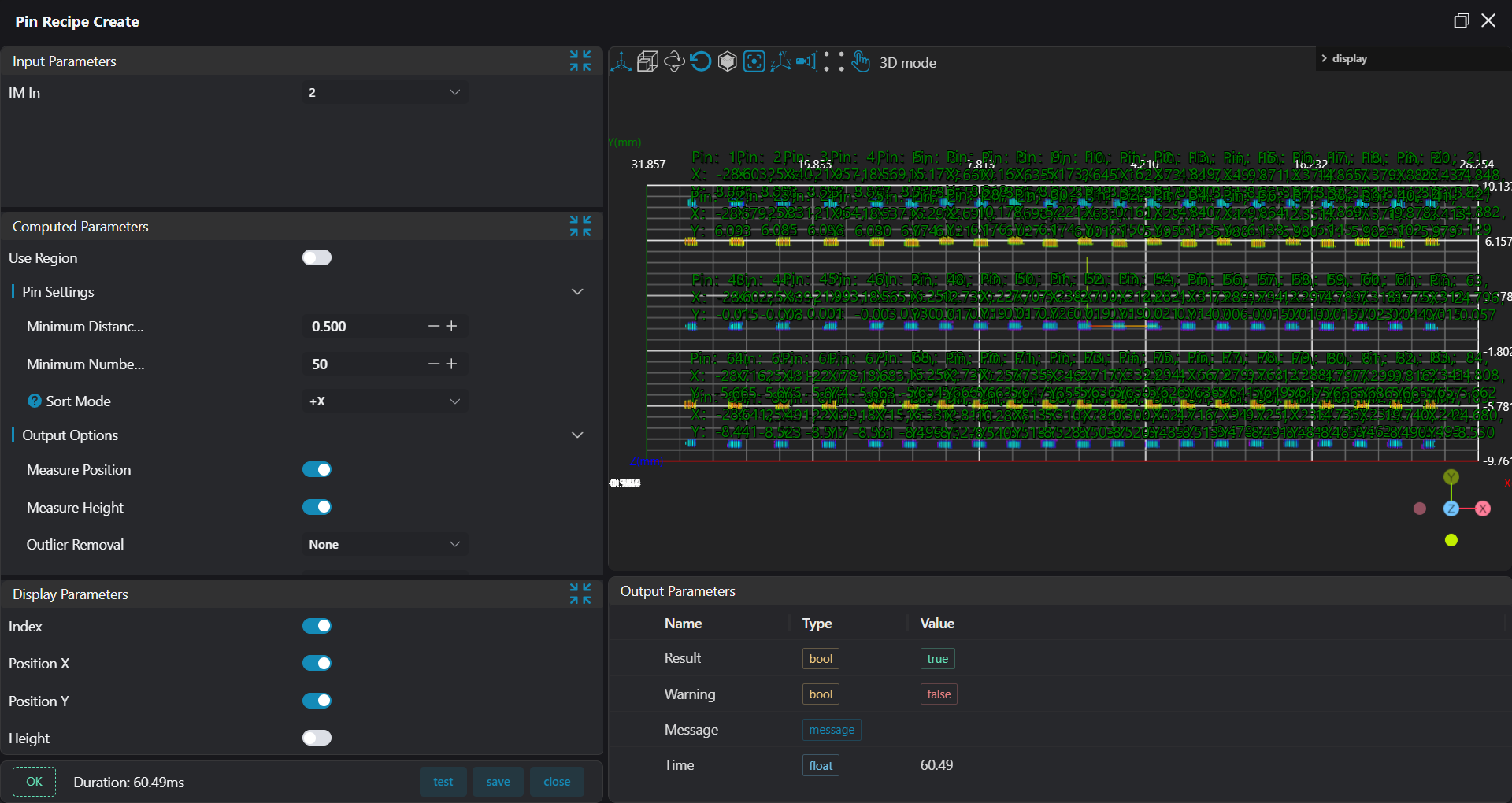
- Select
Pin Needle Matching 2tool, set box to select to-be-detected area Pin needles, set Pin needle parameters, set recipe comparison and select recipe file output from previous step.
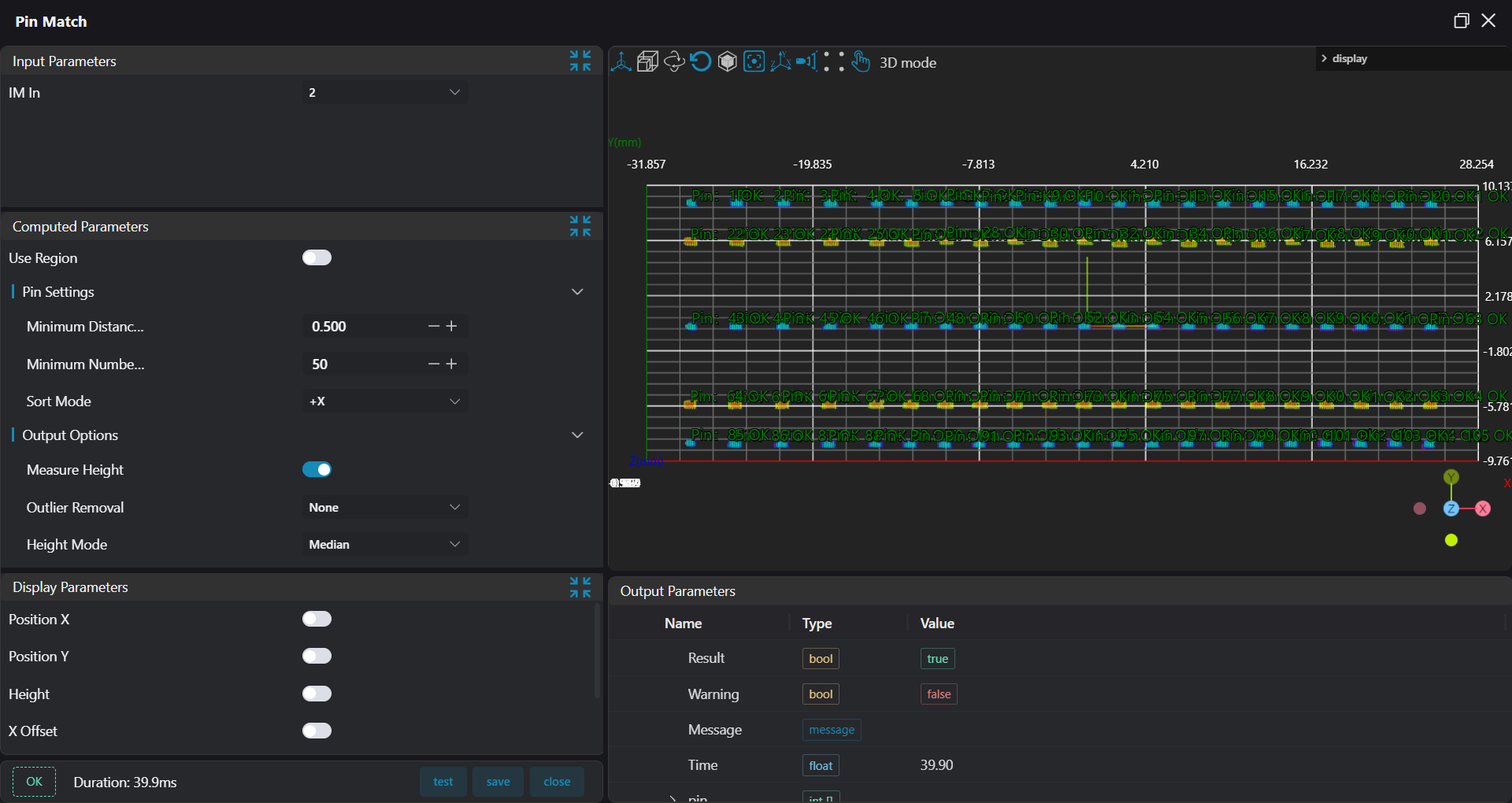
Right part processing logic is the same as left half part, refer to this section's process.
IV. Save Results to CSV and Database
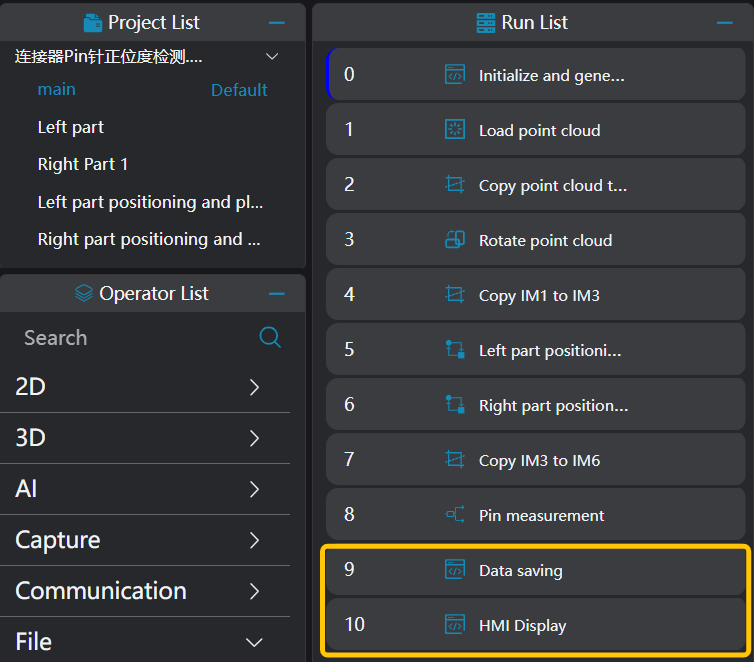
- Save data to CSV file: select
Lua Script Languagetool
Bind results variables from three
Pin Needle Matchingtools, bind global variable for determining CSV saveEdit Lua script, set seven variables respectively for concatenating position information, height information, Pin needle spacing information, measurement results.
Save results to CSV file
Experience
string.format is used for formatting strings %.nf formats floating-point numbers to n decimal places.
pi = 3.14159 str = string.format("Pi is approximately %.3f", pi) print(str) -- Output: Pi is approximately 3.141
-- Save to CSV

-- Get current time
time = os.date("%Y_%m_%d %H:%M:%S") .. ","
write_x = time
write_y = time
write_h = time
write_sidex = time
write_sidey = time
write_sideh = time
write_result = time


-- Get data for pins 1-105
for i = 1, 105, 1 do
    -- Get data to save to CSV
    -- string.format already has "%f," format, no need to add "," separately
    write_x = write_x .. string.format("%.3f,", Pin_1_105.pin_position_x[i])
    write_y = write_y .. string.format("%.3f,", Pin_1_105.pin_position_y[i])
    write_h = write_h .. string.format("%.3f,", Pin_1_105.pin_position_height[i])
    write_sidex = write_sidex .. string.format("%.3f,", Pin_1_105.pin_position_side_x[i])
    write_sidey = write_sidey .. string.format("%.3f,", Pin_1_105.pin_position_side_y[i])
    write_sideh = write_sideh .. string.format("%.3f,", Pin_1_105.pin_position_side_height[i])
    write_result = write_result .. Pin_1_105.pin_result[i] .. ","
end


-- Get data for pins 106-111
for i = 1, 6, 1 do
    -- Get data to save to CSV
    write_x = write_x .. string.format("%.3f,", Pin_106_111.pin_position_x[i])
    write_y = write_y .. string.format("%.3f,", Pin_106_111.pin_position_y[i])
    write_h = write_h .. string.format("%.3f,", Pin_106_111.pin_position_height[i])
    write_sidex = write_sidex .. string.format("%.3f,", Pin_106_111.pin_position_side_x[i])
    write_sidey = write_sidey .. string.format("%.3f,", Pin_106_111.pin_position_side_y[i])
    write_sideh = write_sideh .. string.format("%.3f,", Pin_106_111.pin_position_side_height[i])
    write_result = write_result .. Pin_106_111.pin_result[i] .. ","
end

-- Get data for pins 112-196
for i = 1, 85, 1 do
    -- Get data to save to CSV
    write_x = write_x .. string.format("%.3f,", Pin_112_196.pin_position_x[i])
    write_y = write_y .. string.format("%.3f,", Pin_112_196.pin_position_y[i])
    write_h = write_h .. string.format("%.3f,", Pin_112_196.pin_position_height[i])
    write_sidex = write_sidex .. string.format("%.3f,", Pin_112_196.pin_position_side_x[i])
    write_sidey = write_sidey .. string.format("%.3f,", Pin_112_196.pin_position_side_y[i])
    write_sideh = write_sideh .. string.format("%.3f,", Pin_112_196.pin_position_side_height[i])
    write_result = write_result .. Pin_112_196.pin_result[i] .. ","
end

-- Save to CSV, add line break after each inspection
write_x = write_x
write_y = write_y
write_h = write_h
write_sidex = write_sidex
write_sidey = write_sidey
write_sideh = write_sideh
write_result = write_result

-- HMI controls whether to save CSV file
if isSaveCSV == 1 then
    WriteLineToFile("./196pin_X.csv", write_x)
    WriteLineToFile("./196pin_Y.csv", write_y)
    WriteLineToFile("./196pin_H.csv", write_h)
    WriteLineToFile("./196pin_SideX.csv", write_sidex)
    WriteLineToFile("./196pin_SideY.csv", write_sidey)
    WriteLineToFile("./196pin_SideH.csv", write_sideh)
    WriteLineToFile("./196pin_Result.csv", write_result)
end- Save results for HMI display: select
Lua Script Languagetool
Bind result variables from three
Pin Needle MatchingtoolsCreate empty arrays for storing Pin needle height, OK/NG data, and all output data to database
Loop to get results from three
Pin Needle Matchingtools, save data to created empty arrays; save all data array to global variables for HMI display; write height data and OK/NG results to database
Experience
table.insert is a function in Lua used to insert elements into a table table.insert(table1, [pos,] value) table1: the table to insert elements into. pos (optional): insertion position. If not provided, the value is appended to the end of the table by default. value: the value to insert.
local table1 = {"w", "b"} table.insert(table1, "v") -- Insert "v" at the end print(table1) -- Output: ["w","b","v",] print(table1[1]) -- Output: w
-- HMI display

-- Define method: check if array contains specified data.
function tableContains(tab, val)
    for index, value in ipairs(tab) do
        if value == val then
            return true
        end
    end
    return false
end

-- Define variable for database storage
local sqlData = {}
local dataResult = {}
local currentTable = {}

-- Get data for pins 1-105
for i = 1, 105, 1 do
    -- Save measurement variables for HMI display, which pins' data to take needs to be written based on actual conditions in if conditions
    if i % 21 == 0 or i % 21 == 1 then
        SetFloatVariable("value_h" .. tostring(i), Pin_1_105.pin_position_height[i])
        pinRecipe = GetRecipeSet(i - 1)
        local table1 = {}
        table1["PinIndex"] = "H" .. tostring(i)
        table1["PinHightStd"] = string.format("%.3f", pinRecipe.PinHight)
        table1["PinHightMax"] = pinRecipe.PinHightMax
        table1["PinHightMin"] = pinRecipe.PinHightMin * -1
        table1["PinHight"] = string.format("%.3f", Pin_1_105.pin_position_height[i])
        table1["result"] = Pin_1_105.pin_result[i]

        -- Insert data into array OK Height Currently all variables
        table.insert(dataResult, Pin_1_105.pin_result[i])
        table.insert(sqlData, Pin_1_105.pin_position_height[i])
        table.insert(currentTable, table1)
    end
end


-- Get data for pins 106-111
for i = 1, 6, 1 do
    SetFloatVariable("value_h" .. tostring(i + 105), Pin_106_111.pin_position_height[i])
    pinRecipe = GetRecipeSet(i + 105 - 1)
    local table1 = {}
    table1["PinIndex"] = "H" .. tostring(i + 105)
    table1["PinHightStd"] = string.format("%.3f", pinRecipe.PinHight)
    table1["PinHightMax"] = pinRecipe.PinHightMax
    table1["PinHightMin"] = pinRecipe.PinHightMin * -1
    table1["PinHight"] = string.format("%.3f", Pin_106_111.pin_position_height[i])
    table1["result"] = Pin_106_111.pin_result[i]

    table.insert(dataResult, Pin_106_111.pin_result[i])
    table.insert(sqlData, Pin_106_111.pin_position_height[i])
    table.insert(currentTable, table1)
end

-- Get data for pins 112-196
for i = 1, 85, 1 do
    -- Save measurement variables for HMI display
    if i % 17 == 0 or i % 17 == 1 then
        SetFloatVariable("value_h" .. tostring(i + 111), Pin_112_196.pin_position_height[i])
        pinRecipe = GetRecipeSet(i + 111 - 1)
        local table1 = {}
        table1["PinIndex"] = "H" .. tostring(i + 111)
        table1["PinHightStd"] = string.format("%.3f", pinRecipe.PinHight)
        table1["PinHightMax"] = pinRecipe.PinHightMax
        table1["PinHightMin"] = pinRecipe.PinHightMin * -1
        table1["PinHight"] = string.format("%.3f", Pin_112_196.pin_position_height[i])
        table1["result"] = Pin_112_196.pin_result[i]

        table.insert(dataResult, Pin_112_196.pin_result[i])
        table.insert(sqlData, Pin_112_196.pin_position_height[i])
        table.insert(currentTable, table1)
    end
end

-- Save real-time display data to HMI
-- println(ConvertTableToJson(currentTable))
SetStringVariable("alltable", ConvertTableToJson(currentTable))

-- Save database table headers
fileds = { "h1", "h21", "h22", "h42", "h43", "h63", "h64", "h84", "h85", "h105", "h106", "h107", "h108", "h109",
    "h110", "h111", "h112", "h128", "h129", "h145", "h146", "h162", "h163", "h179", "h180", "h196", "OKNG" }

-- Method set at script start: used to check if array contains this data
if tableContains(dataResult, "NG") then
    table.insert(sqlData, 0)
else
    table.insert(sqlData, 1)
end


-- Write data to database (height results)
WriteHmiData("196pin_H", fileds, sqlData)Experience Summary
Core steps:
Create recipe
Match point cloud based on recipe and judge results