
Project List
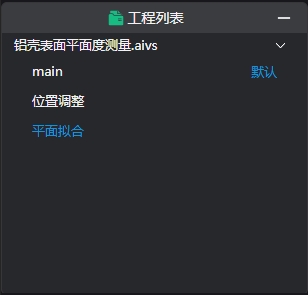
Displays the project currently being processed by AI-Vision. The project name is shown by default. Click the project name to dropdown and display the program list.
Right-click Operations
| Name | Description |
|---|---|
| New Program | Right-click the project name, select "New Program" to open the New Program Window, same as Menu Bar -> File -> New Program. |
| Open | Right-click a program name, select "Open" to switch the run list to this program and display its content.Double-click the program name with left mouse button for the same program switching function |
| Set as Default | Right-click a program name to set the selected program as the default program displayed when the project opens. |
| Rename | Right-click a program name to modify the program name. |
| Delete | Right-click a program name to delete the program. |