
3D Calibration Matrix Calculation
Operator Function
Input at least 2 calibration matrices, output the set of calibration matrices from all other cameras to camera 1. The input matrix information can be obtained either from the matrix variables output by the 3D line scan camera calibration operator, or from the calibration files output by the 3D line scan camera calibration operator.
Parameter Introduction
Calculation Parameters
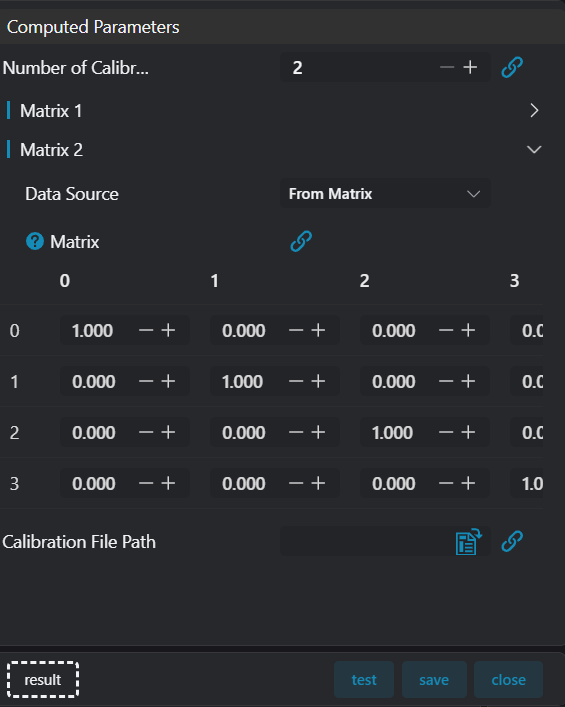
| Parameter | Range | Default Value | Description | Illustration |
|---|---|---|---|---|
| Number of Calibration Matrices | 2-7 | 2 | Number of input calibration matrices | |
| Data Source | From Matrix/From File | From Matrix | From Matrix means the input type is matrix variable From File means the input type is calibration file path | |
| Matrix | 1,0,0,0 0,1,0,0 0,0,1,0 0,0,0,1 | When data source is From Matrix, input calibration matrix | ||
| File Path | Empty | When data source is From File, input calibration file path | ||
| Calibration File Path | Empty | Output calibration file save path |
Output Parameters
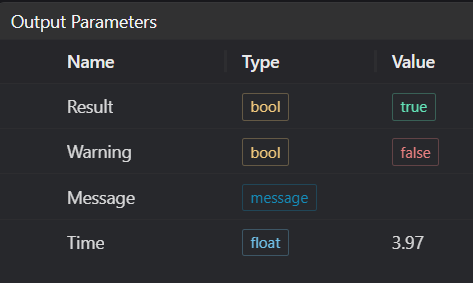
| Name | Type | Range | Description |
|---|---|---|---|
| Result | bool | true/false | true for success false for failure |
| Warning | bool | true/false | true indicates there is a warning false indicates there is none |
| Message | string | Outputs success, error, or warning information; if there is no error or warning, it is empty | |
| Time | float | Operator execution time, unit: ms |
Exception Troubleshooting
| No. | Exception Information | Corresponding Parameter | Solution |
|---|---|---|---|
| 1 | File parameter path is empty | Select correct file path | |
| 2 | File path does not exist | Select correct calibration file path | |
| 3 | Invalid matrix | Check matrix. Matrix should be 4x4 with 16 elements total | |
| 4 | Calibration file path is empty | Select correct save path |
Example Introduction
This example explains how to use the 3D Calibration Matrix Calculation operator to calculate the set of calibration matrices from all other cameras to camera 1 by inputting multiple calibration matrices.
Engineering Design
- Select 3
Load 3D Point Cloudoperators. - Select 2
3D Line Scan Camera Calibrationoperators. - Select 1
3D Calibration Matrix Calculationoperator.
Tool Usage
- Select 3
Load 3D Point Cloudoperators. Input the calibration block images captured by 3 cameras into IM0, IM1, and IM2 respectively in order. - Select one
3D Line Scan Camera Calibrationoperator to calibrate between camera 1 and camera 2. Set both reference image point selection and target image point selection to automatic mode. Set output calibration file path to./calib_21.json. Set output image number to 3. - Select one
3D Line Scan Camera Calibrationoperator to calibrate between camera 2 and camera 3. Set both reference image point selection and target image point selection to manual mode. Set output calibration file path to./calib_32.json. Set output image number to 4. - Select one
3D Calibration Matrix Calculationoperator. SetNumber of Calibration Matricesto 2. InMatrix 1, setData SourcetoFrom File,File Pathto./calib_21.json; inMatrix 2, setData SourcetoFrom File,File Pathto./calib_32.json. Set outputCalibration File Pathto./calib_210.json. Click Test.