3D Point Cloud Stitching
Operator Function
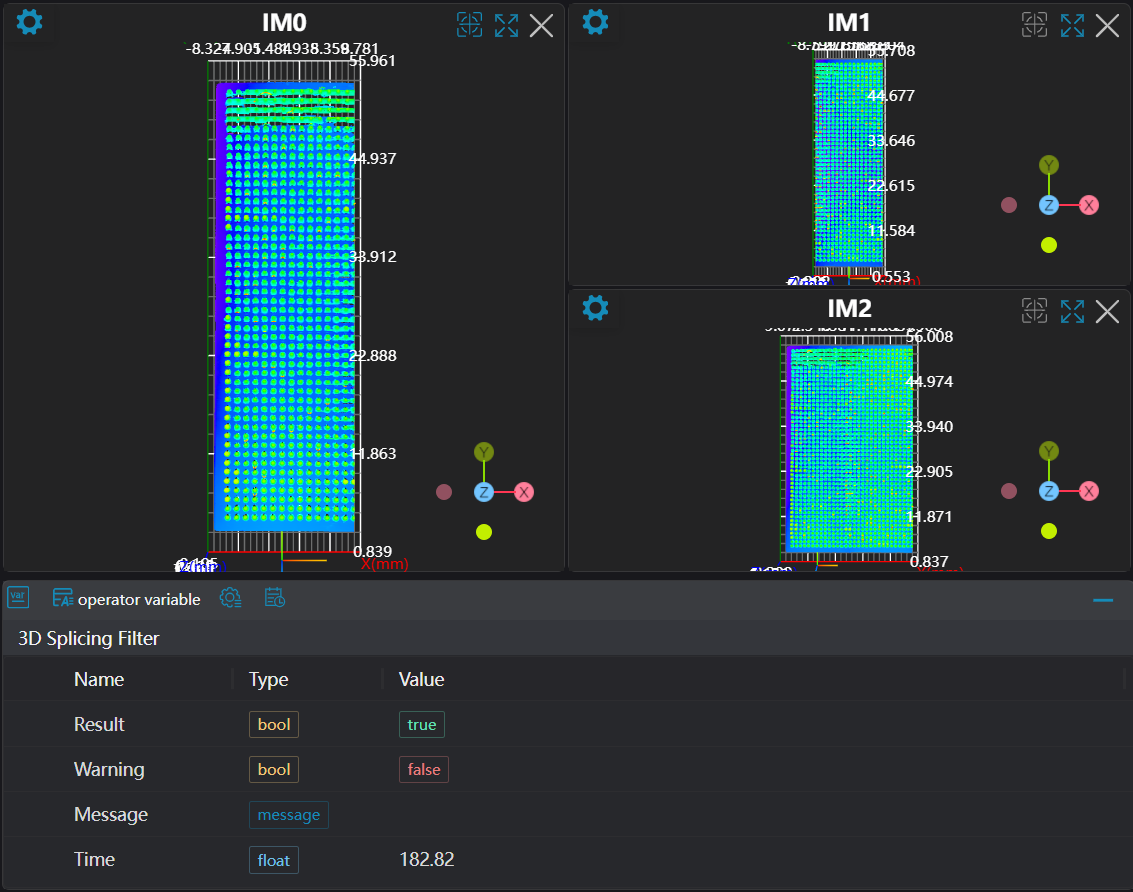
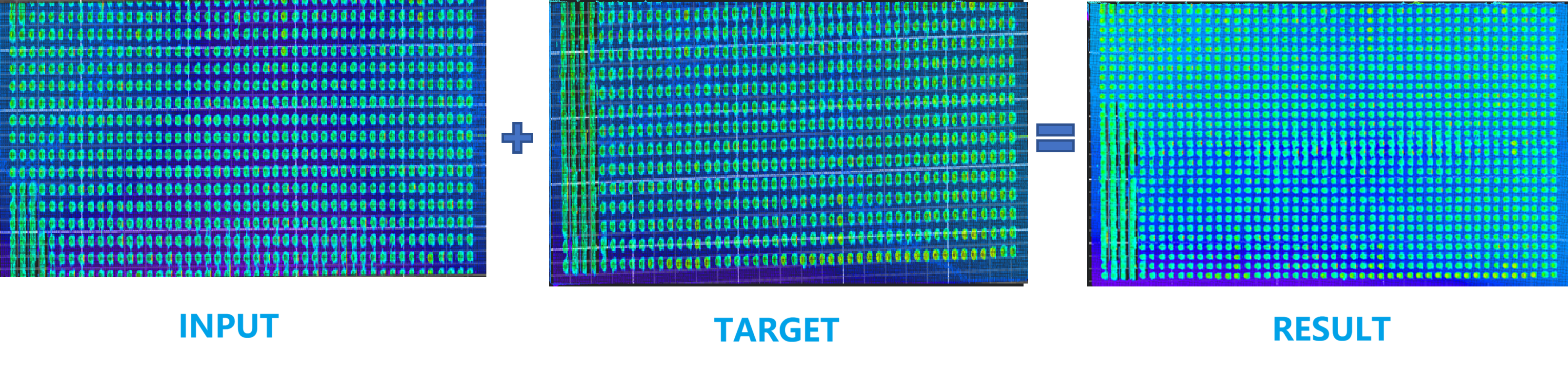
Transform the input point cloud into the coordinate system of the target point cloud based on the input transformation matrix. After merging duplicate points, output the stitched point cloud.
Parameter Introduction
Input Parameters
| Parameter | Range | Default Value | Description | Illustration |
|---|---|---|---|---|
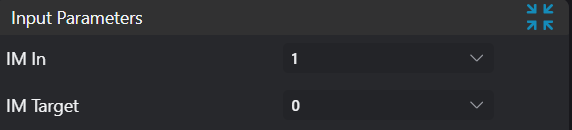
| Input Image | 0-8 | 0 | The IM number for image input | |
| Target Point Cloud | 0-8 | 0 | Point cloud in target coordinate system | |
Calculation Parameters
| Parameter | Range | Default Value | Description | Image |
|---|---|---|---|---|
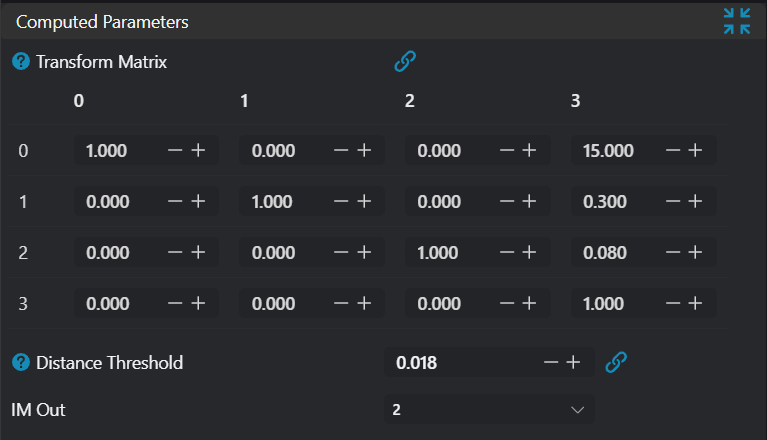
| Transformation Matrix | Matrix to transform input point cloud to target point cloud coordinate system. Note: This matrix needs to be pre-calculated and then input into the corresponding position in the operator editing interface. | 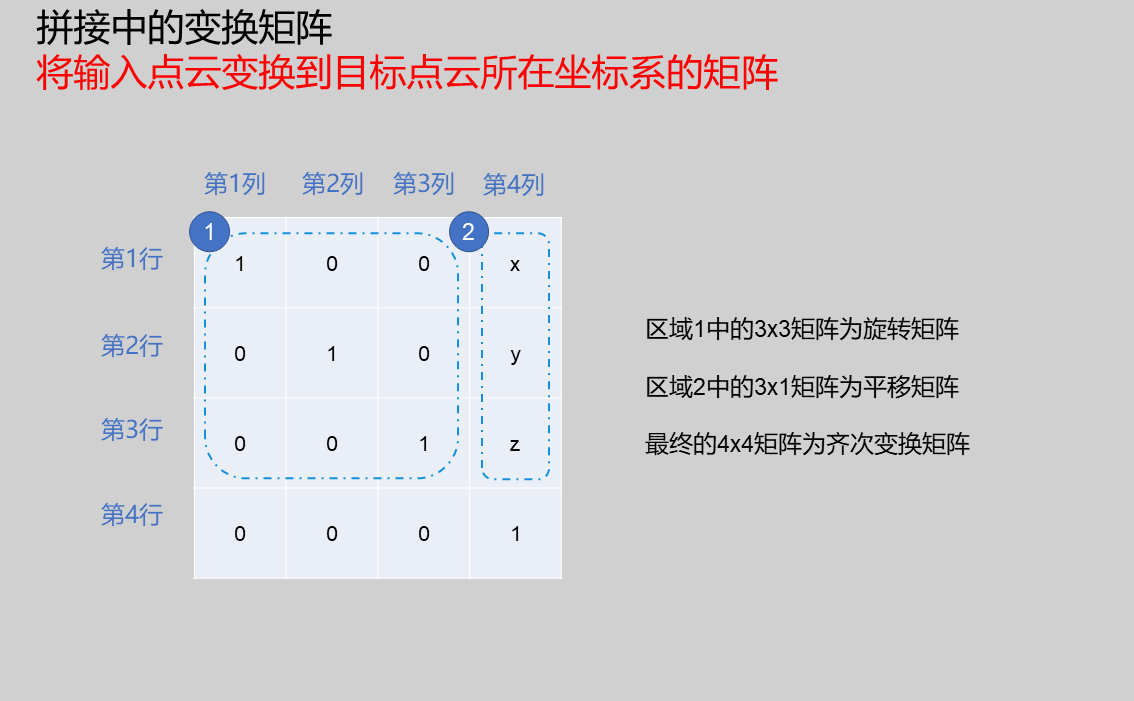 | ||
| Distance Threshold | 0.010 | Distance threshold for point cloud duplicate point merging; point pairs smaller than this threshold will be considered duplicate point pairs. | 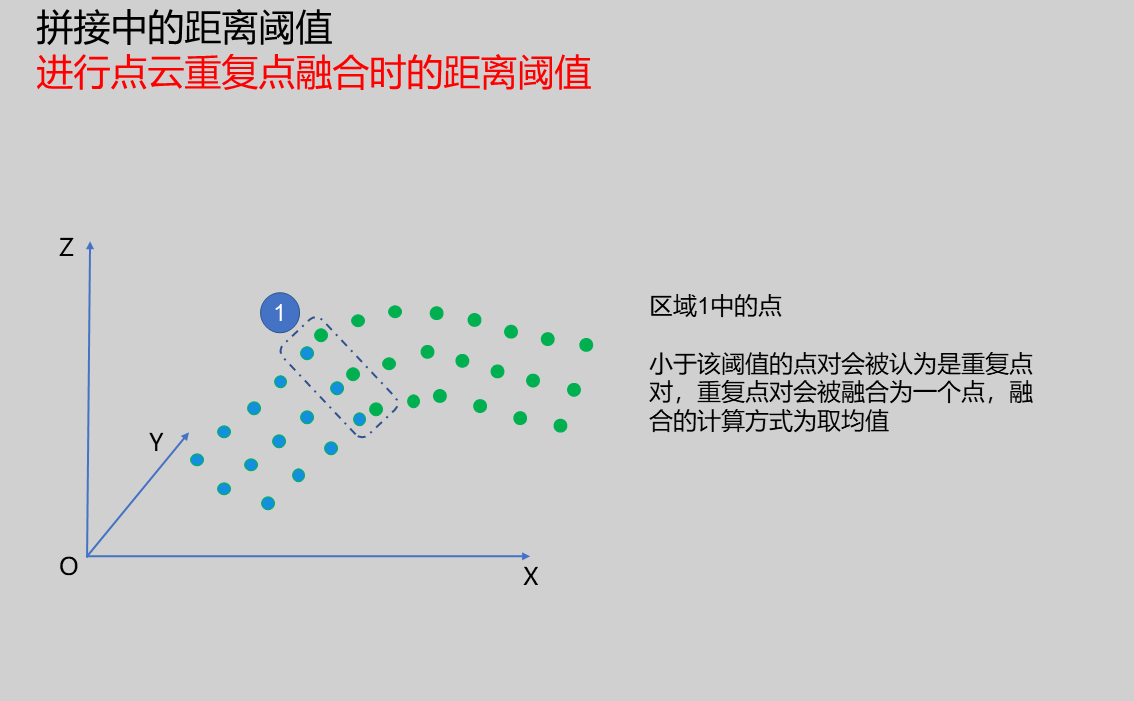 | |
| Output Image | 0-8 | 0 | The IM number for image output |
Output Parameters
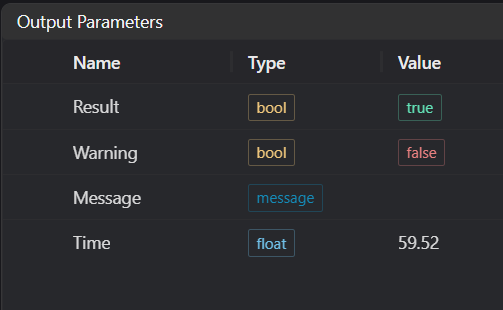
| Name | Type | Range | Description |
|---|---|---|---|
| Result | bool | true/false | true for success false for failure |
| Warning | bool | true/false | true indicates there is a warning false indicates there is none |
| Message | string | Outputs success, error, or warning information; if there is no error or warning, it is empty | |
| Time | float | Operator execution time, unit: ms |
Exception Troubleshooting
| No. | Exception Information | Corresponding Parameter | Solution |
|---|---|---|---|
| 1 | Point cloud stitching failed | Check if either input point cloud or target point cloud is empty |
Example Introduction
Engineering Design
- Select the
Load 3D Point Cloudtool to load the input 3D point cloud image into IM0. - Select the
Load 3D Point Cloudtool to load the target point cloud image into IM1. - Select the
3D Point Cloud Stitchingtool.
Tool Usage
- Select the IM number of the input image for operation.
- Select the IM number of the target point cloud.
- Set
Transformation Matrix,Distance Threshold, andOutput Imageparameters. - Click
Testto check if the image window and parameters meet expectations. - If there are no issues, click
Save, then run the operator in the run list to view the results in the corresponding IM.